The Best Obsidian Alternatives in 2026
Tolodora Editorial Team
Independent software reviews for founders and small businesses.
Obsidian is a free, local-first Markdown editor built around linked notes, backlinks, and an interactive graph view, with a large community plugin library for extending it. Its files live on your device by default, which appeals to writers and researchers who want full control over their data — but that same local-first design means official mobile sync and web publishing cost extra, and there's no built-in real-time collaboration or team workspace.
People typically look for an Obsidian alternative for one of three reasons: they want cloud collaboration and databases in one tool, they want a similar linked-notes and graph-view experience without configuring plugins, or they want something simpler with fewer moving parts. For teams that need collaboration and databases, Notion is the closest all-in-one substitute; for those who want to stay in the local, linked-notes camp, Logseq and Roam Research are the closest matches.

Comparing against the original?
See Obsidian's profile, rating & reviews on Tolodora →
| # | Tool | Best for | Rating |
|---|---|---|---|
| 1 | Notion | Teams and individuals who want notes, databases, and project tracking in a single collaborative tool. | 4.1/5 |
| 2 | Logseq | Obsidian users who want a similar local-first, linked-notes workflow at no cost. | 3.9/5 |
| 3 | Roam Research | Writers and researchers who want a polished outliner-based linking experience and don't mind a subscription. | 3.3/5 |
| 4 | Anytype | Privacy-focused users who want Obsidian-like local control plus structured objects and relations. | 3.8/5 |
| 5 | Capacities | Users who want Obsidian-style linking with a more guided, design-forward interface. | 3.9/5 |
| 6 | Bear | Apple users who want a lightweight, distraction-free notes app without Obsidian's plugin complexity. | 3.9/5 |
Notion
- Pricing
- 7.2/10
- Functionality
- 8.5/10
- Ease of use
- 8.8/10
- Support
- 8.2/10
What I like
An all-in-one workspace that combines notes, databases, wikis, and task management with real-time collaboration built in.
Best for
Teams and individuals who want notes, databases, and project tracking in a single collaborative tool.
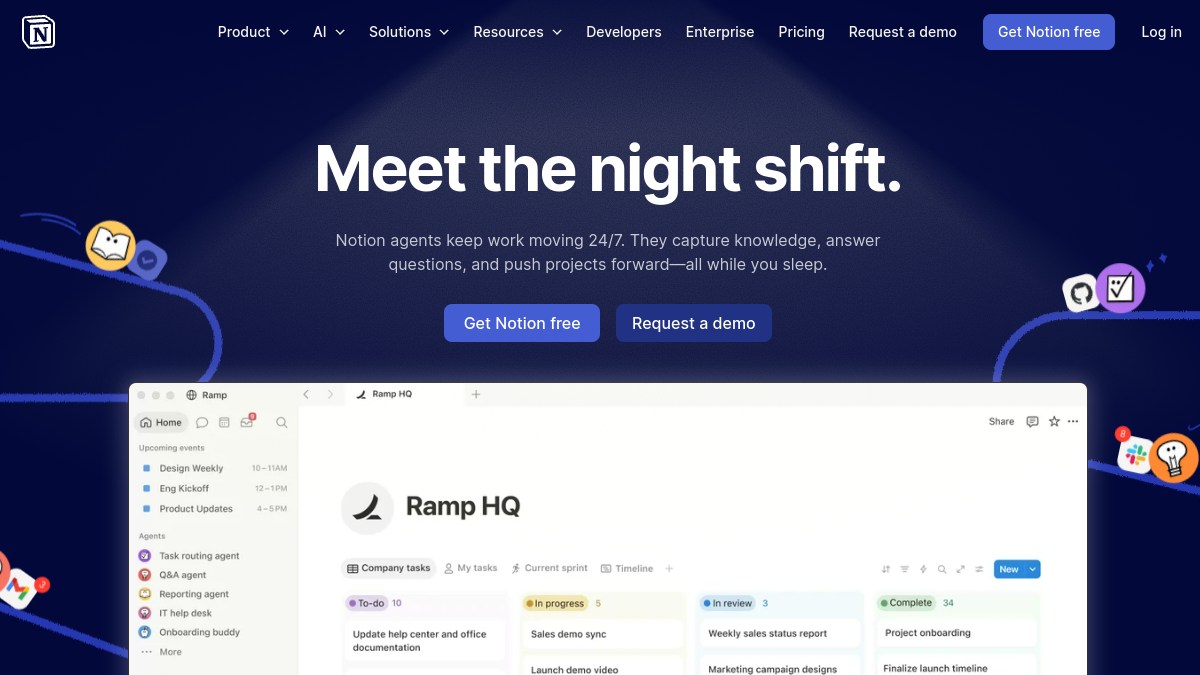
Unlike Obsidian's local Markdown files, Notion stores everything in the cloud and is built around structured databases rather than a plugin ecosystem. It has no true bidirectional graph view, but it adds real-time collaboration, comments, and shared permissions that Obsidian doesn't offer natively.
Logseq
- Pricing
- 9.6/10
- Functionality
- 8.4/10
- Ease of use
- 7.2/10
- Support
- 6.2/10
What I like
A free, open-source outliner that stores notes as local Markdown or Org-mode files with backlinks and a graph view.
Best for
Obsidian users who want a similar local-first, linked-notes workflow at no cost.
Logseq is architecturally close to Obsidian — both are local-first, Markdown-based, and privacy-focused with a linked graph view. The main difference is Logseq's block-based outliner structure versus Obsidian's page-based editor, and Logseq can open an existing Obsidian vault directly.
Roam Research
- Pricing
- 4.8/10
- Functionality
- 7.9/10
- Ease of use
- 7.0/10
- Support
- 6.6/10
What I like
The tool widely credited with popularizing bidirectional linking and daily notes for personal knowledge management.
Best for
Writers and researchers who want a polished outliner-based linking experience and don't mind a subscription.
Roam Research pioneered many of the linking and graph-view concepts Obsidian later adopted, but it's cloud-based and subscription-only with no permanent free tier, whereas Obsidian's core app is free and local. Its plugin and theme ecosystem is smaller than Obsidian's community-plugin library.
Anytype
- Pricing
- 8.4/10
- Functionality
- 7.7/10
- Ease of use
- 7.4/10
- Support
- 6.8/10
What I like
A local-first, end-to-end encrypted app that organizes notes as typed objects with peer-to-peer sync.
Best for
Privacy-focused users who want Obsidian-like local control plus structured objects and relations.
Like Obsidian, Anytype keeps data local and works offline by default, but it stores notes as structured 'objects' with types and relations rather than plain Markdown files, and it adds built-in encrypted peer-to-peer sync that Obsidian only offers through a paid add-on.
Capacities
- Pricing
- 7.8/10
- Functionality
- 7.5/10
- Ease of use
- 8.6/10
- Support
- 7.0/10
What I like
A visually polished, object-based note app with weekly notes, mind maps, and structured content types.
Best for
Users who want Obsidian-style linking with a more guided, design-forward interface.
Capacities takes a more structured, object-based approach than Obsidian's freeform Markdown files, trading some of Obsidian's plugin flexibility for a cleaner, more opinionated interface with built-in templates for content types like people, books, and projects.
Bear
- Pricing
- 9.0/10
- Functionality
- 5.8/10
- Ease of use
- 9.2/10
- Support
- 6.8/10
What I like
A fast, beautifully designed Markdown note app for Mac, iPhone, and iPad with simple nested tagging.
Best for
Apple users who want a lightweight, distraction-free notes app without Obsidian's plugin complexity.
Bear is far simpler than Obsidian — it offers basic note links but no graph view or plugin ecosystem, and it's limited to Apple devices, while Obsidian is cross-platform and highly extensible. It suits people who found Obsidian's setup and plugin configuration overwhelming.
The verdict
Choose Notion for team collaboration and databases, Logseq or Anytype if you want Obsidian's local-first linking without heavy plugin setup, Roam Research or Capacities for a more structured outliner experience, and Bear if you just want fast, simple Markdown notes.
Whatever you shortlist, run your real work through it for a week before committing — the right tool is the one that quietly disappears and lets you get back to it. And if you build software like this yourself, you can list it on Tolodora free.
Frequently asked questions
What's the closest alternative to Obsidian?
Logseq is generally considered the closest alternative, since it also stores notes as local Markdown or Org-mode files, supports bidirectional links, and includes a graph view — you can even open an existing Obsidian vault directly in Logseq.
Is there a free alternative to Obsidian?
Yes. Obsidian itself is free for personal use, and Logseq and Anytype both offer fully-featured free tiers; Notion and Capacities also have generous free plans, while Roam Research and Bear require a paid subscription after their trial periods.
Which Obsidian alternative is best for team collaboration?
Notion is the strongest choice for teams, with built-in real-time collaboration, shared databases, and permission controls that Obsidian doesn't offer natively without third-party sync services or plugins.
Keep exploring
Building one of these alternatives?
List your tool on Tolodora and get discovered by buyers comparing options.
Launch Your Product