DeskBot vs Hurdlr: Which Is Better in 2026?
A side-by-side comparison of DeskBot and Hurdlr, two finance tools — what each does, who it's best for, and how to choose between them.
Quick verdict
DeskBot and Hurdlr are both finance tools, so it comes down to fit. Pick DeskBot if you want Desktop trading bot for Kalshi prediction markets: paper + live, risk rails, backtests. $1 first month,… Pick Hurdlr if you want Automatic expense, mileage and tax tracking app for freelancers, self-employed workers and small businesses.
DeskBot
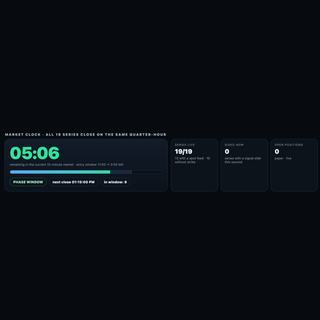
Desktop trading bot for Kalshi prediction markets: paper + live, risk rails, backtests. $1 first month, then $19.99/mo.
- Category
- Finance
- Rating
- Not yet rated
- Best for
- trading bot, Kalshi, prediction markets
Hurdlr
Automatic expense, mileage and tax tracking app for freelancers, self-employed workers and small businesses.
- Category
- Finance
- Rating
- Not yet rated
- Best for
- freelance, expenses, mileage
| At a glance | DeskBot | Hurdlr |
|---|---|---|
| What it is | Desktop trading bot for Kalshi prediction markets: paper + live, risk rails, backtests. $1 first month, then $19.99/mo. | Automatic expense, mileage and tax tracking app for freelancers, self-employed workers and small businesses. |
| Category | Finance | Finance |
| Type | Software | Software |
| Best for | trading bot, Kalshi, prediction markets, finance | freelance, expenses, mileage, taxes |
What is DeskBot?
DeskBot is a desktop trading bot for Kalshi prediction markets, built for traders who want automation without giving up control. It runs natively on Mac (Universal build for Apple Silicon and Intel) and on Windows, so your strategies execute from your own computer rather than a shared cloud server.
Paper and live modes: Start in paper trading to watch how a strategy behaves against real market data with zero money at stake. When you are comfortable, switch to live trading using your own Kalshi account. The same strategy settings carry over, so the move from simulation to real orders is a deliberate, single step.
Secure API connection: DeskBot connects to Kalshi through the official API using your own API key credentials. You create the key in your Kalshi account and authorize DeskBot locally; you stay in charge of access and can revoke the key at any time from Kalshi.
Risk rails built in: Every strategy runs inside guardrails you set. Position sizing rules cap how much goes into any single trade, and bankroll protection automatically pauses trading when losses reach the limits you define. These rails are designed to keep one bad stretch from turning into a disaster and to keep the bot behaving the way you intended.
Backtests before you commit: Run backtests on historical market data to see how a strategy might have performed, compare settings, and spot weaknesses before risking capital. Backtests are a research tool, not a promise: past backtests overstate live results, because real fills, fees, liquidity, and timing are harder than history makes them look.
Simple pricing: Try DeskBot for $1 for the first month, then $19.99 per month.
Who it is for: Kalshi traders who want disciplined, rules-based automation, hobbyists who want to learn strategy design safely in paper mode, and active traders who want consistent execution with clear limits.
Get started at https://deskbot.store
Important disclosures: DeskBot is an independent product and is not affiliated with, endorsed by, or sponsored by Kalshi. Trading involves risk of loss, and you can lose money you put into the markets. Past backtests overstate live results, and no strategy is guaranteed to be profitable. Only trade with money you can afford to lose.
What is Hurdlr?
Hurdlr is an automatic income, expense and mileage tracker built for self-employed people — freelancers, gig workers and small business owners — who want to maximize their tax deductions without doing the bookkeeping by hand. It quietly runs in the background, capturing the mileage, expenses and income that so often go unrecorded and cost the self-employed money at tax time.
What is Hurdlr?
Hurdlr automates the parts of self-employed finances people hate. It tracks mileage automatically as you drive, captures business expenses and receipts, monitors income across multiple streams, and calculates your tax liability in real time so there are no surprises. The whole point is to surface deductions you'd otherwise miss and keep you ready for tax season year-round.
Who it's for
Hurdlr is made for freelancers, independent contractors, gig-economy workers (rideshare, delivery, and the like) and small business owners — anyone whose income and expenses are their own responsibility and whose deductions directly affect their take-home pay. If you drive for work or juggle several income sources, it's especially valuable.
Key features
- Automatic mileage tracking
- Business expense and receipt capture
- Real-time tax estimates and payment reminders
- Income tracking across multiple streams
- Invoicing (on the Pro tier)
- Accounting tools with financial reporting
- Bank reconciliation
Finding money you'd otherwise miss
Hurdlr's core promise is deductions. The company reports that freelancers and small business owners find over $5,600 in tax deductions on average using the app — money that slips away when mileage and small expenses go untracked. By capturing them automatically, Hurdlr turns everyday activity into legitimate write-downs, and its real-time tax estimates mean you always know roughly what you'll owe and can set money aside in time.
Automatic by design
The reason Hurdlr works where manual tracking fails is automation. Mileage logs itself as you drive, bank connections pull in expenses, and income from different sources is consolidated in one view — so staying organized doesn't depend on remembering to enter anything. That hands-off approach is why gig workers and busy freelancers stick with it.
Scale and trust
Hurdlr reports more than $8B in finances tracked and over $300M in taxes saved for its users, with a 4.7 app-store rating — evidence that the automatic-tracking approach delivers real, measurable value at scale rather than just convenience.
Pricing
Hurdlr offers a free plan to start, with Premium and Pro tiers that add features like automatic tracking rules, invoicing and deeper accounting tools. The free tier is enough for many gig workers to begin capturing mileage and expenses immediately, upgrading only when they want the extra automation and business features.
Ready for tax season all year
Hurdlr's real-time tax estimates are what set it apart from a plain expense tracker. Instead of discovering your tax bill in April, you see a running estimate of what you owe as income and deductions accumulate, plus reminders for quarterly payments. That means you can set money aside as you earn and file with organized records already in hand — no year-end shoebox of receipts, and far less risk of an unpleasant surprise from the tax authority.
Why choose Hurdlr
For anyone self-employed, Hurdlr is one of the easiest ways to stop leaving money on the table at tax time. Its automatic mileage, expense and income tracking — plus real-time tax estimates — turn a dreaded chore into something that happens on its own, and the average deductions it surfaces can pay for the app many times over.
Key differences at a glance
- Purpose: DeskBot is Desktop trading bot for Kalshi prediction markets: paper + live, risk rails, backtests. $1 first month, then $19.99/mo. Hurdlr, by contrast, is Automatic expense, mileage and tax tracking app for freelancers, self-employed workers and small businesses.
- Category & type: both sit in Finance, and both are offered as software.
- Best suited for: DeskBot leans toward trading bot, Kalshi, prediction markets, whereas Hurdlr leans toward freelance, expenses, mileage.
- Community rating: DeskBot is not yet rated vs Hurdlr is not yet rated. Ratings are community-submitted and change over time.
DeskBot vs Hurdlr: which should you choose?
DeskBot and Hurdlr both serve the finance space, so the best choice depends on your priorities. Choose DeskBot if you want Desktop trading bot for Kalshi prediction markets: paper + live, risk rails, backtests. $1 first month, then $19.99/mo. Choose Hurdlr if you want Automatic expense, mileage and tax tracking app for freelancers, self-employed workers and small businesses.The smartest move is to try each one's free tier or trial on a real task — that's the fastest way to feel the difference and pick the tool you'll actually stick with.
Frequently asked questions
Is DeskBot better than Hurdlr?
It depends on what you need. DeskBot is Desktop trading bot for Kalshi prediction markets: paper + live, risk rails, backtests. $1 first month, then $19.99/mo. Hurdlr is Automatic expense, mileage and tax tracking app for freelancers, self-employed workers and small businesses. Both are finance tools, so the right pick comes down to your specific priorities, budget and workflow.
What's the main difference between DeskBot and Hurdlr?
DeskBot focuses on Desktop trading bot for Kalshi prediction markets: paper + live, risk rails, backtests. $1 first month, then $19.99/mo. while Hurdlr focuses on Automatic expense, mileage and tax tracking app for freelancers, self-employed workers and small businesses. Read the full breakdown above and check each tool's site for current features and pricing.
Can I use both DeskBot and Hurdlr?
In many cases, yes — teams often use complementary tools together. Whether it makes sense depends on overlap in functionality and your budget. Try the free tier or trial of each to see how they fit your stack before committing.
Which is cheaper, DeskBot or Hurdlr?
Pricing changes often, so check each tool's pricing page for the latest. Many tools offer a free tier or trial, which is the best way to evaluate value for your specific usage before you pay.