DeskBot vs Slip: Which Is Better in 2026?
A side-by-side comparison of DeskBot and Slip — what each does, who it's best for, and how to choose between them.
Quick verdict
DeskBot is a finance tool and Slip is a scheduling & booking tool — they're built for different jobs, so start with the problem you're solving. Pick DeskBot if you want Desktop trading bot for Kalshi prediction markets: paper + live, risk rails, backtests. $1 first month,… Pick Slip if you want Slip helps freelancers and side hustlers track income, expenses, profit, recurring bills and estimated tax reserves.
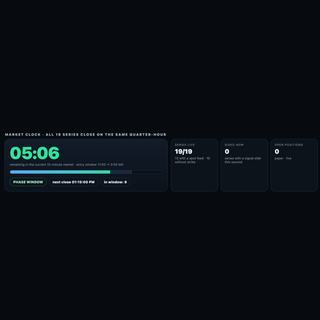
DeskBot
Desktop trading bot for Kalshi prediction markets: paper + live, risk rails, backtests. $1 first month, then $19.99/mo.
- Category
- Finance
- Rating
- Not yet rated
- Best for
- trading bot, Kalshi, prediction markets
Slip
Slip helps freelancers and side hustlers track income, expenses, profit, recurring bills and estimated tax reserves.
- Category
- Scheduling & Booking
- Rating
- Not yet rated
- Best for
- Slip, Fintech, Startup
| At a glance | DeskBot | Slip |
|---|---|---|
| What it is | Desktop trading bot for Kalshi prediction markets: paper + live, risk rails, backtests. $1 first month, then $19.99/mo. | Slip helps freelancers and side hustlers track income, expenses, profit, recurring bills and estimated tax reserves. |
| Category | Finance | Scheduling & Booking |
| Type | Software | Software |
| Best for | trading bot, Kalshi, prediction markets, finance | Slip, Fintech, Startup, Money Management |
What is DeskBot?
DeskBot is a desktop trading bot for Kalshi prediction markets, built for traders who want automation without giving up control. It runs natively on Mac (Universal build for Apple Silicon and Intel) and on Windows, so your strategies execute from your own computer rather than a shared cloud server.
Paper and live modes: Start in paper trading to watch how a strategy behaves against real market data with zero money at stake. When you are comfortable, switch to live trading using your own Kalshi account. The same strategy settings carry over, so the move from simulation to real orders is a deliberate, single step.
Secure API connection: DeskBot connects to Kalshi through the official API using your own API key credentials. You create the key in your Kalshi account and authorize DeskBot locally; you stay in charge of access and can revoke the key at any time from Kalshi.
Risk rails built in: Every strategy runs inside guardrails you set. Position sizing rules cap how much goes into any single trade, and bankroll protection automatically pauses trading when losses reach the limits you define. These rails are designed to keep one bad stretch from turning into a disaster and to keep the bot behaving the way you intended.
Backtests before you commit: Run backtests on historical market data to see how a strategy might have performed, compare settings, and spot weaknesses before risking capital. Backtests are a research tool, not a promise: past backtests overstate live results, because real fills, fees, liquidity, and timing are harder than history makes them look.
Simple pricing: Try DeskBot for $1 for the first month, then $19.99 per month.
Who it is for: Kalshi traders who want disciplined, rules-based automation, hobbyists who want to learn strategy design safely in paper mode, and active traders who want consistent execution with clear limits.
Also from DeskBot: the same desktop app is available for Robinhood (stocks and options rules) and for TopstepX futures evaluations, plus FOMO LENS, a research-only Pump.fun token scanner that does not place trades. Each one is $1 for the first month, then $19.99/month or $155/year (FOMO LENS: $9.99 first month). Browse all four at https://deskbot.store/collections/all?utm_source=tolodora&utm_medium=directory&utm_campaign=all_bots. DeskBot is not affiliated with Robinhood, Topstep, or Pump.fun.
Get started at https://deskbot.store
Important disclosures: DeskBot is an independent product and is not affiliated with, endorsed by, or sponsored by Kalshi. Trading involves risk of loss, and you can lose money you put into the markets. Past backtests overstate live results, and no strategy is guaranteed to be profitable. Only trade with money you can afford to lose.
What is Slip?
I Built Slip Because Managing Money Shouldn't Be This Complicated 💚
Every big idea starts with a problem. Mine started with a simple question: Why is it so difficult for everyday people to keep track of their money?
Think about it.
You're a freelancer, a student running a side hustle, a content creator, or a small business owner. You work hard, make some money, pay for things, and keep moving.
But at the end of the month, you look at your account balance and wonder:
Where exactly did all my money go?
It's a question millions of people ask themselves.
And the problem isn't always that people aren't earning enough. Sometimes, it's simply that they don't have a clear picture of what's coming in and what's going out.
That's where my idea for Slip began.
Turning an Idea Into Something Real
I've always been passionate about technology, building useful products, and finding ways to solve everyday problems.
I didn't want to build another complicated financial platform filled with features that ordinary people would struggle to understand.
I wanted something different.
Something simple.
Something clean.
Something that a freelancer, entrepreneur, or someone just starting their first business could open and immediately understand.
So I started building Slip.
Of course, building an application isn't as simple as having an idea.
There are design decisions, technical challenges, bugs, testing, and those frustrating moments when something that worked perfectly yesterday suddenly stops working today.
But every challenge taught me something.
And slowly, what started as an idea became a working application.
Introducing Slip — Your Money, In Focus 💚
Slip is a financial tracking application designed to help individuals and small businesses understand and organize their finances.
With Slip, users can:
- 💰 Record and track their income.
- 💸 Monitor everyday expenses.
- 📊 Understand their profits through a simple dashboard.
- 🧾 Estimate how much to set aside for taxes.
- 🔄 Keep track of recurring expenses.
- 📁 Export financial records and access useful reports.
The goal isn't to replace professional accountants or promise overnight financial success.
It's to give people something incredibly valuable: clarity.
Because when you understand your money, you can make more informed decisions about it.
Built for People Who Are Building Something
One thing I strongly believe is that you don't need to own a massive company before you start taking your finances seriously.
Maybe you're a graphic designer earning from occasional projects.
Maybe you're a student selling products online.
Maybe you're a developer building websites for clients.
Or maybe you're a small business owner trying to understand whether your business is actually making a profit.
Slip was created with people like you in mind.
You shouldn't need expensive software or complicated spreadsheets just to understand your financial situation.
This Is Only the Beginning
I'm not claiming Slip is perfect.
It's still growing, and there's so much more I want to improve.
But I'm proud that I took an idea and turned it into something people can actually use.
For me, Slip represents more than just another application.
It represents learning, persistence, creativity, and the belief that you don't have to wait until you have everything figured out before you start building something meaningful.
I'm sharing this journey because I believe every builder starts somewhere.
Today, Slip is a growing project.
Tomorrow, who knows how far it could go?
If you're a freelancer, creator, entrepreneur, or small business owner, I'd genuinely love for you to try Slip and share your feedback.
Your suggestions could help shape what comes next.
🌐 Try Slip here: https://profitpilot-qif11f.v2.appdeploy.ai/
Slip — YOUR MONEY, IN FOCUS. 💚
#BuildInPublic #StartupJourney #IndieHacker #Fintech #SlipApp #Entrepreneurship #SmallBusiness #MoneyManagement #TechStartup #MadeWithPassion
What problem it solves
The Problem Slip Solves 💚
Many freelancers, side hustlers, content creators, and small business owners struggle to keep track of their income, expenses, and profits. Money comes in and goes out, but without proper tracking, it's difficult to know how much they're actually earning, spending, or saving.
Traditional accounting software can be expensive, complicated, or overwhelming, especially for people just starting their businesses.
Slip solves this problem by making financial tracking simple, accessible, and affordable.
With Slip, users can easily record income and expenses, monitor profits, track recurring payments, estimate tax reserves, and generate financial reports—all from one easy-to-use dashboard.
Our mission is simple: Help everyday entrepreneurs understand where their money goes, make smarter financial decisions, and grow their businesses with confidence.
Because you can't effectively manage what you don't track.
Slip — YOUR MONEY, IN FOCUS. 💚
Key differences at a glance
- Purpose: DeskBot is Desktop trading bot for Kalshi prediction markets: paper + live, risk rails, backtests. $1 first month, then $19.99/mo. Slip, by contrast, is Slip helps freelancers and side hustlers track income, expenses, profit, recurring bills and estimated tax reserves.
- Category & type: DeskBot is Finance, while Slip is Scheduling & Booking, and both are offered as software.
- Best suited for: DeskBot leans toward trading bot, Kalshi, prediction markets, whereas Slip leans toward Slip, Fintech, Startup.
- Community rating: DeskBot is not yet rated vs Slip is not yet rated. Ratings are community-submitted and change over time.
DeskBot vs Slip: which should you choose?
DeskBot (Finance) and Slip (Scheduling & Booking) are built for different jobs, so think first about which problem you're solving. Choose DeskBot if you want Desktop trading bot for Kalshi prediction markets: paper + live, risk rails, backtests. $1 first month, then $19.99/mo. Choose Slip if you want Slip helps freelancers and side hustlers track income, expenses, profit, recurring bills and estimated tax reserves.The smartest move is to try each one's free tier or trial on a real task — that's the fastest way to feel the difference and pick the tool you'll actually stick with.
Frequently asked questions
Is DeskBot better than Slip?
It depends on what you need. DeskBot is Desktop trading bot for Kalshi prediction markets: paper + live, risk rails, backtests. $1 first month, then $19.99/mo. Slip is Slip helps freelancers and side hustlers track income, expenses, profit, recurring bills and estimated tax reserves. They serve different needs (Finance vs Scheduling & Booking), so compare them against your specific use case.
What's the main difference between DeskBot and Slip?
DeskBot focuses on Desktop trading bot for Kalshi prediction markets: paper + live, risk rails, backtests. $1 first month, then $19.99/mo. while Slip focuses on Slip helps freelancers and side hustlers track income, expenses, profit, recurring bills and estimated tax reserves. Read the full breakdown above and check each tool's site for current features and pricing.
Can I use both DeskBot and Slip?
In many cases, yes — teams often use complementary tools together. Whether it makes sense depends on overlap in functionality and your budget. Try the free tier or trial of each to see how they fit your stack before committing.
Which is cheaper, DeskBot or Slip?
Pricing changes often, so check each tool's pricing page for the latest. Many tools offer a free tier or trial, which is the best way to evaluate value for your specific usage before you pay.