Flow AI vs TrackRescue: Which Is Better in 2026?
A side-by-side comparison of Flow AI and TrackRescue — what each does, who it's best for, and how to choose between them.
Quick verdict
Flow AI is a ai tools tool and TrackRescue is a video & audio tool — they're built for different jobs, so start with the problem you're solving. Pick Flow AI if you want Free, no-sign-up AI video generator for text to video, image to video, and first/last-frame creation. Pick TrackRescue if you want Monitor YouTube playlists, identify deleted, private, hidden, or unavailable videos, find replacement candidates, and repair entries… On community ratings so far, Flow AI isn't rated yet and TrackRescue at 5.0★ (1 review).
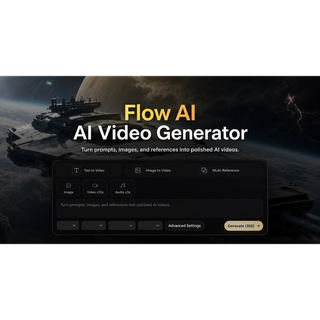
Flow AI
Free, no-sign-up AI video generator for text to video, image to video, and first/last-frame creation.
- Category
- AI Tools
- Rating
- Not yet rated
- Best for
- AI video, text to video, image to video
TrackRescue
Monitor YouTube playlists, identify deleted, private, hidden, or unavailable videos, find replacement candidates, and repair entries with undo protection.
- Category
- Video & Audio
- Rating
- 5.0
- Best for
- YouTube, playlist monitoring, playlist recovery
| At a glance | Flow AI | TrackRescue |
|---|---|---|
| What it is | Free, no-sign-up AI video generator for text to video, image to video, and first/last-frame creation. | Monitor YouTube playlists, identify deleted, private, hidden, or unavailable videos, find replacement candidates, and repair entries with undo protection. |
| Category | AI Tools | Video & Audio |
| Type | Software | Software |
| Best for | AI video, text to video, image to video | YouTube, playlist monitoring, playlist recovery, broken playlists |
What is Flow AI?
Flow AI (flowai.studio) is a free, browser-based AI video generator. Create original videos from prompts, images, and references — including text to video, image to video, and first/last-frame generation — without signing up. Built for creators and teams who want a zero-friction video workspace.
What problem it solves
Creators and teams need to make videos from prompts or images in the browser without signing up.
What is TrackRescue?
TrackRescue monitors selected YouTube playlists and preserves the metadata needed to understand what changed. Scheduled and on-demand scans detect deleted, private, hidden, restricted, and otherwise unavailable entries while keeping the last known title, channel, thumbnail, video ID, and playlist position when that evidence is available.
Users can review ranked replacement candidates, confirm a controlled repair, preserve playlist order, and undo completed changes. Optional auto-repair rules are limited by confidence and user settings. A Chrome side-panel extension keeps monitoring and repair actions available beside YouTube.
TrackRescue does not download or store YouTube audio or video. A free read-only Playlist Health Checker is available without an account, while paid plans add recurring monitoring, repair workflows, history, alerts, and higher playlist limits.
Key differences at a glance
- Purpose: Flow AI is Free, no-sign-up AI video generator for text to video, image to video, and first/last-frame creation. TrackRescue, by contrast, is Monitor YouTube playlists, identify deleted, private, hidden, or unavailable videos, find replacement candidates, and repair entries with undo protection.
- Category & type: Flow AI is AI Tools, while TrackRescue is Video & Audio, and both are offered as software.
- Best suited for: Flow AI leans toward AI video, text to video, image to video, whereas TrackRescue leans toward YouTube, playlist monitoring, playlist recovery.
- Community rating: Flow AI is not yet rated vs TrackRescue 5.0★ (1). Ratings are community-submitted and change over time.
Flow AI vs TrackRescue: which should you choose?
Flow AI (AI Tools) and TrackRescue (Video & Audio) are built for different jobs, so think first about which problem you're solving. Choose Flow AI if you want Free, no-sign-up AI video generator for text to video, image to video, and first/last-frame creation. Choose TrackRescue if you want Monitor YouTube playlists, identify deleted, private, hidden, or unavailable videos, find replacement candidates, and repair entries with undo…The smartest move is to try each one's free tier or trial on a real task — that's the fastest way to feel the difference and pick the tool you'll actually stick with.
Frequently asked questions
Is Flow AI better than TrackRescue?
It depends on what you need. Flow AI is Free, no-sign-up AI video generator for text to video, image to video, and first/last-frame creation. TrackRescue is Monitor YouTube playlists, identify deleted, private, hidden, or unavailable videos, find replacement candidates, and repair entries with undo protection. They serve different needs (AI Tools vs Video & Audio), so compare them against your specific use case.
What's the main difference between Flow AI and TrackRescue?
Flow AI focuses on Free, no-sign-up AI video generator for text to video, image to video, and first/last-frame creation. while TrackRescue focuses on Monitor YouTube playlists, identify deleted, private, hidden, or unavailable videos, find replacement candidates, and repair entries with undo protection. Read the full breakdown above and check each tool's site for current features and pricing.
Can I use both Flow AI and TrackRescue?
In many cases, yes — teams often use complementary tools together. Whether it makes sense depends on overlap in functionality and your budget. Try the free tier or trial of each to see how they fit your stack before committing.
Which is cheaper, Flow AI or TrackRescue?
Pricing changes often, so check each tool's pricing page for the latest. Many tools offer a free tier or trial, which is the best way to evaluate value for your specific usage before you pay.