Flying Car AI vs WaveXML: Which Is Better in 2026?
A side-by-side comparison of Flying Car AI and WaveXML — what each does, who it's best for, and how to choose between them.
Quick verdict
Flying Car AI is a ai tools tool and WaveXML is a video & audio tool — they're built for different jobs, so start with the problem you're solving. Pick Flying Car AI if you want One photo of your car becomes a short cinematic stunt video — ramp flight or kickflip. Pick WaveXML if you want Waveform sync for recorder audio, cameras, and clips via XML. Free Mac beta.
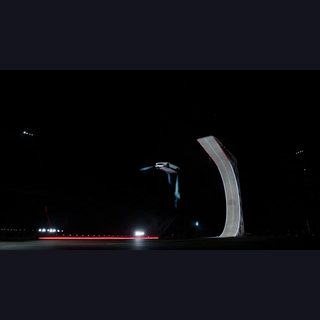
Flying Car AI
One photo of your car becomes a short cinematic stunt video — ramp flight or kickflip.
- Category
- AI Tools
- Rating
- Not yet rated
WaveXML
Waveform sync for recorder audio, cameras, and clips via XML. Free Mac beta.
- Category
- Video & Audio
- Rating
- Not yet rated
- Best for
- video editing, audio sync, pluraleyes alternative
| At a glance | Flying Car AI | WaveXML |
|---|---|---|
| What it is | One photo of your car becomes a short cinematic stunt video — ramp flight or kickflip. | Waveform sync for recorder audio, cameras, and clips via XML. Free Mac beta. |
| Category | AI Tools | Video & Audio |
| Type | Software | Software |
| Best for | — | video editing, audio sync, pluraleyes alternative, multicam |
What is Flying Car AI?
Flying Car AI is an independent creative tool for car and bike owners. You upload one photo and it produces a short cinematic stunt video. The three templates are a ramp flight of about 15 seconds, a side-view kickflip of about 6 seconds, and a head-on kickflip of about 8 seconds. Tesla clips on the site are motion reference only. This is not an official Tesla product. Pricing is one-time credit packs: First flight is 100 credits for $9.99, Creator is 300 credits for $24.99, and Studio is 600 credits for $44.99. A standard clip uses 50 credits and HD uses 100. Purchases are not available yet, and it is not a subscription.
What problem it solves
Car and bike owners who want a cinematic stunt clip of their own vehicle without a film crew.
What is WaveXML?
WaveXML is a macOS app that syncs by waveform: recorder audio to cameras, and video clips to each other. Export a timeline from DaVinci Resolve, Premiere Pro, or Final Cut as FCP7 XML or FCPXML, drop it in WaveXML, press Synchronize, import the XML back.
It is built for dual-system dumps (Zoom, Sound Devices, MixPre on their own track; one camera per video track) and for lining camera clips up to each other. Processing is local. The beta is the full app with no clip or feature limits.
Alternatives & competitors
PluralEyes, Syncaila
Key differences at a glance
- Purpose: Flying Car AI is One photo of your car becomes a short cinematic stunt video — ramp flight or kickflip. WaveXML, by contrast, is Waveform sync for recorder audio, cameras, and clips via XML. Free Mac beta.
- Category & type: Flying Car AI is AI Tools, while WaveXML is Video & Audio, and both are offered as software.
- Best suited for: Flying Car AI leans toward a broad audience, whereas WaveXML leans toward video editing, audio sync, pluraleyes alternative.
- Community rating: Flying Car AI is not yet rated vs WaveXML is not yet rated. Ratings are community-submitted and change over time.
Flying Car AI vs WaveXML: which should you choose?
Flying Car AI (AI Tools) and WaveXML (Video & Audio) are built for different jobs, so think first about which problem you're solving. Choose Flying Car AI if you want One photo of your car becomes a short cinematic stunt video — ramp flight or kickflip. Choose WaveXML if you want Waveform sync for recorder audio, cameras, and clips via XML. Free Mac beta.The smartest move is to try each one's free tier or trial on a real task — that's the fastest way to feel the difference and pick the tool you'll actually stick with.
Frequently asked questions
Is Flying Car AI better than WaveXML?
It depends on what you need. Flying Car AI is One photo of your car becomes a short cinematic stunt video — ramp flight or kickflip. WaveXML is Waveform sync for recorder audio, cameras, and clips via XML. Free Mac beta. They serve different needs (AI Tools vs Video & Audio), so compare them against your specific use case.
What's the main difference between Flying Car AI and WaveXML?
Flying Car AI focuses on One photo of your car becomes a short cinematic stunt video — ramp flight or kickflip. while WaveXML focuses on Waveform sync for recorder audio, cameras, and clips via XML. Free Mac beta. Read the full breakdown above and check each tool's site for current features and pricing.
Can I use both Flying Car AI and WaveXML?
In many cases, yes — teams often use complementary tools together. Whether it makes sense depends on overlap in functionality and your budget. Try the free tier or trial of each to see how they fit your stack before committing.
Which is cheaper, Flying Car AI or WaveXML?
Pricing changes often, so check each tool's pricing page for the latest. Many tools offer a free tier or trial, which is the best way to evaluate value for your specific usage before you pay.