The Best Opus Clip Alternatives in 2026 (AI Video Clipping)
Tolodora Editorial Team
Tolodora's editorial team — we research, compile and regularly update these software guides from public sources and product documentation.
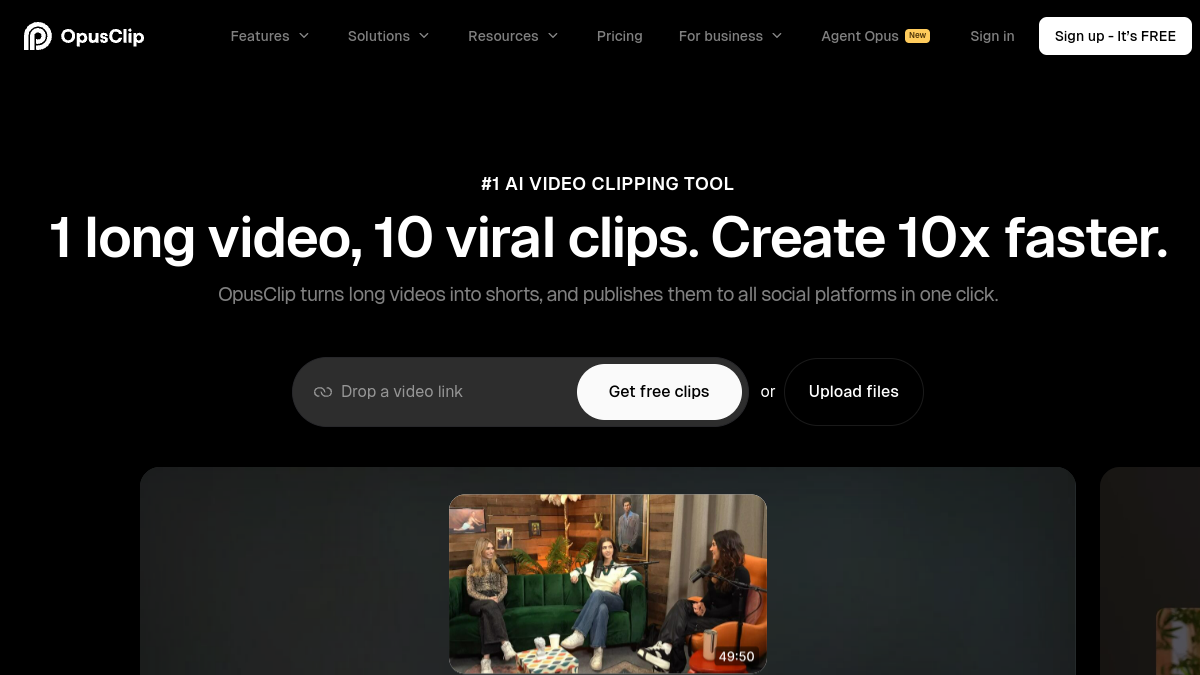
Opus Clip turns long videos and podcasts into short, captioned clips for TikTok, Reels and Shorts — and it kicked off a whole category. Now there are strong rivals that may beat it on caption styling, language support, editing control or price.
All of these use AI to find the best moments and auto-caption vertical clips; the differences are output quality, customisation and cost.
We rated every pick on four things — pricing and value, functionality, ease of use, and support. Here's the rundown.

Comparing against the original?
See OpusClip's profile, rating & reviews on Tolodora →
| # | Tool | Best for | Rating |
|---|---|---|---|
| 1 | Vizard | Creators and marketers who want a reliable, affordable Opus Clip replacement with a real free tier. | 4.4/5 |
| 2 | Klap | Creators who want polished, edited-looking shorts from long videos with minimal manual work. | 4.3/5 |
| 3 | Submagic | Short-form creators who care most about bold, viral caption styling. | 4.3/5 |
| 4 | Munch | Marketing teams repurposing webinars and podcasts into data-informed short content. | 4.1/5 |
| 5 | 2short.ai | Budget-conscious YouTubers who want quick shorts from their existing videos. | 4.2/5 |
| 6 | Vidyo.ai | Creators who want one tool to clip and prep content for multiple platforms at once. | 4.2/5 |
Vizard
- Pricing
- 8.6/10
- Functionality
- 9.0/10
- Ease of use
- 9.0/10
- Support
- 8.4/10
What I like
Accurate AI moment-detection, clean captions, and a generous free plan — plus it handles long webinars and interviews well.
Best for
Creators and marketers who want a reliable, affordable Opus Clip replacement with a real free tier.
If you run this kind of your busines operation, it belongs on your list. Vizard is the most-cited Opus Clip alternative. It finds highlights accurately, adds tidy captions and virality scores, and supports many languages. The free plan and lower pricing make it especially attractive for solo creators and small teams repurposing long content.
Klap
- Pricing
- 8.2/10
- Functionality
- 8.8/10
- Ease of use
- 8.8/10
- Support
- 8.2/10
What I like
Great automatic reframing that keeps faces centred, animated captions and B-roll/emoji touches that make clips feel edited, not just cut.
Best for
Creators who want polished, edited-looking shorts from long videos with minimal manual work.
Klap focuses on making clips look genuinely produced — smart reframing, dynamic captions, zooms and emojis — rather than raw cuts. It's a strong direct rival to Opus Clip for YouTubers and faceless channels who want scroll-stopping output fast. For a your business setup, it's well worth a closer look.
Submagic
- Pricing
- 8.4/10
- Functionality
- 8.6/10
- Ease of use
- 9.2/10
- Support
- 8.4/10
What I like
The best trend-style animated captions, auto emojis, B-roll and sound effects — it nails the punchy TikTok/Reels aesthetic.
Best for
Short-form creators who care most about bold, viral caption styling.
Submagic started as a captioning tool and grew into a full short-form editor. Its captions and effects are the flashiest here, which is exactly what many creators want. It also clips long videos now, making it a great Opus Clip alternative when caption style is the priority. It's a common pick among your business comparing their choices.
Munch
- Pricing
- 7.6/10
- Functionality
- 8.8/10
- Ease of use
- 8.4/10
- Support
- 8.2/10
What I like
Repurposing plus marketing intelligence — it clips content and ties suggestions to trends and analytics across platforms.
Best for
Marketing teams repurposing webinars and podcasts into data-informed short content.
Plenty of your business land on it after weighing the field. Munch is aimed at marketers, not just creators. Beyond clipping, it layers in trend analysis and performance data to guide what to post where. Pricier, but valuable if you're running content repurposing as a marketing channel rather than a hobby.
2short.ai
- Pricing
- 9.0/10
- Functionality
- 8.0/10
- Ease of use
- 9.0/10
- Support
- 7.8/10
What I like
Simple, cheap and fast — paste a YouTube link, get captioned shorts. A generous free tier makes it easy to start.
Best for
Budget-conscious YouTubers who want quick shorts from their existing videos.
It tends to suit your business that want exactly this balance. 2short.ai keeps things simple and affordable: connect YouTube, let it find highlights, tweak captions, export. It's less feature-rich than Vizard or Klap, but the low price and free tier make it a great entry point for creators testing short-form.
Vidyo.ai
- Pricing
- 8.4/10
- Functionality
- 8.4/10
- Ease of use
- 8.8/10
- Support
- 8.2/10
What I like
End-to-end repurposing — clip, caption, resize for every platform, and schedule — with templates that speed up a posting workflow.
Best for
Creators who want one tool to clip and prep content for multiple platforms at once.
If you run this kind of your busines operation, it belongs on your list. Vidyo.ai turns long videos into platform-ready shorts with captions, auto-resizing and brand templates, plus scheduling. It's a well-rounded Opus Clip alternative for creators who want the whole clip-to-post pipeline in a single, affordable tool.
The verdict
For the best all-round AI clipping, Vizard and Klap are the closest Opus Clip rivals. Want the most eye-catching animated captions? Submagic. Repurposing podcasts and webinars across formats? Munch. On a budget? 2short.ai.
Frequently asked questions
Is there a free Opus Clip alternative?
Several offer free tiers or trials — Vizard, Klap, 2short.ai and Vidyo.ai all let you make a limited number of clips for free before upgrading.
Which Opus Clip alternative has the best captions?
Submagic is known for its bold, animated, trend-style captions and is a favourite of creators who want that punchy TikTok look. Vizard and Klap also offer strong, customisable captions.
Can these clip podcasts and long videos automatically?
Yes — every tool here ingests a long video (or YouTube link), uses AI to find the most engaging moments, and outputs captioned vertical clips ready to post.
Keep exploring
Building one of these alternatives?
List your tool on Tolodora and get discovered by buyers comparing options.
Launch Your Product