The 7 Best Invoicing Software for Freelancers in 2026
For freelancers, invoicing is the unglamorous task that stands between you and getting paid — and doing it badly costs you time and cash flow. The right invoicing software creates professional invoices, automates reminders, accepts online payments and tracks who owes you. Here are the 7 best for freelancers in 2026.
What to look for
Prioritize professional, branded invoices, online payments (get paid faster), automatic reminders for late payers, expense and time tracking if you bill hourly, and price. Some tools are pure invoicing; others are full accounting you'll grow into.
1. Wave — best free
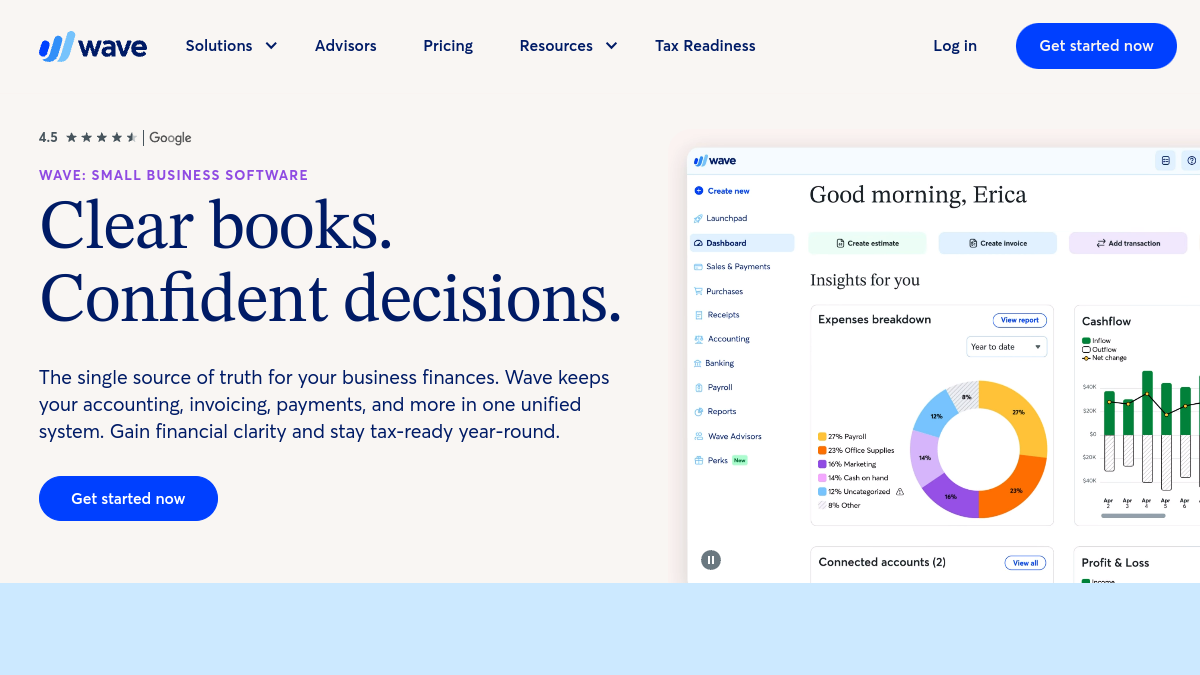
Wave offers genuinely free invoicing and accounting, charging only when you accept online payments or run payroll. For freelancers who want professional invoices, recurring billing and proper books at zero software cost, it's the standout — see our Wave review.
2. FreshBooks — best invoicing experience
FreshBooks is famous for beautiful, effortless invoicing plus expense and time tracking. It's a paid tool, but the polish and ease make it a favorite of service freelancers who invoice regularly and want the whole process to feel simple.
3. Bonsai — best all-in-one for freelancers
Bonsai bundles invoicing with contracts, proposals, time tracking and client management — a freelancer's business-in-a-box. If you want your invoices to live alongside your contracts and projects, it's a superb all-in-one that saves juggling multiple tools.
4. Zoho Invoice — best free from a big suite
Zoho Invoice is a genuinely free, capable invoicing tool that integrates with the wider Zoho ecosystem. For freelancers who want free invoicing with room to add CRM, books and more later, it's a strong, well-supported pick.
5. QuickBooks — best if you'll grow
QuickBooks (including its Solopreneur tier) pairs invoicing with the most widely-used accounting platform. If you expect to grow, hire an accountant, or need serious books, starting on QuickBooks means you won't outgrow your tool.
6. PayPal / Stripe Invoicing — best for quick, simple invoices
If you just need to send an invoice and get paid fast, PayPal and Stripe both offer simple invoicing built into platforms clients already trust. There's minimal setup and no monthly fee — you pay only per-transaction — making them great for occasional invoicing.
7. Invoice Ninja — best open-source
Invoice Ninja is an open-source invoicing platform you can self-host or use in the cloud, with a generous free tier. For freelancers who want ownership, customization and no subscription, it's the standout open-source choice.
Quick recommendations
- Best free: Wave and Zoho Invoice
- Best invoicing experience: FreshBooks
- Best all-in-one: Bonsai
- Best to grow into: QuickBooks
- Best open-source: Invoice Ninja
Frequently asked questions
What is the best invoicing software for freelancers?
Wave is the best free option, FreshBooks offers the nicest invoicing experience, and Bonsai is the best all-in-one for freelancers. The best depends on whether you want free, polished, or an all-in-one client workflow.
Is there free invoicing software?
Yes — Wave and Zoho Invoice are genuinely free (you pay only for online payment processing), and Invoice Ninja has a free tier. Wave is the closest to a complete free solution.
How do I get paid faster as a freelancer?
Enable online payments (card/bank), send invoices promptly, and turn on automatic reminders for late payers. Tools like Wave, FreshBooks and Stripe make all three easy.
Do I need accounting software or just invoicing?
If you only send invoices, a simple tool (or Stripe/PayPal) is enough. If you want to track expenses, taxes and profit, choose a tool with accounting built in like Wave, FreshBooks or QuickBooks.
Which is cheapest?
Wave and Zoho Invoice are free for core invoicing, and self-hosted Invoice Ninja is free too — you only pay payment-processing fees.
The bottom line
The best freelancer invoicing tool gets you paid with the least hassle. Start with Wave for free, FreshBooks for polish, or Bonsai for an all-in-one client workflow. Most are free to try, so send a test invoice and keep the one that fits.