Best Software for Permanent Makeup Artists (PMU) in 2026
Permanent makeup is one of the most demanding little businesses in the whole beauty world. You are an artist, sure — but you are also handling needles, pigments, healing skin, medical-history forms and clients who booked their brows six weeks ago and expect you to remember every detail. Miss a patch test, lose a consent form, or forget a touch-up window and it isn't just an awkward moment; it's a real liability and a real hole in your income.
That is exactly why the right software matters more for PMU artists than for almost anyone else in beauty. You are not just filling a calendar. You are collecting medical histories, taking deposits so no-shows don't wreck your day, storing before-and-after and healed-result photos, and nudging clients back for the 6-8 week touch-up that is a mandatory part of the service. Do that well and your calendar fills itself. Do it on sticky notes and DMs and you will bleed hours and money you will never get back.
This guide walks through the software that actually fits how a permanent makeup business runs — microblading, powder brows, lip blush, eyeliner, the whole menu — and how to pick the one that's right for where you are today.
Why permanent makeup artists need more than a booking app
A hair stylist who runs late costs a client twenty minutes. A PMU artist who skips a consent form or misses a contraindication is risking an infection, a bad heal, a chargeback and possibly a complaint to the licensing board. The stakes are simply higher, and your tools need to reflect that.
Here is what a permanent makeup business genuinely needs from its software, beyond a pretty booking page:
- Digital consent and medical-history forms that clients sign before they arrive — covering allergies, medications, pregnancy, skin conditions and prior work. These need to be stored, searchable and timestamped.
- Deposits at booking. PMU appointments are long (often 2-3 hours) and pigment/needles are prepped per client. A no-show is a catastrophic loss of a whole slot. A non-refundable deposit filters out the flakes.
- Photo storage per client. Before, immediately after, and healed results at 6-8 weeks. This is your portfolio, your proof, and your protection if a client ever disputes an outcome.
- Touch-up scheduling and reminders. The perfecting session weeks later is part of the service and part of your revenue. Software should book it and remind them automatically.
- Aftercare messaging. Automatic instructions the day of and days after the procedure reduce bad heals — and bad heals are what generate refund requests and one-star reviews.
Keep that checklist next to you as you read. The best tool for you is the one that covers the most of it without making you feel like you need an IT degree.
What to look for in permanent makeup software
1. Bulletproof consent and intake forms
This is non-negotiable. You want customisable forms you can require at booking, so a client literally cannot confirm without signing. Look for the ability to attach the signed form to that specific appointment, so if a question ever comes up you can pull up exactly what they disclosed and when. Bonus points for forms that repeat automatically for repeat clients, because medical history changes.
2. Deposits and clear cancellation rules
Your software should take a card at booking and either charge a deposit or hold the card against a no-show fee. It should also let you set and display your cancellation window so it's baked into the booking, not something you have to awkwardly enforce over text later. This one feature alone can pay for the whole subscription in a single saved slot.
3. Client photos and history in one place
You need somewhere to store healed-result photos tied to each client, alongside the pigments and needle configurations you used. When a returning client comes back a year later for a colour boost, being able to see 'we used this pigment, healed warm, she wanted cooler' is the difference between a pro and an amateur.
4. Automated reminders and aftercare
Appointment reminders cut no-shows. Aftercare messages cut bad heals. Touch-up reminders cut lost revenue. The more of this the software does on autopilot, the more time you get back for actual work.
5. Marketing that brings people back
PMU has a natural repeat cycle — brows fade in 1-3 years, lips and liner too. Software that can email or text past clients 'time for a refresh?' turns your existing book into a renewable revenue stream instead of a one-and-done.
6. A booking page that shows your work
Your before-and-afters sell the service. A booking page or profile that displays your portfolio, service menu and prices — and lets someone book in a couple of taps from Instagram — is worth its weight in gold, because that is where almost all your leads come from.
The best software for permanent makeup artists
These are the platforms PMU and microblading artists reach for most. None of them is perfect for everyone — the right pick depends on whether you're a solo artist just starting out or a multi-room studio with staff. We've noted who each one suits best.
GlossGenius — the polished all-in-one for solo PMU artists
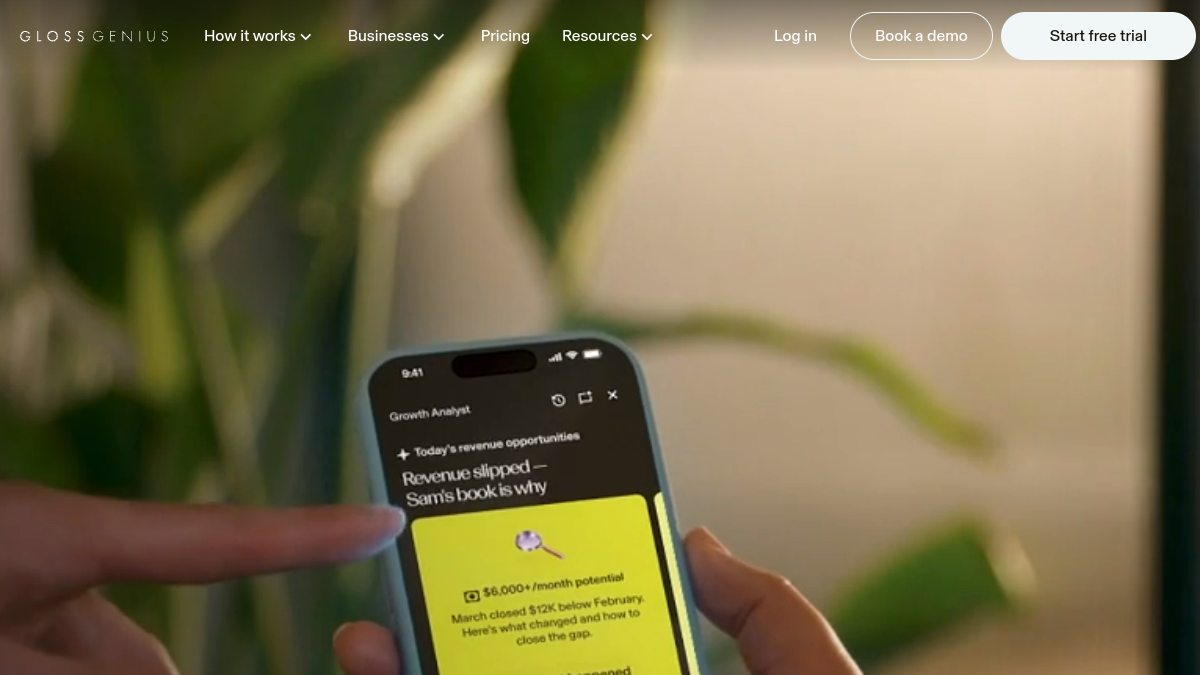
GlossGenius has become a favourite among independent beauty pros for a reason: it bundles booking, a built-in card reader and payments, customisable forms, client management and marketing into one genuinely beautiful, easy-to-use app. For a permanent makeup artist working solo or with one chair, it hits most of the checklist above — deposits, consent forms, reminders, client notes and photos — without feeling clunky. Its flat-rate pricing (no per-transaction surprises the way some processors do it) makes the maths simple. If you want one app that makes your business look expensive and professional from day one, this is the one to try first.
Booksy — discovery plus booking
Booksy is huge in the beauty and barber world, and its differentiator is the marketplace: clients actively search Booksy for services near them, so being on it can bring you new bookings, not just manage the ones you already have. It handles deposits, reminders, reviews and a solid booking flow. For a PMU artist who wants an extra discovery channel on top of Instagram — and who values social proof through its review system — Booksy is a strong pick. It leans more toward high-volume beauty and barbering, so make sure its forms are robust enough for your consent needs.
Vagaro — best when you have a studio and staff
Vagaro is a deep, mature salon-and-spa platform, and it shines when you outgrow the solo life. If you have multiple artists, rooms to manage, inventory (pigments, needles, numbing cream) to track, payroll and a membership or package model, Vagaro handles all of it. It also has a marketplace for discovery and a strong app. For a single microblading artist it can feel like a lot of software; for a growing PMU studio it's exactly the right amount.
Square Appointments — the free, dead-simple starting point
If you're just starting out and every dollar counts, Square Appointments has a genuinely usable free tier for a single person, and Square's payment processing is famously straightforward. You get online booking, reminders, a card reader and basic client management at no monthly cost. It's not beauty-specialised the way GlossGenius or Booksy are, so its consent-form and photo features are more basic — but as a zero-risk way to start taking online bookings and deposits like a professional, it's hard to beat. Many artists start here and graduate to a beauty-specific tool as they grow.
Acuity Scheduling — best for custom intake and your own website
Acuity (part of Squarespace) is the power user's scheduler. Its intake forms are among the most flexible anywhere, which matters a lot when you need detailed medical questionnaires and consent before a PMU appointment. It embeds cleanly into your own website, takes deposits, and automates reminders and follow-ups. If you care about owning your booking experience on your own domain and building bespoke intake flows, Acuity is the most customisable option here. It's less of a 'marketplace' and more of an engine behind your own brand.
Fresha — no monthly subscription
Fresha's pitch is that the core software is free — you pay through payment processing and optional paid features rather than a monthly subscription. For a budget-conscious PMU artist that's attractive: full booking, reminders, client records, deposits and a marketplace presence without a fixed monthly bill. Read the fee structure carefully so you understand where the costs land, but as a feature-rich option with no upfront subscription, Fresha earns its place on this list.
How to choose the right one for you
Don't overthink it. Match the tool to your stage:
- Just starting, tight budget: Square Appointments or Fresha. Get online booking and deposits live this week for little or nothing.
- Solo artist who wants to look premium: GlossGenius. The most polished all-in-one experience for one chair.
- Want new clients to find you, not just manage existing ones: Booksy for its search marketplace.
- You need serious, custom medical intake on your own website: Acuity.
- You've grown into a studio with staff, rooms and inventory: Vagaro.
Whatever you pick, insist on three things before you commit: required consent forms at booking, deposits to kill no-shows, and automatic reminders. Those three features protect you legally, protect your income, and protect your time. Everything else is a nice-to-have.
Getting started without the overwhelm
Switching or setting up software feels daunting, but you can be live in an afternoon if you go in order. First, build your service menu with honest durations — a powder brow session that really takes three hours should be booked as three hours, not ninety minutes, or your day falls apart. Second, build your consent and medical-history form and set it to required. Don't launch without this. Third, turn on deposits; even a modest non-refundable deposit changes who books you. Fourth, switch on reminders and aftercare messages. Fifth, connect the booking link to your Instagram bio, because that is where your clients live.
Do those five things and you've gone from 'DMs and a paper diary' to a real, defensible business in one sitting.
Common mistakes PMU artists make with their software
Treating deposits as optional. The number one mistake. A no-show on a three-hour slot with prepped pigment is one of the most expensive things that can happen to your week. Deposits fix it. Turn them on.
Not requiring the consent form at booking. If it's a link you 'send later,' half of clients will arrive without it and you'll be scrambling. Make it a hard gate.
Skipping healed-result photos. Your best marketing is a healed brow at week eight, not the fresh, dark, just-done photo. Software that stores photos per client makes building that portfolio painless — and gives you proof if a client ever disputes their result.
Forgetting the touch-up is revenue. Every perfecting session you don't rebook is money left on the table. Automate the reminder.
Ignoring the refresh cycle. Your clients from two years ago are fading right now. A single 'time for a refresh?' campaign to your past-client list can fill a slow month. Most artists never send it.
Do you need your own website too?
Short answer: eventually, yes, but it's not urgent on day one. When you're starting, an Instagram full of great work plus a booking link will carry you a long way. As you grow, a simple website — even a one-pager with your portfolio, service menu, prices and an embedded booking widget — builds trust, helps you show up in Google searches for 'permanent makeup near me,' and gives you a home you own rather than renting attention on a platform. Tools like Acuity and Square make embedding booking into a site trivial, so you don't need anything fancy. Start with the booking tool; add the website when you have the bandwidth.
Turning your book into recurring revenue
The artists who build stable, lucrative PMU businesses aren't necessarily the most talented — they're the ones who treat their client list as an asset. Permanent makeup fades on a predictable schedule, which means every client you've ever done is a future booking waiting to be reminded. Software that lets you segment past clients and message them at the right moment turns a feast-or-famine calendar into something you can actually forecast. Package deals (initial plus touch-up as one price), colour-boost memberships, and referral incentives all layer on top. The tool doesn't build the relationship — you do — but it makes remembering, reminding and rebooking effortless, and that's what compounds over years.
Frequently asked questions
What is the best all-in-one software for a solo permanent makeup artist?
For most solo PMU artists, GlossGenius is the strongest all-in-one because it combines a beautiful booking page, integrated payments and card reader, consent forms, client records and marketing in one easy app. If budget is the priority, Square Appointments or Fresha get you booking and taking deposits for little to nothing; if you want new-client discovery, Booksy's marketplace is the differentiator.
Which software has the best consent and medical-intake forms?
Acuity Scheduling is the standout for deeply customisable intake and consent forms and works beautifully embedded on your own website. GlossGenius, Vagaro and Booksy all offer solid forms too — the key is choosing one that lets you make the form required at booking so clients can't confirm without completing it.
How do I stop no-shows for long PMU appointments?
Take a non-refundable deposit at booking and set a clear cancellation window, both of which every tool on this list supports. Because PMU appointments are long and supplies are prepped per client, deposits are the single most important feature you can turn on — they filter out unserious bookings and compensate you when someone flakes.
Do I need beauty-specific software or will a general scheduler work?
A general scheduler like Square or Acuity works well, especially at the start, and Acuity's forms are excellent. But beauty-specific tools (GlossGenius, Booksy, Vagaro, Fresha) add things PMU artists value out of the box — client photo storage, package and membership handling, review generation and marketplaces for discovery. Start with whatever gets you booking fast, and upgrade to a beauty-specific tool as your needs grow.
Can this software help me get more clients, not just manage them?
Yes. Booksy, Vagaro and Fresha include marketplaces where clients actively search for services, which brings in new bookings. All the tools also offer marketing features — email and text campaigns to past clients — which is how you fill slow weeks and capture the natural PMU refresh cycle. Combined with a booking link in your Instagram bio, the right software becomes a lead engine, not just a diary.
The bottom line
Permanent makeup sits at the intersection of art and medical procedure, and your software has to honour both sides. The best tools take deposits so no-shows stop hurting, require consent forms so you're protected, store healed-result photos so your portfolio and your proof build themselves, and remind clients about touch-ups and refreshes so your revenue keeps compounding. Start with the tool that matches your stage — Square or Fresha to begin, GlossGenius to look premium as a solo artist, Booksy for discovery, Acuity for custom intake, Vagaro when you scale into a studio — and turn on deposits, required forms and reminders on day one. Do that, and your software stops being an expense and starts being the quiet, reliable engine behind a fully booked calendar.