Notion vs Obsidian in 2026: Which Should You Actually Use?
The "Notion vs Obsidian" debate has quietly become one of the most heated in productivity circles, and for good reason: the two tools represent opposite philosophies about what a note-taking app should be. Notion is an all-in-one cloud workspace built for teams and structure. Obsidian is a local-first, file-owning thinking tool built for individuals and longevity. Picking between them isn't about which is "better" — it's about which philosophy fits how you work and what you value. In 2026, with both tools more mature than ever, here's the honest, hands-on comparison.
The fundamental difference
Everything else flows from one architectural choice. Notion stores your data in its cloud, in its own format, accessed through its app. That makes real-time collaboration, cross-device sync, and rich databases effortless — but it also means your notes live on Notion's servers, in Notion's format, dependent on Notion's existence and an internet connection. Obsidian stores your notes as plain Markdown files on your own device. They're yours, forever, readable by any text editor, working offline, with no company between you and your words. That makes Obsidian private, fast, and future-proof — but collaboration and cross-device sync take more effort, and you don't get Notion's polished databases. Almost every practical difference between the two traces back to this single decision: cloud convenience versus local ownership.
Speed and performance
This one isn't close. Because Obsidian works with local files, it's blisteringly fast — notes open instantly, search is immediate, and there's no spinner waiting on a server. Notion, being cloud-based, has improved a lot but still has noticeable latency: pages take a beat to load, and a weak connection makes it sluggish. If you live in your notes all day and value instant responsiveness, Obsidian's speed is a genuine quality-of-life difference you'll feel a hundred times a day. If you only dip in occasionally, Notion's latency is a minor annoyance rather than a dealbreaker.
Collaboration and teamwork
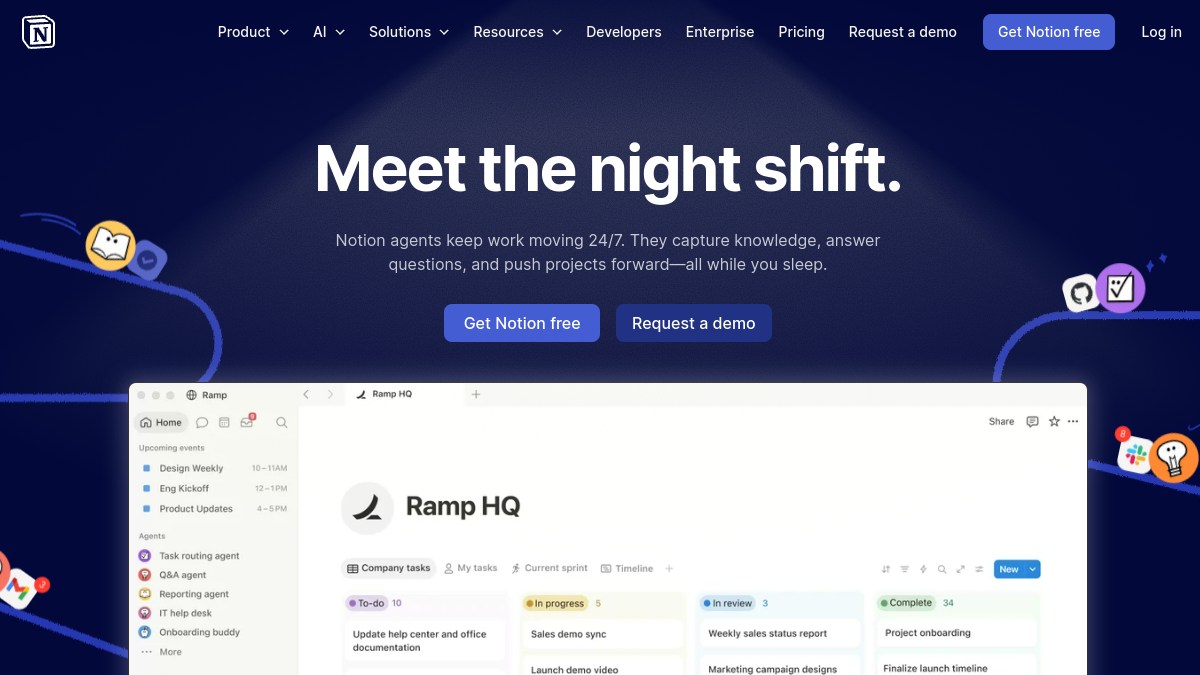
Here the tables turn completely. Notion was built for teams, and it shows — real-time multiplayer editing, comments, shared workspaces, permissions, and the ability to run an entire company's wiki, docs, and projects in one place. It's genuinely excellent collaboration software. Obsidian, by contrast, is fundamentally a single-player tool. You can share notes and there are paid sync and publish add-ons, but real-time team collaboration isn't its design and never feels native. The rule of thumb is simple: if multiple people need to work in the same space simultaneously, Notion wins decisively. If your knowledge base is personal, that strength is irrelevant to you.
Databases and structure vs links and flexibility
Notion's killer feature is its databases — tables, boards, calendars, and galleries with properties, filters, and relations that turn notes into a lightweight app. If you want to track projects, build a CRM, or manage structured information, Notion's databases are powerful and visual. Obsidian takes the opposite approach: instead of rigid databases, it gives you free-form notes connected by links and tags, with a graph view that visualises how your ideas relate. It's less about structured records and more about organic, networked thinking. Knowledge workers and researchers who think in connections often prefer Obsidian's link-based model; people managing structured data and projects usually prefer Notion's databases. Neither is better — they suit different mental models.
Privacy and data ownership
For a growing number of people, this is the decisive factor. With Obsidian, your notes never have to leave your device — they're local files you fully control, which matters enormously if you store sensitive, personal, or confidential information. There's no company reading, training on, or losing your data, and no risk of a service outage locking you out of your own second brain. Notion requires trusting its cloud with your information; for most users and most data that's perfectly fine, but for the privacy-conscious it's a real concern. If "my notes are mine, full stop" is a value you hold strongly, Obsidian is built around exactly that principle and Notion can't match it by design.
Offline access and reliability
Because Obsidian works with local files, it's fully functional offline — on a plane, in a dead zone, anywhere — with everything instantly available. Notion is improving its offline support but remains fundamentally a connected app; lose your connection and you're degraded. For people who work while travelling, commuting, or in unreliable-internet situations, Obsidian's offline-first nature is a meaningful advantage. There's also a reliability dimension: a local-first tool can't be taken down by a server outage, whereas a cloud tool occasionally can. If uninterrupted access to your notes is critical, the local approach is more robust.
Extensibility and customisation
Obsidian has a vast community plugin ecosystem that lets power users transform it into almost anything — task managers, spaced-repetition systems, kanban boards, publishing platforms — and because it's built on open formats, the tinkering is endless. This is heaven for people who love to customise and a rabbit hole for people who don't. Notion is more of a polished, opinionated product: less infinitely customisable, but more cohesive and approachable out of the box, with a growing set of integrations and its own automations. If you enjoy building your perfect setup, Obsidian rewards you; if you want something that just works without configuration, Notion is friendlier.
AI features in 2026
Both have embraced AI, in characteristically different ways. Notion's AI is cloud-based and deeply integrated — it can write, summarise, and answer questions across your whole connected workspace, which is powerful precisely because your data already lives in its cloud. Obsidian's AI capabilities come largely through community plugins and can even run with local models, keeping everything private and on-device, in keeping with its philosophy. So the AI story mirrors the core trade-off: Notion offers convenient, integrated, cloud AI; Obsidian offers private, flexible, optionally-local AI that takes a bit more setup. Which you prefer depends on whether you prioritise convenience or control.
Price
Obsidian is free for personal use — you only pay for optional add-ons like Sync or Publish, or a commercial-use licence. That makes it extraordinarily good value, especially for individuals. Notion has a capable free tier too, but teams and heavier users pay per seat, and costs scale with your team size and AI usage. For a solo user wanting a powerful personal knowledge base at minimal cost, Obsidian is hard to beat. For a team needing shared workspaces and databases, Notion's per-seat pricing buys genuine collaboration value. Match the pricing model to whether you're one person or a group.
So which should you choose?
Choose Notion if you work with a team, want powerful databases and structure, value an all-in-one polished workspace, and are comfortable with cloud storage. It's the better tool for collaboration, project management, and anyone who wants one connected home for docs, wikis, and tasks. Choose Obsidian if you're primarily a solo thinker, value speed, privacy, and owning your data, work offline often, love to customise, and think in links rather than tables. It's the better tool for personal knowledge management, research, writing, and anyone who wants a fast, private, future-proof second brain. Many people even use both — Notion for collaborative and structured work, Obsidian for personal thinking — because they're genuinely good at different things.
Learning curve and getting started
The two tools demand different things from a newcomer. Notion is approachable at first — you can start typing immediately — but its real power (databases, relations, formulas) has a meaningful learning curve, and many people stall at the "I know it can do more but I don't know how" stage. There's also the blank-canvas problem: Notion's flexibility means you have to design your own system, which can be paralysing. Obsidian is the reverse: writing a note is instantly simple, but unlocking its strengths means learning linking conventions, choosing plugins, and building your own structure, which appeals to tinkerers and frustrates people who want something pre-built. Neither is "hard," but Notion rewards those who invest in learning its database model, while Obsidian rewards those who enjoy assembling their own setup. If you want guided structure and templates, Notion's ecosystem is richer; if you want to build exactly your own way, Obsidian gives you the raw materials.
A practical tip for either: start minimal. The most common mistake with both tools is over-building an elaborate system before you've done any actual work in it. Begin with the simplest possible setup — a few notes, one or two views — and let your structure grow from real use rather than designing a cathedral up front. People who start simple stick with their tool; people who start by building a complex system often abandon it.
Mobile and cross-device experience
How you'll use the tool on the go matters more than people anticipate. Notion's cloud nature means seamless, real-time sync across all your devices out of the box — start on your laptop, continue on your phone, no setup. That's a genuine convenience, especially for teams. Obsidian, being local-first, syncs across devices through its paid Sync add-on or a third-party solution you configure yourself; it works well but takes more effort to set up, and the mobile app, while capable, reflects Obsidian's power-user character. If effortless multi-device sync with zero configuration is important to you, Notion has the edge here by design. If you're willing to set up sync once for the benefits of local files, Obsidian gets you there too — it's just not as instant.
Can you switch between them?
Migration is worth understanding before you commit, because lock-in differs sharply. Getting out of Notion means exporting (it supports Markdown export), but your databases and their relations don't translate cleanly to plain files, so a complex Notion setup loses structure on the way out. Obsidian, by contrast, is just Markdown files — moving them anywhere is trivial, which is part of its future-proof appeal. This asymmetry is worth weighing: building heavily in Notion creates more lock-in than building in Obsidian, simply because of the data formats. It's not a reason to avoid Notion — its benefits are real — but if "I can always leave with my data intact" matters to you, Obsidian's open files are a meaningful advantage. Plenty of people also run both deliberately, syncing or copying between them, treating Notion as the collaborative front end and Obsidian as the private archive.
A quick decision shortcut
If you want the choice boiled down to one question, ask yourself this: do you most value working with others in a structured, all-in-one space, or owning a fast, private knowledge base that's yours forever? If it's the former, Notion. If it's the latter, Obsidian. Almost every other consideration — databases, collaboration, AI convenience on one side; speed, offline use, privacy, customisation on the other — flows from that single priority. Don't overthink it by comparing feature lists line by line; both tools are mature and capable, and you'll be productive in either. The regret people report almost never comes from picking the "wrong" feature set — it comes from choosing a tool whose underlying philosophy clashed with how they actually like to work. So anchor on the philosophy, pick accordingly, and give yourself permission to use both if your work genuinely has two modes. The worst outcome isn't choosing Notion over Obsidian or vice versa; it's endlessly switching tools instead of actually capturing your thinking in whichever one you picked.
Frequently asked questions
Is Obsidian better than Notion? Neither is universally better. Obsidian wins on speed, privacy, offline use, ownership, and personal knowledge work; Notion wins on collaboration, databases, structure, and being an all-in-one team workspace. The right choice depends on whether you're a solo thinker or a team.
Can I use Notion and Obsidian together? Yes, and many people do — Notion for collaborative, structured, team work and Obsidian for fast, private, personal thinking. They serve different needs, so using each for what it's best at is a perfectly sensible setup.
Is Obsidian really free? Yes, for personal use. You only pay for optional add-ons like Sync and Publish, or a commercial licence for business use. That makes it exceptional value for individuals.
Which is better for privacy? Obsidian, clearly. Your notes are local files you fully control and that never have to leave your device, whereas Notion stores your data in its cloud. For sensitive information, Obsidian's local-first design is the safer choice.
The bottom line
Notion vs Obsidian isn't a contest to crown a winner — it's a choice between two philosophies. Notion is cloud-powered collaboration and structure; Obsidian is local-first ownership and speed. Decide what you value most — teamwork and databases, or privacy and performance — and the answer becomes obvious. Both are excellent; the best one is simply the one whose trade-offs match how you actually work.
Comparing productivity tools for your team or your own setup? Tolodora's honest comparisons and alternatives help you choose the right one without the marketing spin.