Notion vs Todoist (2026): Which One Should You Actually Use?
Notion and Todoist get compared constantly, but they're really two different kinds of tool. Notion is an all-in-one workspace — notes, docs, databases, wikis and projects in one flexible canvas. Todoist is a focused, fast task manager that does one thing exceptionally well: capture what you need to do and help you actually get it done. So "Notion vs Todoist" is less about which is better and more about which job you're hiring a tool for. Below I break down how they compare across the things that matter, and exactly who should pick which.
The quick verdict
If you want a single place to organize your notes, projects, knowledge and tasks — and you enjoy building your own system — choose Notion. If you want to capture tasks in two seconds, see a clean list of what's due today, and trust that nothing slips through the cracks, choose Todoist. Many people happily use both: Todoist for daily execution, Notion for everything else. Neither is "wrong" — they're optimized for different moments in your day.
What is Notion?
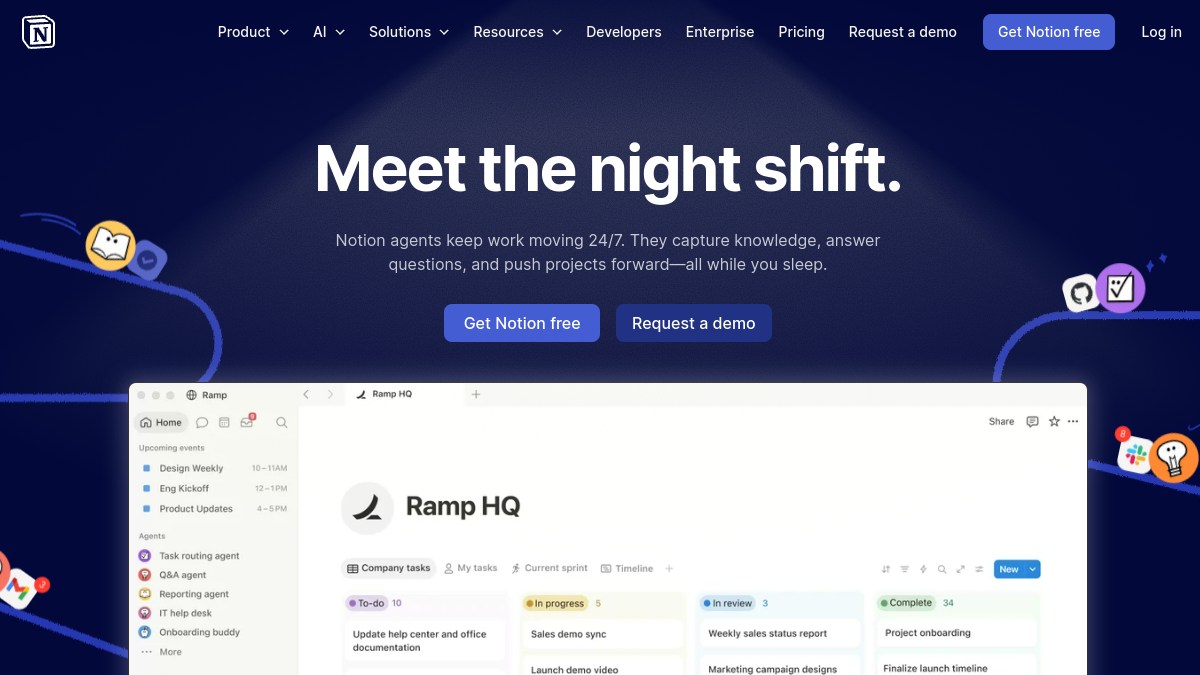
Notion is a modular workspace built from blocks. Every page can hold text, to-dos, tables, boards, calendars, embeds and more, and its databases let you turn a list of anything (tasks, clients, content, books) into filterable views — table, board, calendar, gallery or timeline. That flexibility is Notion's superpower: you can build a personal dashboard, a team wiki, a CRM, a content calendar and a task system all in one place, exactly how you want them. Notion AI adds writing, summarizing and Q&A across your workspace. The trade-off is that all that power takes setup and discipline; a blank Notion can feel intimidating until you've built (or imported) a system that works for you.
What is Todoist?
Todoist is a dedicated task manager that has spent years refining the simple act of capturing and completing tasks. Natural-language input lets you type "Email Sara every Monday at 9am" and it parses the date, recurrence and time automatically. Projects, sections, labels, filters and priorities keep things organized, while the "Today" and "Upcoming" views give you a calm, focused picture of what actually needs doing. It's fast, it's everywhere (web, mobile, desktop, browser extensions, watches), and it gets out of your way. Todoist won't build you a wiki or a database — and that focus is precisely the point.
Task management: Todoist wins
For pure task management, Todoist is the stronger tool. Quick capture is faster and frictionless, recurring tasks are far more powerful, and the daily/upcoming views are designed to reduce overwhelm. Notion can absolutely manage tasks — a database with a date property and a board view works — but capturing a task takes more clicks, recurring tasks are clumsier, and it's easy to over-engineer your setup instead of doing the work. If "what do I need to do today?" is your core question, Todoist answers it better.
Notes, docs and knowledge: Notion wins
This isn't close. Notion is a genuinely great place to write documents, build a wiki, keep meeting notes, plan projects and store structured information. Todoist has task comments and basic descriptions, but it isn't a notes or docs tool and doesn't pretend to be. If you want your tasks to live next to your notes, project plans and reference material, Notion is the obvious choice.
Ease of use and onboarding
Todoist is easier to start with — install it, type a task, done. You feel productive in minutes. Notion has a steeper curve: its flexibility means you either invest time building a system or lean on templates. Once configured, Notion is pleasant to use, but the path to "set up and useful" is longer. If you want zero setup, Todoist wins; if you enjoy crafting your own system (or will use a template), Notion's curve is worth it.
Collaboration and teams
Notion is built for teams — shared wikis, docs, project boards, comments and permissions make it a strong company workspace. Todoist supports shared projects and task delegation and is great for lightweight team to-dos, but it isn't a full collaboration hub. For team knowledge and projects, Notion; for a team that just needs shared task lists, Todoist is simpler.
Mobile and speed
Todoist's apps are fast, reliable and a joy for quick capture on the go — widgets, share-sheet capture and offline support are excellent. Notion's mobile app has improved a lot but is heavier, since it's loading a full workspace rather than a task list. For on-the-go capture and checking what's due, Todoist feels snappier.
AI features
Notion AI is the more substantial offering: it writes, summarizes, translates and answers questions using your workspace content, which is genuinely useful when your notes and projects live there. Todoist has added AI assistance for breaking down and suggesting tasks, but AI isn't its center of gravity. If you want AI woven through your notes and docs, Notion leads.
Pricing
Both have usable free plans. Todoist's free tier covers personal task management well, with paid plans unlocking reminders, more filters and higher limits at a modest price. Notion's free plan is generous for individuals, with paid plans for teams, more guests and advanced features; Notion AI is an add-on. For a single person, both are affordable; Todoist tends to be cheaper if all you need is tasks, while Notion gives you far more surface area for the money if you'll use the workspace.
Who should use Notion?
Choose Notion if you want one home for notes, docs, wikis, databases and projects; if you're a team that needs a shared knowledge base; if you like building your own systems or using templates; or if you're a "second brain" person who wants everything connected. Notion rewards people who want flexibility and are willing to invest a little setup.
Who should use Todoist?
Choose Todoist if you want a fast, focused task manager that you'll actually stick with; if quick capture and a calm daily list matter most; if recurring tasks and reminders are central to your life; or if you've bounced off heavier tools because they became a project to maintain. Todoist is for people who want to do tasks, not manage a tool.
Can you use both? (Yes — and many do)
A popular setup is Todoist for daily execution and capture, and Notion for notes, docs, project planning and knowledge. You can link Todoist tasks from Notion pages and keep your "thinking" in Notion while your "doing" stays in Todoist. If you're disciplined, this gives you the best of both — just be careful not to split your tasks across two systems, which defeats the purpose. Pick one home for tasks (usually Todoist) and let Notion hold everything else.
Integrations and ecosystem
Both tools connect to the apps you already use, but in different ways. Todoist integrates cleanly with calendars (Google Calendar two-way sync is excellent), email, Slack and automation tools like Zapier and Make, so tasks flow in from wherever they're created. Its browser extensions and quick-add shortcuts make capturing a task from any webpage effortless. Notion offers a growing library of integrations, an API, and embeds that let you pull in content from dozens of other tools, plus a large community of templates and creators sharing ready-made setups. If you want your tasks to sync tightly with your calendar and inbox, Todoist's integrations feel more focused; if you want to centralize content from many tools into one workspace, Notion's ecosystem and API give you more room to build.
Reliability and offline use
Todoist is rock-solid offline — add and complete tasks on a plane and they sync when you reconnect, which matters when capture needs to be instant and dependable. Notion has improved its offline support but, as a heavier workspace, can feel slower to load large pages on weak connections. For a tool you rely on every single day to never get in your way, Todoist's speed and reliability are a genuine advantage; for deep work sessions at your desk, Notion's richness wins out.
Frequently asked questions
Is Notion good for task management? It's capable — a database with dates and a board or calendar view works well, especially when tasks sit alongside related notes and projects. But quick capture and recurring tasks are clunkier than in a dedicated tool, so heavy task-doers often prefer Todoist for daily execution.
Is Todoist better than Notion? For pure task management, yes — it's faster, simpler and more focused. For notes, docs, databases and team knowledge, Notion is far more capable. They're optimized for different jobs, so "better" depends on what you need.
Can Todoist replace Notion? Not really — Todoist is a task manager, not a workspace, so it won't replace Notion's notes, wikis and databases. Notion can replace Todoist for many people, but you may miss Todoist's speed and recurring-task power.
Which is better for students? Students who want one place for class notes, assignments and projects often love Notion. Students who just want a reliable to-do list and reminders prefer Todoist. Using Todoist for tasks and Notion for notes is a great combo.
Which is cheaper? For task management alone, Todoist is usually the cheaper, simpler choice. Notion gives you more for the price if you'll use the whole workspace. Both have solid free plans to test first.
The bottom line
Notion and Todoist aren't really rivals — they're specialists. Notion is the best all-in-one workspace for notes, docs, databases and projects, ideal if you want everything connected and enjoy building your system. Todoist is the best focused task manager, ideal if you want fast capture and a calm daily list you'll actually stick with. Decide whether your biggest need is "organize my knowledge and projects" (Notion) or "help me do my tasks" (Todoist) — and if it's both, run Todoist for doing and Notion for everything else. Either way, pick the one that fits how you actually work, not the one with the longest feature list.
Building a productivity tool? List it on Tolodora and get discovered by the people comparing exactly these apps.