Cleanvoice AI vs Flying Car AI: Which Is Better in 2026?
A side-by-side comparison of Cleanvoice AI and Flying Car AI — what each does, who it's best for, and how to choose between them.
Quick verdict
Cleanvoice AI is a video & audio tool and Flying Car AI is a ai tools tool — they're built for different jobs, so start with the problem you're solving. Pick Cleanvoice AI if you want An AI tool that automatically edits podcasts — removing filler words, silences, noise and mouth sounds. Pick Flying Car AI if you want One photo of your car becomes a short cinematic stunt video — ramp flight or kickflip.
Cleanvoice AI
An AI tool that automatically edits podcasts — removing filler words, silences, noise and mouth sounds.
- Category
- Video & Audio
- Rating
- Not yet rated
- Best for
- podcast editing, audio cleaning, ai editor
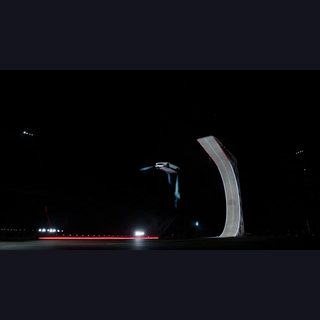
Flying Car AI
One photo of your car becomes a short cinematic stunt video — ramp flight or kickflip.
- Category
- AI Tools
- Rating
- Not yet rated
| At a glance | Cleanvoice AI | Flying Car AI |
|---|---|---|
| What it is | An AI tool that automatically edits podcasts — removing filler words, silences, noise and mouth sounds. | One photo of your car becomes a short cinematic stunt video — ramp flight or kickflip. |
| Category | Video & Audio | AI Tools |
| Type | Software | Software |
| Best for | podcast editing, audio cleaning, ai editor, transcription | — |
What is Cleanvoice AI?
Cleanvoice is an AI audio (and video) editing tool that automatically cleans up recordings — removing filler words, background noise, stutters and dead air, then enhancing what's left to studio quality. Built for podcasters and creators, it turns the tedious, hours-long job of manual audio editing into a few clicks. It's used by 15,000+ podcasters and 30+ brands.
What is Cleanvoice?
Cleanvoice takes a raw recording and does the cleanup work automatically: it identifies and strips out "um"s and "uh"s, ambient noise, mouth and breath sounds, stutters and long pauses, and enhances the audio to sound professionally produced. It handles multiple speaker tracks in sync, works on audio and video, and can also generate transcripts and show notes.
Who it's for
Cleanvoice serves podcasters, media agencies, content creators, audio engineers, video editors, audiobook narrators and voiceover professionals. Anyone who records spoken audio and would rather not spend hours manually snipping filler words and cleaning noise is a natural user — from solo podcasters to agencies producing at volume.
Key features
- Filler-word removal ("um," "uh," and similar)
- Background noise, mouth-sound and breath removal
- Audio enhancement to "studio sound" quality
- Multitrack editing that keeps speakers in sync
- Dead-air and stutter removal
- Transcription and show-notes summarization
- Timeline export to Adobe Audition, DaVinci Resolve, REAPER and Audacity
- Developer SDK (Python, JavaScript, REST API) and Make/Zapier support
Hours of editing, done in clicks
Cleanvoice's core value is time. Editing out every filler word, awkward pause and background noise by hand can take longer than the recording itself; Cleanvoice does it automatically in a fraction of the time. For a weekly podcaster or an agency with many episodes, that reclaimed editing time — with results that sound professionally produced — is the whole point.
Works with your existing tools
Rather than locking you into its own editor, Cleanvoice can export an editable timeline compatible with professional tools like Adobe Audition, DaVinci Resolve, REAPER, Audacity and Ultraschall. That means you can let the AI do the tedious cleanup and still keep full manual control in the editor you already know — a big advantage for audio engineers who don't want to abandon their workflow.
More than cleanup
Cleanvoice does more than remove noise. It generates transcripts and show notes, works on video as well as audio, and doesn't require a transcript to operate. For developers, a public API, playground and SDKs (Python, JavaScript, REST) plus Make/Zapier support mean the cleanup can be built into automated pipelines — useful for platforms processing lots of user-generated audio.
Private and compliant
Because recordings can be sensitive, Cleanvoice emphasizes data protection: it's GDPR compliant with EU data storage and ISO 27001 certified. Combined with a free tier (clean 30 minutes with no credit card), that makes it easy to try and safe to adopt, even for agencies and brands with stricter data requirements.
Consistent results across every episode
A recurring problem with manual editing is inconsistency — one episode sounds great, the next is uneven depending on who edited it and how tired they were. Because Cleanvoice applies the same AI cleanup every time, results stay consistent across a whole series, which matters for a podcast's professional identity. Multitrack handling keeps every speaker aligned even in multi-guest recordings, so complex episodes come out as clean as simple ones.
Why choose Cleanvoice
For podcasters, creators and audio professionals who want clean, studio-quality recordings without hours of manual editing, Cleanvoice is a genuinely useful tool. Its automatic filler, noise and pause removal, multitrack handling, editor-compatible exports and developer API — backed by solid privacy credentials — make it a practical way to sound professional while getting your time back.
What is Flying Car AI?
Flying Car AI is an independent creative tool for car and bike owners. You upload one photo and it produces a short cinematic stunt video. The three templates are a ramp flight of about 15 seconds, a side-view kickflip of about 6 seconds, and a head-on kickflip of about 8 seconds. Tesla clips on the site are motion reference only. This is not an official Tesla product. Pricing is one-time credit packs: First flight is 100 credits for $9.99, Creator is 300 credits for $24.99, and Studio is 600 credits for $44.99. A standard clip uses 50 credits and HD uses 100. Purchases are not available yet, and it is not a subscription.
What problem it solves
Car and bike owners who want a cinematic stunt clip of their own vehicle without a film crew.
Key differences at a glance
- Purpose: Cleanvoice AI is An AI tool that automatically edits podcasts — removing filler words, silences, noise and mouth sounds. Flying Car AI, by contrast, is One photo of your car becomes a short cinematic stunt video — ramp flight or kickflip.
- Category & type: Cleanvoice AI is Video & Audio, while Flying Car AI is AI Tools, and both are offered as software.
- Best suited for: Cleanvoice AI leans toward podcast editing, audio cleaning, ai editor, whereas Flying Car AI leans toward a broad audience.
- Community rating: Cleanvoice AI is not yet rated vs Flying Car AI is not yet rated. Ratings are community-submitted and change over time.
Cleanvoice AI vs Flying Car AI: which should you choose?
Cleanvoice AI (Video & Audio) and Flying Car AI (AI Tools) are built for different jobs, so think first about which problem you're solving. Choose Cleanvoice AI if you want An AI tool that automatically edits podcasts — removing filler words, silences, noise and mouth sounds. Choose Flying Car AI if you want One photo of your car becomes a short cinematic stunt video — ramp flight or kickflip.The smartest move is to try each one's free tier or trial on a real task — that's the fastest way to feel the difference and pick the tool you'll actually stick with.
Frequently asked questions
Is Cleanvoice AI better than Flying Car AI?
It depends on what you need. Cleanvoice AI is An AI tool that automatically edits podcasts — removing filler words, silences, noise and mouth sounds. Flying Car AI is One photo of your car becomes a short cinematic stunt video — ramp flight or kickflip. They serve different needs (Video & Audio vs AI Tools), so compare them against your specific use case.
What's the main difference between Cleanvoice AI and Flying Car AI?
Cleanvoice AI focuses on An AI tool that automatically edits podcasts — removing filler words, silences, noise and mouth sounds. while Flying Car AI focuses on One photo of your car becomes a short cinematic stunt video — ramp flight or kickflip. Read the full breakdown above and check each tool's site for current features and pricing.
Can I use both Cleanvoice AI and Flying Car AI?
In many cases, yes — teams often use complementary tools together. Whether it makes sense depends on overlap in functionality and your budget. Try the free tier or trial of each to see how they fit your stack before committing.
Which is cheaper, Cleanvoice AI or Flying Car AI?
Pricing changes often, so check each tool's pricing page for the latest. Many tools offer a free tier or trial, which is the best way to evaluate value for your specific usage before you pay.