
Sketch
SoftwareThe pioneering Mac design app for crafting interfaces, with native performance and a one-time-purchase option.
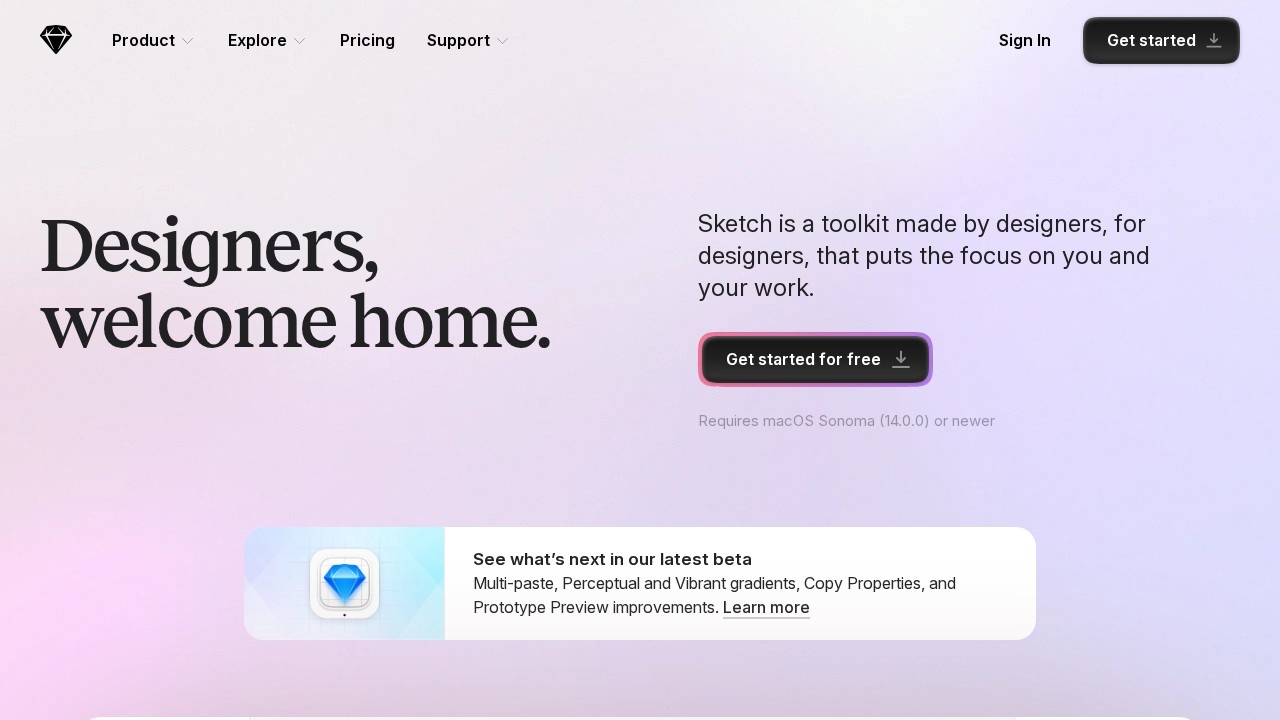
About Sketch
Sketch is the design app that helped define modern digital product design. When it arrived, it offered something the heavyweight illustration tools of the time didn't: a focused, lightweight, native macOS application built specifically for designing user interfaces. It introduced or popularised many of the conventions that designers now take for granted — symbols, reusable components, and a vector workflow tuned for screens rather than print — and in doing so it shaped how an entire industry works. For many designers, Sketch was where they first learned to design apps and websites.
As a native Mac app, Sketch is fast and responsive, with the kind of smooth performance that comes from being built for one platform rather than running in a browser. It provides powerful vector editing, a robust system of reusable symbols and shared styles that keep designs consistent, and prototyping features to bring static screens to life. Over time it has added cloud collaboration and handoff tools so teams can share work, gather feedback, and pass designs to developers, while a thriving ecosystem of plugins extends it to fit almost any workflow. Notably, Sketch offers a one-time purchase option alongside subscriptions, which appeals to designers who prefer to own their tools rather than rent them indefinitely.
Sketch is favoured by UI and UX designers, particularly those in the Apple ecosystem who value native speed and a clean, focused experience. Its strengths are performance, a mature and stable feature set, and that ownership-friendly pricing model. While the design tool landscape has grown more competitive, Sketch retains a loyal following among professionals who appreciate its craftsmanship and its history as the tool that brought interface design into its modern form. For a Mac-based designer who wants a fast, capable, well-honed app for creating interfaces — and the option to buy rather than subscribe — Sketch remains a strong and respected choice with deep roots in the profession.
Tags
Ratings & reviews
No ratings yet
Be the first to rate Sketch — your honest take helps others decide.
- No reviews yet — be the first to rate Sketch.
Similar softwares

Cross Stitch Pattern Maker
Free cross stitch pattern maker: turn a photo into a printable PDF chart with DMC or Anchor numbers.
Concrete Calculator
Free concrete calculator for yardage, bags, and material cost across slabs, walls, columns, stairs, and ramps.
Blank Calendar
Free printable blank calendar maker—dated 2026 or undated PDF with custom week start, paper size, and notes.
Compare Sketch
Similar software
Figma
Collaborative interface design, prototyping and design systems in the browser.
StyleGen.ai
Practical guides on men

Uizard
An AI-powered UI design tool that turns text prompts, screenshots and sketches into editable app and website mockups.

Visily
An AI wireframing and UI design tool for non-designers — turn text, screenshots or sketches into editable mockups.

Phase
A design tool focused on animation and interaction — bring your UI designs to life with smooth, real motion.

Pixso
An all-in-one collaborative UI design and prototyping tool — a capable, affordable Figma alternative with AI.
Related reads
The 8 Best AI Logo Makers in 2026 (Looka & Alternatives)
Need a logo fast? Here are the 8 best AI logo makers in 2026, from Looka to Canva — with who each is best for.
Penpot vs Figma: Which Design Tool Should You Use in 2026?
Figma is the design industry standard; Penpot is the free, open-source challenger you can self-host. Here's my honest comparison for 2026.
Community discussion (0)
Ask questions, share tips, or compare notes with other Sketch users.