Best POS Software for Retail, Restaurant & Pharmacy | Hulm POS
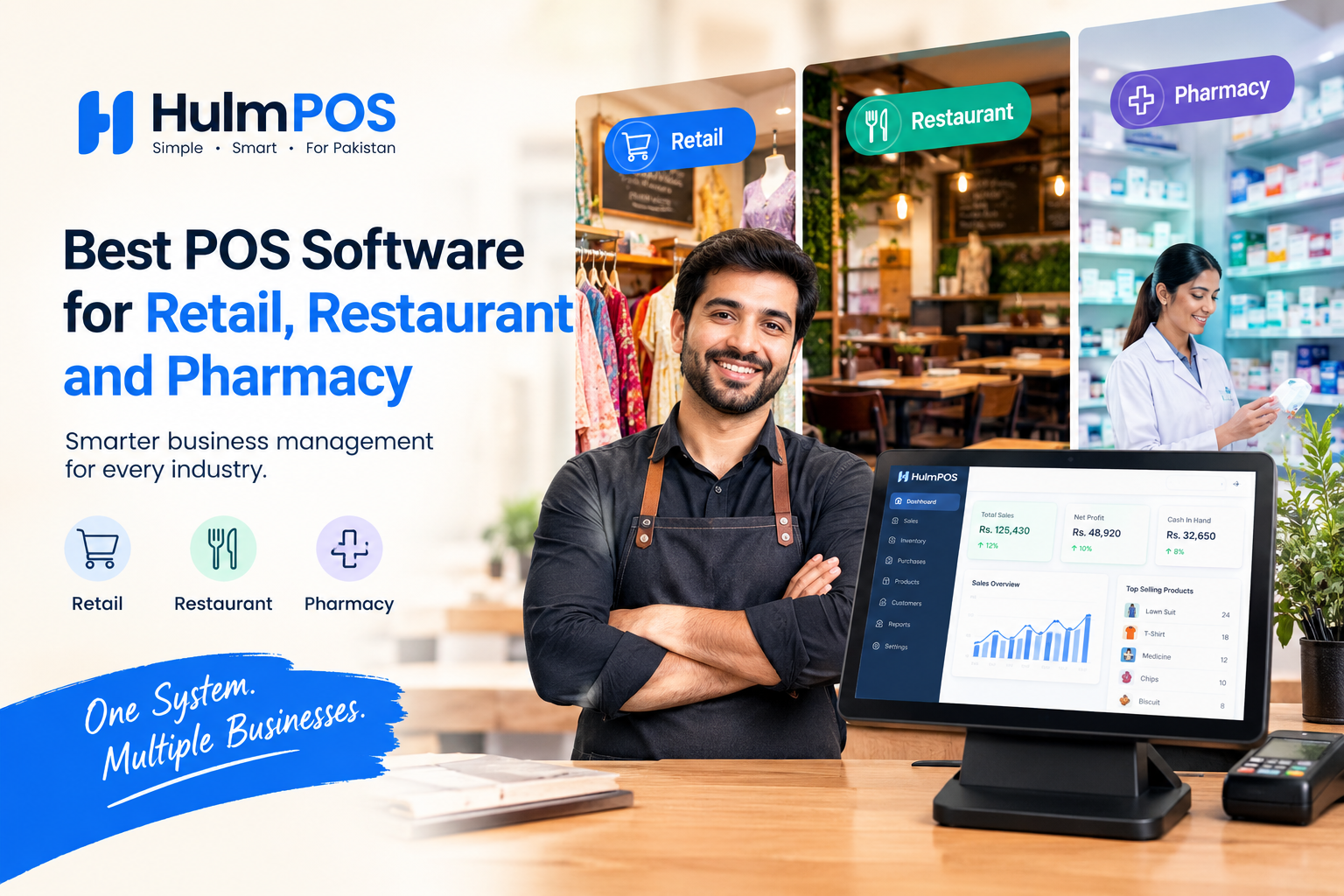
Best POS Software for Retail, Restaurant and Pharmacy | Hulm POS
Choosing a POS system is no longer just about printing a receipt. For a Pakistani retailer, restaurant owner or pharmacy operator, the right POS can determine how easily you track stock, understand daily sales, manage staff, maintain customer records and keep business data organized.
But which POS software actually makes sense for your business?
The answer depends on your industry and workflow. A clothing store needs strong product and inventory management, a restaurant needs order and ingredient tracking, while a pharmacy needs batch and expiry controls.
This guide explains what to look for in POS software in Pakistan and where Hulm POS fits into those requirements.
What Should You Look for in POS Software?
Before choosing a system, look beyond the billing screen. A useful POS should connect sales with the rest of your business.
Important features include:
Fast POS billing and invoicing
Real-time inventory management
Product and barcode management
Purchase and vendor management
Customer records and CRM
Sales and profit reporting
Cash management
Multi-user access
Multi-branch management
FBR integration where applicable
Mobile or cloud access
Industry-specific workflows
For Pakistani businesses, local requirements matter too. FBR's published data shows thousands of retailers and restaurants are already integrated with its POS system, making tax-related functionality an important consideration for eligible businesses.
The key is not to buy the software with the longest feature list. Choose the system that fits the way your business actually operates.
Best POS Software for Retail Stores
Retail businesses deal with hundreds or thousands of products, different suppliers, changing prices and frequent stock movements.
A good retail POS should therefore do more than process sales. It should update inventory when products are sold, provide sales reports and help the owner understand which products are moving quickly.
Hulm POS combines billing with inventory, purchasing, vendors, customers and reporting in one platform. Its inventory tools provide real-time stock updates and low-stock alerts, which can reduce the need for constant manual stock checking. [Internal link: retail POS software]
For a retailer, useful questions to ask before choosing a system include:
Can I see today's sales immediately?
Can I check current stock without physically counting everything?
Can I manage suppliers and purchases?
Can I compare different branches?
If the answer is yes, the POS is becoming a business management tool rather than simply a digital cash register.
Best POS Software for Restaurants
Restaurant operations are different from conventional retail.
A restaurant POS needs to handle orders quickly while connecting those orders with inventory and kitchen operations. Depending on the restaurant, useful capabilities can include dine-in, takeaway, delivery, table management, ingredient tracking and branch-level reporting.
Hulm POS connects restaurant sales with inventory management and supports workflows such as recipe and ingredient tracking. Its restaurant solution also supports multi-branch reporting and stock transfers. [Internal link: restaurant POS system]
This matters because restaurant profitability is closely connected to what happens after an order is entered.
If a restaurant sells a burger, for example, the owner may need to understand not only the selling price but also the ingredients consumed, stock remaining and overall sales performance.
A restaurant POS should therefore help answer:
Which menu items sell the most?
How much inventory is being consumed?
What are today's sales?
How are individual branches performing?
Where are operational bottlenecks occurring?
Best POS Software for Pharmacies and Medical Stores
Pharmacies have another layer of complexity: medicines often need batch and expiry tracking.
A basic billing system may know that a product was sold, but pharmacy management requires more detailed inventory information.
Hulm's pharmacy POS supports batch-number and expiry tracking, low-stock alerts and supplier purchasing workflows. It is designed to help pharmacy operators identify stock that is approaching expiry and manage inventory across locations. [Internal link: pharmacy POS software]
For a pharmacy, look for features such as:
Batch tracking
Expiry-date monitoring
Barcode billing
Supplier management
Purchase records
Low-stock alerts
Customer records
Branch-level inventory
These features can make a significant operational difference when compared with spreadsheets or handwritten stock records.
Why Inventory Management Matters in a POS
Inventory is one of the strongest reasons businesses move from manual records to POS software.
Without connected inventory, a business may sell products without immediately updating stock. That can create discrepancies between what the system says is available and what is physically sitting on the shelf.
Hulm's inventory platform provides automated stock updates, low-stock alerts, product management and centralized reporting. [Internal link: inventory management software]
For growing businesses, connecting sales and inventory means the owner can make decisions using current business data rather than estimates.
What About FBR Integration?
For eligible businesses in Pakistan, FBR integration is an important consideration when evaluating POS software.
FBR provides mechanisms for electronically generated POS invoices to be verified, including QR-code or invoice-number verification through its systems.
Hulm provides FBR integration functionality and states that it helps businesses with registration and compliant invoice generation. However, businesses should confirm their own tax and regulatory obligations with the relevant authority or professional adviser. [Internal link: FBR integrated POS]
This distinction is important: POS software can support compliance workflows, but software alone does not determine a business's legal or tax obligations.
How Much Does POS Software Cost in Pakistan?
POS pricing varies considerably depending on the number of users, branches, features, hardware and support requirements.
Hulm currently lists its Starter plan at PKR 2,500 per month for one user and one branch, including POS billing, basic inventory, customer records and sales reports. Its Growth plan starts at PKR 5,500 per month and adds features such as vendor and purchase management, advanced reporting, five users and two branches. [Internal link: Hulm POS pricing]
When comparing prices, calculate the total cost rather than looking only at the monthly subscription. Consider setup, hardware, support, additional branches, additional users and integrations.
Is Hulm POS Right for Your Business?
Hulm POS is designed as a cloud-based business management platform for Pakistani SMEs, with POS billing connected to inventory, customers, vendors, purchasing and reporting.
That makes it relevant to businesses that want to move beyond a standalone billing machine and manage more of their operations from one system.
Hulm currently provides dedicated solutions for retail, restaurants, pharmacies and several other industries. Its retail case study also documents a Karachi laptop retailer's move from manual registers and separate spreadsheets toward an integrated POS workflow. [Internal link: retail POS case study]
The best way to evaluate any POS is to test it against your actual workflow: create products, process a sale, receive inventory, generate a report and check how easily another employee can use the system.
Final Thoughts
The best POS software for retail, restaurants and pharmacies is not necessarily the system with the most features.
It is the system that solves the problems your business actually faces.
Retailers should prioritize inventory and sales control. Restaurants should examine order and ingredient workflows. Pharmacies should focus heavily on batch, expiry and supplier management. Pakistani businesses should also consider relevant FBR requirements and the reliability of their internet and operating environment.
Hulm POS brings these functions together in one business platform, with industry-specific solutions and plans designed for different business sizes.
If you are replacing manual registers, spreadsheets or disconnected tools, testing the software with your real business workflow is the most practical next step.
Start with the 14-day Hulm POS trial and evaluate how it handles your actual sales, inventory and reporting process.
Frequently Asked Questions
What is the best POS software for retail stores in Pakistan?
The right retail POS depends on the store's size and requirements. Look for fast billing, inventory tracking, purchasing, customer management, reporting, branch management and relevant tax integrations. Hulm POS combines these functions in one platform for Pakistani businesses.
Which POS software is best for a restaurant?
A restaurant POS should support fast order entry and connect sales with inventory. Depending on the restaurant, useful features include dine-in and takeaway orders, table management, ingredient tracking, reporting and multi-branch management.
What should a pharmacy POS system include?
A pharmacy POS should provide more than basic billing. Important features include batch tracking, expiry monitoring, barcode billing, supplier management, purchase records, low-stock alerts and branch-level inventory control.
Does POS software in Pakistan need FBR integration?
It depends on the business and its applicable tax and regulatory requirements. Eligible businesses should check current FBR requirements and choose software that supports the relevant integration and invoicing workflow. FBR provides electronic invoice-verification mechanisms for integrated retailers.
How much does POS software cost in Pakistan?
There is no single market price. Cost varies according to users, branches, features, hardware and support. Hulm's listed plans currently start at PKR 2,500 per month for one user and one branch, with higher plans for growing and multi-branch businesses.