InVideo
SoftwareAn AI video platform where agents generate clips, images and audio while you keep creative control.
About InVideo
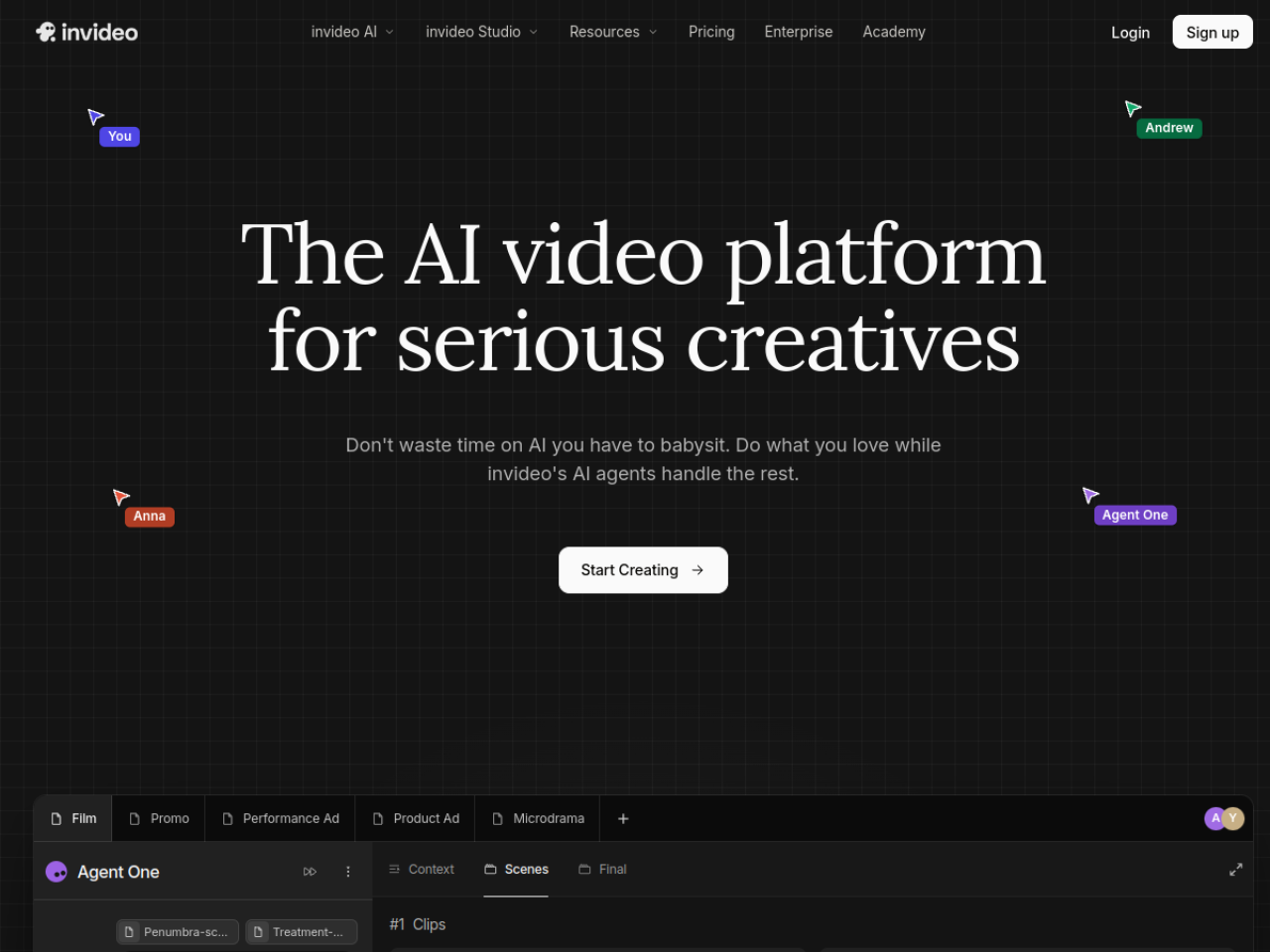
invideo is an AI-powered video editor built around "agentic" AI — you describe the edit you want in plain language, and AI agents carry it out on a professional multitrack timeline. Trusted by major brands like Google, Netflix and Meta, it's designed to cut the manual grind out of video editing while keeping the control of a real editor.
The idea behind invideo
Traditional video editing is slow and technical; pure AI generators are fast but give you little control. invideo aims for the middle: a full timeline editor where AI agents handle the repetitive work — logging footage, finding the right moment from a description, applying an edit across many clips — so you direct the video instead of manually executing every cut. You get professional results without professional-level tedium.
Who it's for
invideo serves professional and semi-professional creators who want to spend less time on manual editing, teams that need to collaborate on video, and content creators across filmmaking, advertising, social media and microdrama. Its SOC 2 and GDPR compliance also make it viable for organizations with real security requirements.
What it can do
- Agentic AI that edits on a professional multitrack timeline
- Footage logging and moment retrieval by description
- Batch editing — one instruction applied across many clips
- Custom AI agents for roles like colorist or sound designer
- Real-time multiplayer editing with live cursors
- Storyboarding and AI-assisted script writing
- Multiple generation models (Sora 2, Google Veo 3.1, Seedance)
- Image generation, voice synthesis, music and stock footage
Edit by describing, not clicking
invideo's defining feature is plain-language editing. Instead of learning where every tool lives, you tell an agent what you want — "find the moment she opens the box and tighten it" — and it does the work, no prompt-engineering expertise required. Batch editing takes this further, letting a single direction apply across many clips at once, which turns hours of repetitive trimming into a sentence.
Specialized agents, like a real crew
A clever part of invideo is that you can create custom agents for specialized roles — a cinematographer, a colorist, a sound designer — each handling its part of the edit. It's a bit like directing a small production crew, where you set the vision and specialists execute, except the crew is AI. For creators juggling every role themselves, that division of labor is a real force multiplier.
Built for teams and generation
invideo supports real-time multiplayer editing with live cursor tracking, plus storyboarding and an AI script co-writer, so teams can plan and edit together in one place. It also folds in leading generation models — Sora 2, Google Veo 3.1 and others — along with image, voice and music generation and stock libraries, so you can create new footage and assets without leaving the editor. Pricing runs from a $9/month Basic tier up to Ultra.
Enterprise-ready, brand-trusted
invideo is built to be safe for serious organizations, with SOC 2 and GDPR compliance that satisfies security and privacy requirements — part of why brands like Google, Netflix, Meta and Salesforce trust it. For a marketing team or agency, that means adopting invideo doesn't mean compromising on data handling, and the same platform that helps a solo creator move fast also meets the bar a large company's security review demands.
Why choose invideo
For creators and teams who want the speed of AI without giving up the control of a real timeline, invideo is a powerful choice. Its agentic editing, plain-language instructions, custom specialist agents, collaborative workflow and built-in generation models make it a practical way to produce professional video faster — directing the work rather than grinding through every cut yourself.
Tags
Ratings & reviews
No ratings yet
Be the first to rate InVideo — your honest take helps others decide.
- No reviews yet — be the first to rate InVideo.
Similar softwares

Flying Car AI
One photo of your car becomes a short cinematic stunt video — ramp flight or kickflip.
listai.tools
A free directory of AI tools, filed by what each one makes: writing, image, video, audio, code and agents. Reviewed by hand.

Carpool Karaoke AI
Four photos become a 15s Carpool Karaoke AI video. Fixed windshield camera and Walk It Talk It hook. Preview and download for TikTok, Reels, and Shorts. No prom
Compare InVideo
Similar software
AIforASMR
Create calming AI ASMR videos from prompts, images, and 45+ templates for sleep, rain, skincare, candlelight, relaxation, and ambient loops.

Grok Video Generator
Independent AI video generator: turn text or a reference image into 480p/720p clips. Credit cost shown before you generate; 20 trial credits on first login.

TalkPix AI
Make any photo talk in seconds. Upload a portrait, type a script, choose an AI voice, and generate hyper-realistic lip-synced videos effortlessly.
Luma AI
An AI creative platform for cinematic video, image and audio generation with brand consistency.

Runway
A generative AI suite for creators — turn text and images into video and edit with AI-powered tools.

CapCut
A free, powerful video editor with AI tools and templates, built for fast social media content.
Related reads

IPTV Srbija: kako proveriti pretplatu tokom 24 sata
Kako iskoristiti IPTV probu od 24 sata: proverite aplikaciju, kanale, istovremene konekcije, kvalitet reprodukcije i uslove pretplate.
How to Choose an Audio System for Walking Tours
A practical route-first framework for comparing voice projection, dedicated receivers, and guest-phone audio on real walking tours.

The 8 Best AI Tools for Podcasters in 2026
AI can record, edit, clean and repurpose your podcast in a fraction of the time. Here are the 8 best AI tools for podcasters in 2026.
Community discussion (0)
Ask questions, share tips, or compare notes with other InVideo users.