LittlePaper: Drawing for Kids
SoftwareNewStep-by-step drawing lessons and a kids’ drawing app for iPhone & iPad
About LittlePaper: Drawing for Kids
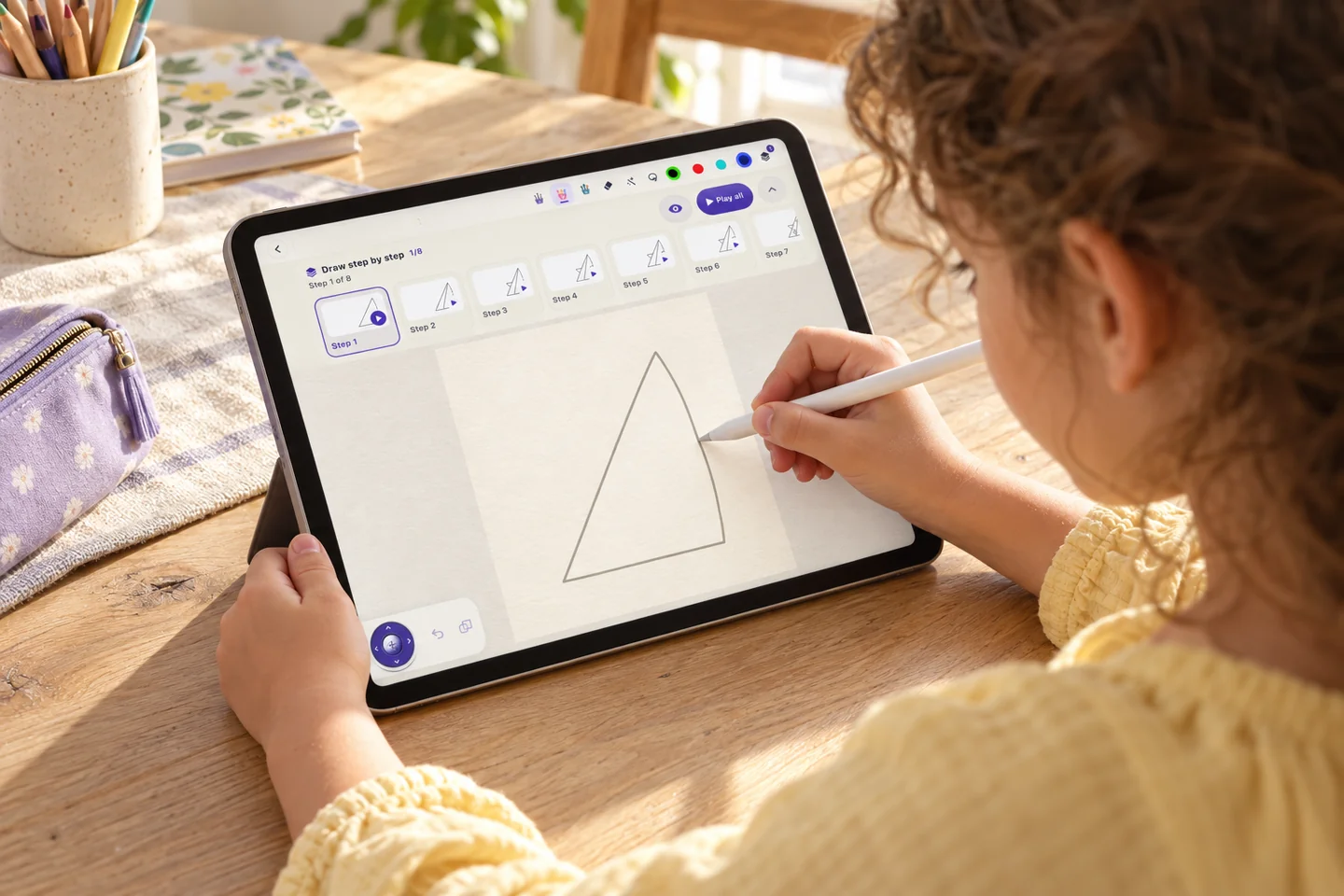
LittlePaper is a drawing app for kids on iPhone and iPad, with more than 2,000 free step-by-step drawing lessons available on the website. It gives children a place to follow a drawing from its first lines to a finished picture. Each lesson is presented one step at a time: children watch the current step, trace a light guide using a finger or Apple Pencil, and continue through the sequence at their own pace. They can add crayon color and stickers to make the drawing their own. When the picture is complete, they can replay how it came to life, revisiting the drawing steps. Favorite pages can be collected into a digital 3D picture book.
LittlePaper brings together guided drawing lessons on the web and a creative drawing app for iPhone and iPad. The website offers a library of more than 2,000 free lessons to explore, while the app gives kids a hands-on way to follow along and create on a device. The step-by-step format makes each drawing approachable: watch a step, trace a faint guide, add details, then move on to the next part. Finger and Apple Pencil support let children draw in a way that feels natural on an iPad. Crayon colors and stickers add playful finishing touches while leaving room for each child's choices and style.
A finished drawing can be replayed to see how it came together, and favorite pages can be gathered into a digital 3D picture book. No account is needed. Drawings stay on the device, and the app has no personalized ads. LittlePaper is free to use with optional Premium. Families can visit https://drawwithlittlepaper.com/ to browse the free drawing lessons and find the iPhone and iPad app. The app is available on the App Store at https://apps.apple.com/app/id6815151178. LittlePaper: Drawing for Kids is for children who want a friendly, guided way to draw, color and keep their creations together. It is a creative activity that combines following visual instructions with making an original picture. Children can use the lessons as a starting point, add their own color and stickers, and revisit favorite drawings in their book.
Tags
Ratings & reviews
No ratings yet
Be the first to rate LittlePaper: Drawing for Kids — your honest take helps others decide.
- No reviews yet — be the first to rate LittlePaper: Drawing for Kids.
Similar softwares
Kanji Drill
Create free printable Japanese handwriting worksheets for names, hiragana, katakana and kanji.

Athena Reader
Bring-your-own-book reader for EPUB & PDF with cited AI answers

RePoker – GTO Preflop Trainer
Learn GTO preflop ranges with spaced-repetition drills
Compare LittlePaper: Drawing for Kids
Similar software

Goodnight Little Hero
Personalized bedtime stories for parents to read aloud.
Whiteboard by Endless AI
A cross-platform visual board for lessons, PDF annotation, and sports tactics.

ChessCore
AI-native chess academy management for scheduling, billing, student progress, and coach-approved analysis.
HelpMeDegree
Find and compare UK university courses in one place

LearnType
Build typing skills that feel effortless.

TwentyOneOS
Bitcoin treasury courses for high earners and owners: five courses, about 70 narrated lessons, first lesson free.
Related reads

I gave up on Harry Potter in Dutch and spent almost nine years building a reading app
In 2017 I gave up on Harry Potter in Dutch after a couple of pages. Since 2018 I have been building Simply Fluent, a reading app for language learners, bootstrapped. This post is about learning Dutch
Why Most Practice Tests Fail (And How Verified Handbook Citations Fix Them)
Most test prep platforms use AI-hallucinated questions or flawed distractor lengths. Learn why handbook citations are the key to passing on your first attempt.

Psychemore: One AI Platform for Students to Learn, Grow, and Prepare for the Future
Psychemore is an AI-powered student platform that brings studying, career preparation, and personal development tools together in one place. From understanding difficult subjects to building a resume
Community discussion (0)
Ask questions, share tips, or compare notes with other LittlePaper: Drawing for Kids users.