
Photopea
SoftwareA free, powerful, Photoshop-like image editor that runs entirely in your browser — no install, supports PSD files.
About Photopea
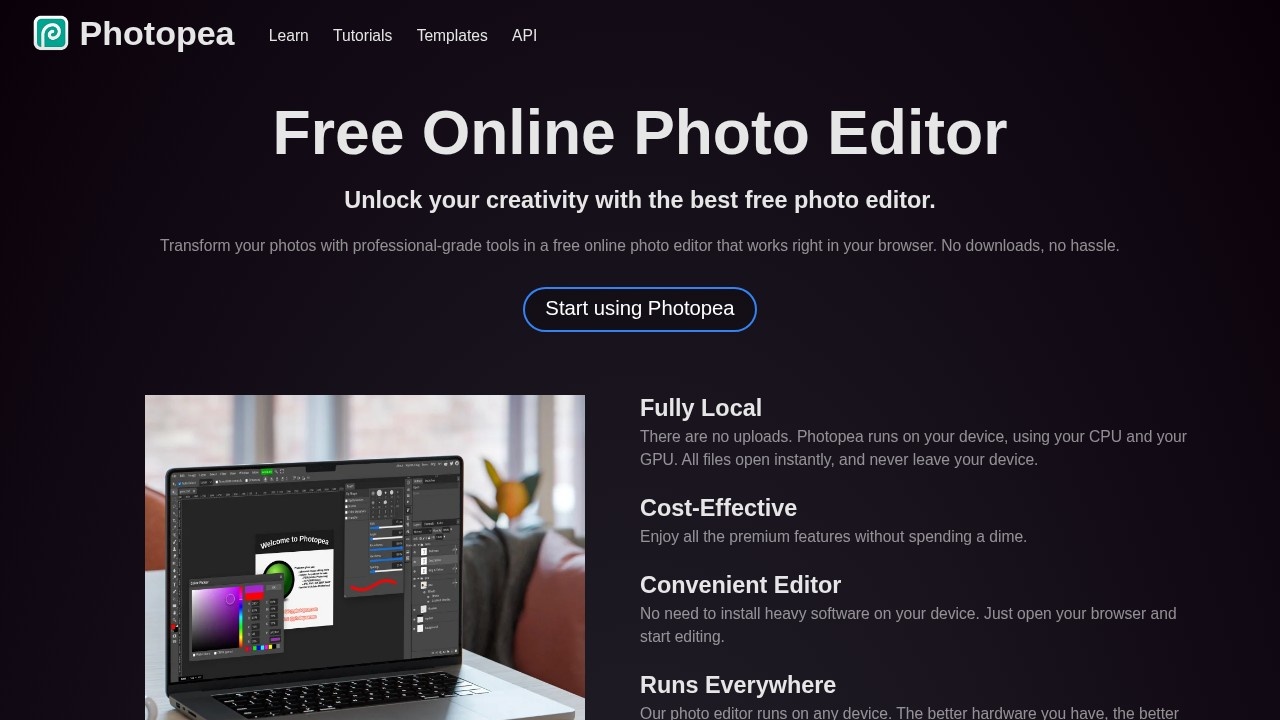
Photopea is a free, powerful image editor that runs entirely in your web browser, offering a Photoshop-like experience — including support for PSD files — without any installation or cost. Professional image editing has traditionally meant expensive software and a significant download, putting it out of reach for casual users and those on a budget. Photopea changes that by delivering a remarkably capable editor right in the browser, for free, that even opens and edits Photoshop files, making advanced image editing accessible to anyone with a web browser.
The editor provides a familiar, Photoshop-style interface with layers, masks, selections, adjustments, filters, text, and the tools needed for serious photo editing and graphic design. It opens and saves many formats, crucially including PSD (Photoshop) files, so it can fit into workflows alongside professional tools or serve as a complete free alternative. Despite running in the browser and being free, it's surprisingly powerful, handling detailed editing tasks that many assume require paid desktop software. It's supported by ads, with an option to remove them, keeping the core editor free for everyone.
Photopea is used by anyone who needs to edit images or create graphics without paying for or installing professional software — students, hobbyists, small businesses, and even professionals needing a quick edit or PSD access on a machine without Photoshop. The value is professional-grade editing for free, anywhere: it puts powerful, Photoshop-like image editing in the browser at no cost, including the ability to work with PSD files, removing the barriers of price and installation. For the many situations where someone needs capable image editing but can't or won't use expensive desktop software, Photopea is an invaluable resource. As a free, browser-based, Photoshop-compatible editor, it has earned a large, appreciative user base.
Tags
Ratings & reviews
No ratings yet
Be the first to rate Photopea — your honest take helps others decide.
- No reviews yet — be the first to rate Photopea.
Similar softwares
LogoAI
Generate unique AI logos and automatically build your brand kit

MiniMax H3 Max AI Video Generator
Create 5-15 second 768p videos with MiniMax H3 Max. Direct camera motion, keep characters consistent, and generate synchronized audio in one pass for review.
PWZ AI Video Generator
PWZ AI: All-in-One AI Image & Video Generator | Zero Limits
Compare Photopea
Similar software
Blur Background
Remove or blur image backgrounds online directly in your browser.

Affinity
Professional design software for photo editing, vector design, and publishing — with a one-time purchase, no subscription.
Free AI Icon Generator
Create editable SVG icons and local PNG/WebP previews with no account or remote image upload.
Cursive Font Generator
Create copyable cursive text and downloadable script designs for names, signatures, and social posts.
Drywall Calculator
Calculate net drywall area and whole sheets from room dimensions, openings, panel size, waste allowance, and optional price per sheet.

Beautiful.ai
AI-powered presentation software that designs beautiful slides for you automatically as you add content.
Related reads
The 8 Best AI Logo Makers in 2026 (Looka & Alternatives)
Need a logo fast? Here are the 8 best AI logo makers in 2026, from Looka to Canva — with who each is best for.
Penpot vs Figma: Which Design Tool Should You Use in 2026?
Figma is the design industry standard; Penpot is the free, open-source challenger you can self-host. Here's my honest comparison for 2026.
Community discussion (0)
Ask questions, share tips, or compare notes with other Photopea users.