Vectr4: A Self-Hosted Umami Alternative for Product Analytics
If you are looking for a self-hosted analytics platform, Umami is likely one of the first names you will come across.
It has earned attention for a good reason. Umami offers a clean, lightweight way to understand website traffic without relying on the complexity of traditional analytics platforms.
But there is an important distinction that often gets overlooked:
Website analytics and product analytics are not the same thing.
Knowing how many people visited your website is useful.
Knowing what they did after they created an account is often much more valuable.
That difference is where Vectr4 comes in.
Vectr4 is a self-hosted product analytics platform designed for SaaS founders, indie hackers, developers, and small product teams that want to understand how people actually use their applications.
Instead of focusing primarily on pageviews and traffic, Vectr4 is built around users, events, sessions, funnels, conversions, and customer journeys.
So is Vectr4 an alternative to Umami?
Yes, but the more useful answer is this:
Vectr4 is an Umami alternative for teams that need deeper product analytics, not simply another website traffic dashboard.
Umami and Vectr4 solve different analytics problems
The easiest way to understand the difference is to look at the questions each type of analytics platform helps you answer.
A web analytics tool typically helps with questions such as:
How many people visited the website?
Which pages received the most traffic?
Where did visitors come from?
Which device or browser did they use?
How many visits happened today, this week, or this month?
Those are important questions, especially for blogs, landing pages, documentation sites, and marketing websites.
But SaaS products quickly create another set of questions.
For example:
How many people who registered actually completed onboarding?
Which feature do active customers use most often?
Where do users abandon the signup process?
What happens before a customer upgrades?
Which actions are associated with activation?
What did a specific user do during their last session?
How does a customer move through the product over several sessions?
Those are product analytics questions.
And that is the area Vectr4 is designed to address.
What is Vectr4?
Vectr4 is a self-hosted analytics platform focused on understanding user behavior inside digital products.
It allows applications to send meaningful product events and connect those events with users, sessions, funnels, and customer journeys.
Instead of seeing only that somebody visited /dashboard, you can track actions that represent what actually happened inside the application.
For example:
account_createdproject_createdteam_member_invitedintegration_connectedvideo_generatedreport_exportedsubscription_started
These events describe your product in the language of your product.
That matters because a pageview rarely tells the whole story.
A user can open a dashboard without completing the action that makes the dashboard valuable.
Product analytics lets you measure the action itself.
The difference between traffic and product behavior
Imagine you operate a SaaS application.
Your analytics show that 1,000 people visited your pricing page and 150 created an account.
That is useful.
But what happened to those 150 people?
Perhaps:
100 opened the onboarding screen
72 created their first project
48 connected an integration
34 completed the first meaningful action
15 became paying customers
Now you have something much more useful than a pageview count.
You have a funnel.
And more importantly, you can see where potential customers are getting stuck.
If only half of your registered users successfully create their first project, that is a product problem worth investigating.
Increasing website traffic will not necessarily solve it.
This is why product analytics becomes increasingly important as a SaaS grows.
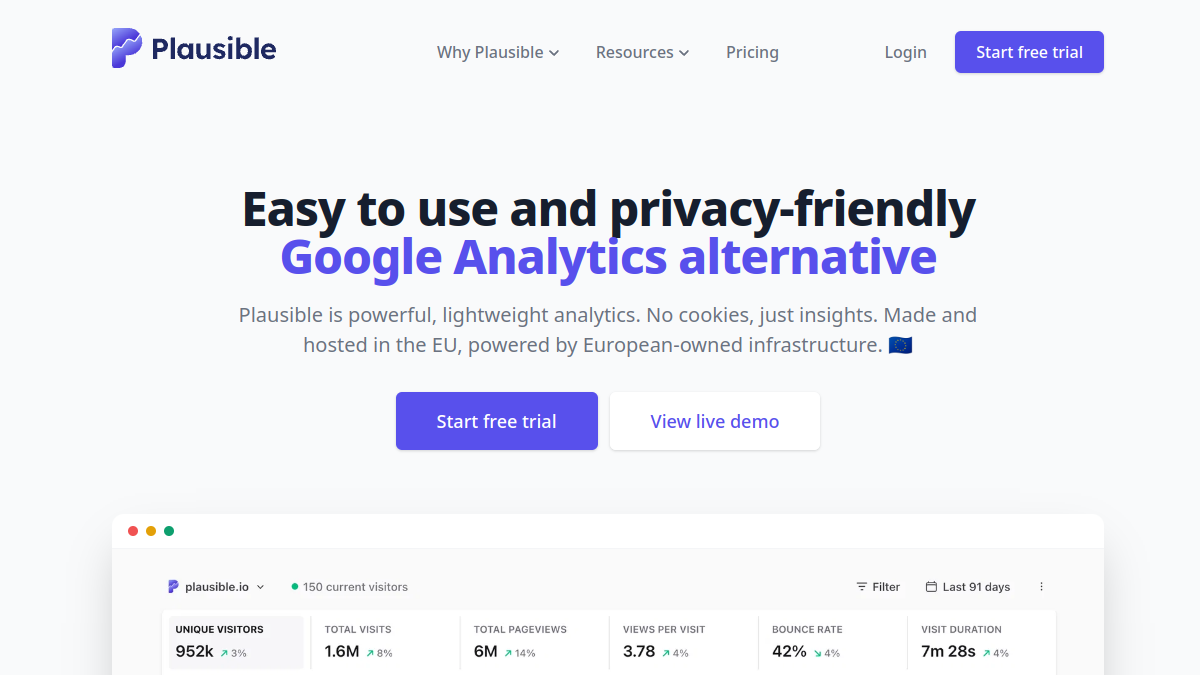
Vectr4 vs Umami
Umami and Vectr4 overlap in one important area: both can appeal to teams that prefer running analytics infrastructure themselves.
But their primary focus is different.
Umami
Umami is primarily associated with lightweight web analytics.
It is a strong fit when you want to understand:
website traffic
pageviews
referrers
visitor trends
popular pages
devices and browsers
general website activity
For many websites, that is exactly what is needed.
Vectr4
Vectr4 is focused more deeply on what happens inside an application.
It is designed around:
event tracking
users
sessions
funnels
conversions
customer journeys
product behavior
This makes Vectr4 particularly relevant for SaaS products and applications where understanding what happens after signup matters as much as understanding how someone arrived.
Why events matter
Events are one of the foundations of product analytics.
A website analytics system might tell you:
438 people visited the dashboard.
A product analytics system can tell you:
438 people visited the dashboard, 217 created a project, 96 invited another user, and 41 completed the activation flow.
That second set of information is much more actionable.
Instead of asking whether people visited a page, you can ask whether they completed an important product action.
The events you track are also specific to your business.
A video generation SaaS might care about:
video_created
An invoicing product might care about:
invoice_sent
A developer tool might care about:
deployment_completed
An analytics platform might care about:
first_event_received
There is no universal activation event.
The meaningful action depends on the product.
Vectr4 lets the analytics model follow the application rather than forcing the application into a generic set of traffic metrics.
Funnels make product problems visible
One of the most useful applications of event tracking is funnel analysis.
Consider a SaaS onboarding flow:
Signup → Create project → Install SDK → Send first event → Invite teammate → Upgrade
If users are dropping out between two stages, you immediately have somewhere to investigate.
Perhaps the SDK installation is confusing.
Perhaps the user does not understand what they should do after creating a project.
Perhaps an important button is difficult to find.
Without funnel data, teams often rely on intuition.
With funnel data, you can identify where the problem actually occurs.
That does not automatically tell you why users are dropping off, but it tells you where to start looking.
That alone can dramatically improve how a small team prioritizes product work.
Customer journeys add context
Aggregate analytics tells you what users do collectively.
Sometimes you need to understand what happened to one person.
Imagine a customer contacts support and says:
"I created an account yesterday, but I couldn't get the product working."
Instead of looking only at aggregate metrics, a customer journey can help you understand the sequence of actions that user performed.
Perhaps they:
Registered
Created a project
Opened the installation instructions
Returned to the dashboard
Tried another integration
Left the product
That sequence tells a story.
It may reveal friction that is invisible in top-level metrics.
When user-level journeys, sessions, and events are connected, analytics becomes useful not just for reporting but also for debugging the user experience.
Why self-hosting matters
Self-hosting is one of the reasons developers are attracted to tools like Umami in the first place.
Vectr4 follows the same broader philosophy of giving teams control over where their analytics system runs.
Instead of relying entirely on a hosted analytics provider, Vectr4 can run on infrastructure controlled by the customer.
For technical teams, this provides several practical advantages.
You control the environment.
You decide where the analytics system is deployed.
You retain control over the infrastructure containing your analytics data.
And your analytics stack can live alongside the rest of your technical infrastructure.
For developers who already operate Docker-based applications, self-hosted analytics can fit naturally into an existing deployment workflow.
Self-hosting does not mean analytics should be complicated
One of the risks of self-hosted software is turning a useful tool into another infrastructure project.
The purpose of Vectr4 is not to make teams spend their time maintaining an analytics system.
The objective is to give developers and founders access to the product information they need while keeping deployment practical.
This is particularly important for small teams.
An indie developer does not need a complicated enterprise analytics architecture.
They need answers.
Where are users dropping off?
What features are being used?
Are people reaching activation?
What does a successful customer journey look like?
Which actions happen before someone converts?
The analytics system should help answer those questions without becoming the main engineering project.
Who should use Umami?
Umami can be an excellent choice when your primary goal is understanding website traffic.
For example, it may be a good fit for:
blogs
marketing websites
documentation
portfolio sites
landing pages
content websites
businesses that mainly need traffic analytics
If the majority of your analytics questions begin with:
"How many people visited..."
then a lightweight web analytics solution may already provide everything you need.
There is no reason to add a more complex analytics layer if your use case does not require it.
Who should consider Vectr4?
Vectr4 becomes more relevant when your questions begin with:
"What did users do after..."
For example:
What did users do after signing up?
What happens after a customer creates their first project?
Which features do retained users use?
Where do users abandon onboarding?
What actions happen before an upgrade?
Which part of the application creates the most friction?
These are the questions that SaaS founders and product teams encounter constantly.
Vectr4 is designed for that environment.
Typical users may include:
SaaS founders
indie hackers
software developers
small product teams
subscription businesses
web application owners
teams running self-hosted infrastructure
Can Vectr4 replace Umami?
That depends on why you are using Umami.
If you mainly need simple website traffic reporting, Umami may remain the more straightforward solution.
If you are running a SaaS product and need to understand users, product events, sessions, funnels, conversions, and journeys, Vectr4 addresses a broader product analytics use case.
Some teams may even choose to use different analytics tools for different jobs.
A lightweight web analytics platform can measure the marketing website.
A product analytics platform can measure what happens after a user enters the application.
The important thing is not choosing the tool with the longest feature list.
It is choosing the tool that answers the questions your team actually needs answered.
A practical example
Imagine you launch a SaaS with the following customer journey:
Homepage → Signup → Create workspace → Connect integration → First successful action → Upgrade
A web analytics platform can give you useful information about the first part of that journey.
You can understand traffic sources, landing pages, and visitor numbers.
But once the user enters the application, the important metrics start changing.
You want to know:
How many registered users create a workspace?
How many successfully connect the integration?
How long does it take them to reach the first successful action?
Which users return the following day?
What actions are most common among customers who eventually upgrade?
This is the transition from web analytics to product analytics.
Vectr4 is designed for that second part of the journey.
Umami alternative for SaaS founders
For a SaaS founder, analytics should ultimately help make product decisions.
Adding analytics because "every application needs analytics" is not particularly useful.
What matters is whether the data changes what you do next.
If a funnel reveals that 60% of users abandon your onboarding at the integration step, you have something to investigate.
If active customers consistently use one feature while churned users never reach it, that is worth understanding.
If new users are taking several sessions to reach activation, perhaps onboarding needs improvement.
Good analytics should lead to better questions, better experiments, and eventually better products.
That is the problem Vectr4 is built around.
Final thoughts
Umami has become a popular option for developers who want a lightweight, self-hosted approach to web analytics.
For many websites, it can be an excellent fit.
But SaaS applications often need analytics that go beyond traffic and pageviews.
Once you need to understand product events, users, sessions, funnels, conversions, activation, and individual customer journeys, the problem becomes different.
Vectr4 is built for that problem.
It provides a self-hosted product analytics approach for founders and developers who want deeper visibility into how people actually use their applications while maintaining control over their analytics infrastructure.
If your main question is:
"How many people visited my website?"
Umami may already be enough.
If your questions are:
"What did users do?"
"Where did they get stuck?"
"Which actions lead to activation?"
and
"How does a customer move through my product?"
then Vectr4 is the kind of analytics platform worth considering.
For teams specifically searching for a Self-hosted Umami alternative with a stronger focus on SaaS product behavior, you can learn more about Vectr4 at vectr4.com/alternatives/umami.