
Audacity
SoftwareThe classic free, open-source audio editor for recording and editing podcasts, music, and any sound.
About Audacity
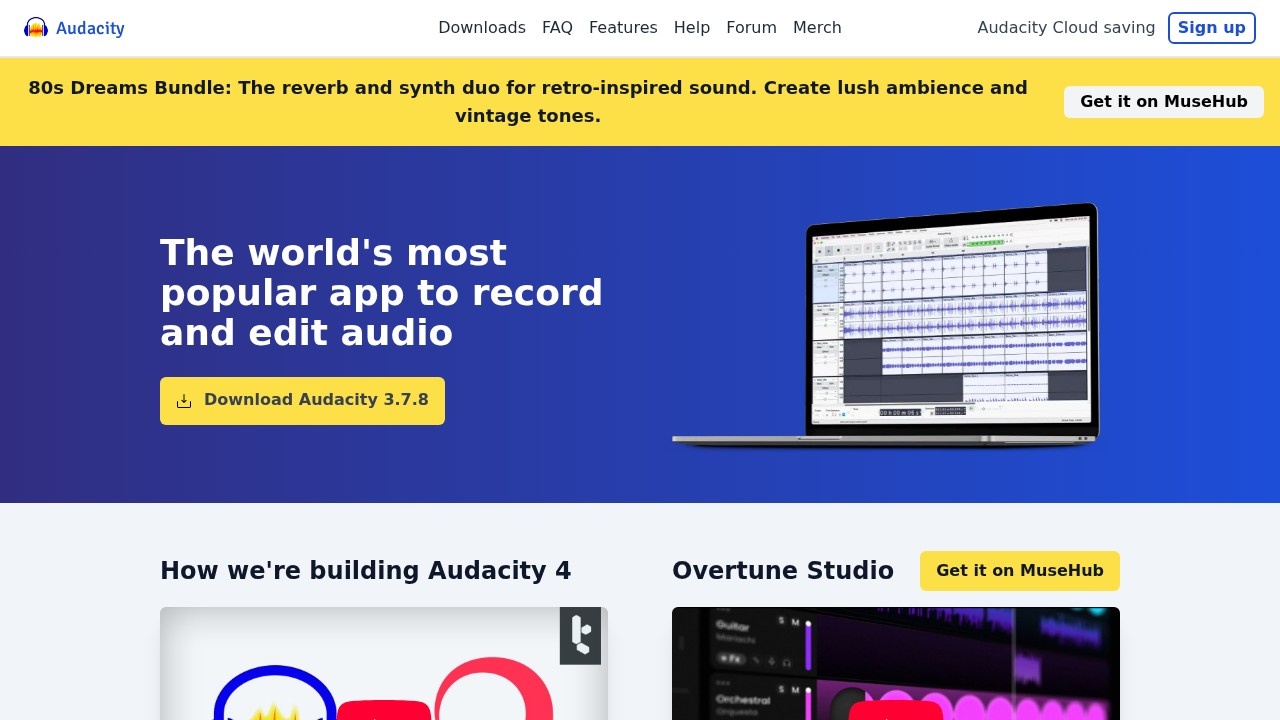
Audacity is the free, open-source audio editor that has been a staple for podcasters, musicians and creators for over two decades. With more than 100 million downloads since its 2000 launch, it offers genuinely powerful recording and editing on Windows, macOS and Linux — and, remarkably, it's completely free with no paid tier, and always will be.
What Audacity is
Audacity is a desktop application for recording and editing audio. You can capture sound directly, import and export a wide range of formats, cut and arrange multiple tracks, apply effects and plugins, and analyze audio with tools like spectrogram view. It covers everything from a simple podcast edit to more involved multi-track and analytical work, all in one free program.
Who it's for
Audacity serves musicians, podcasters, content creators and really anyone who needs to edit or convert audio — from professionals to complete beginners exploring sound for the first time. Its combination of power and zero cost makes it especially popular with hobbyists, students and creators on a budget who still want capable editing.
What it offers
- Multi-track audio recording and editing
- Import, export and conversion between WAV, MP3, FLAC, Ogg and more
- Spectrogram view for frequency analysis
- Scientific Vamp analyzers for audio investigation
- Plugin support: VST3, Nyquist and third-party via MuseHub
- Customizable interface with Workspaces (version 4.0)
- Cross-platform: Windows, macOS and Linux
- Optional Audio.com cloud collaboration and publishing
Powerful, and genuinely free
Audacity's defining quality is that it's completely free — no paid tier, no subscription, no account required for the core software — while still being seriously capable. In a world of subscription audio tools, that "has always been and will always remain free" promise is remarkable, and it's why generations of podcasters and musicians have started (and often stayed) with Audacity. For anyone unsure whether to invest in audio editing, there's simply no cost barrier to trying it.
Open source and extensible
As open-source software, Audacity is transparent and community-driven, with contributions and scrutiny from users worldwide. It's also extensible: support for VST3, Nyquist and third-party plugins (available through MuseHub) lets you add effects and capabilities beyond the built-in set, so the tool can grow with your needs. That openness has kept Audacity relevant for over 20 years, continually improved by the community that depends on it.
From quick edits to real analysis
Audacity handles both everyday editing and deeper work. For a podcaster, it's a straightforward way to record, trim, and clean up audio and export an MP3; for more technical users, spectrogram view and scientific Vamp analyzers allow real frequency analysis and investigation. The updated interface with Workspaces in version 4.0 makes organizing that work easier, and optional Audio.com integration adds cloud collaboration and versioning when you want it.
Runs on any computer
Audacity is truly cross-platform, running natively on Windows, macOS and Linux, so it doesn't matter what computer you have — a valuable trait for classrooms, community projects and collaborators who use different systems. Because it's a lightweight desktop application rather than a cloud service, it works offline and doesn't depend on a fast connection or a subscription staying active, and optional Audio.com integration adds cloud collaboration and versioning only when you actually want it. That accessibility — free, cross-platform and offline-capable — is a big reason it reaches so many people.
Why choose Audacity
For anyone who needs to record or edit audio without paying for software, Audacity is the classic, dependable choice. Its multi-track editing, broad format support, effects and plugin ecosystem, and genuine analytical tools — all free, open source and cross-platform — make it a practical way to produce podcasts, edit music or clean up recordings, whether you're a first-timer or an experienced creator who simply doesn't need to pay for what Audacity already does well.
Tags
Ratings & reviews
No ratings yet
Be the first to rate Audacity — your honest take helps others decide.
- No reviews yet — be the first to rate Audacity.
Similar softwares
AI Generator
Run GPT Image 2.5, Seedance 2.5, Veo 3.1, MiniMax H3 and more image and video models in one browser workspace. The credits for each run are shown first.

Rap Your Life
Turn your photos into AI rap videos. No prompts needed.

AI Genjutsu
Turn one photo into a 5-second vertical AI video with ready-made templates.
Compare Audacity
Similar software

Music Visualizer
Turn your music into stunning, beat-synced visuals

Screenity
Free, open-source screen recorder and annotation tool for Chrome — capture, annotate and edit with no time limits.
Subtitle Kit
Free in-browser SRT tools: shift timing, export plain text, check line length, estimate read time. Your files stay on your device.
NewPipe
Free, open-source YouTube client for Android — no ads, no Google account needed, with background playback and downloads.
Neume
Turn your thoughts into full songs with AI. No instruments, no studio, no experience needed. Just describe your vibe, and Neume does the rest.

Radiogram
Radio and podcasts for iPhone, iPad, and Mac
Related reads

IPTV Srbija: kako proveriti pretplatu tokom 24 sata
Kako iskoristiti IPTV probu od 24 sata: proverite aplikaciju, kanale, istovremene konekcije, kvalitet reprodukcije i uslove pretplate.

How to Choose an Audio System for Walking Tours
A practical route-first framework for comparing voice projection, dedicated receivers, and guest-phone audio on real walking tours.
The 8 Best AI Tools for Podcasters in 2026
AI can record, edit, clean and repurpose your podcast in a fraction of the time. Here are the 8 best AI tools for podcasters in 2026.
Community discussion (0)
Ask questions, share tips, or compare notes with other Audacity users.