
Float
SoftwareA resource planning and scheduling tool that shows who's working on what, when — and who has capacity.
About Float
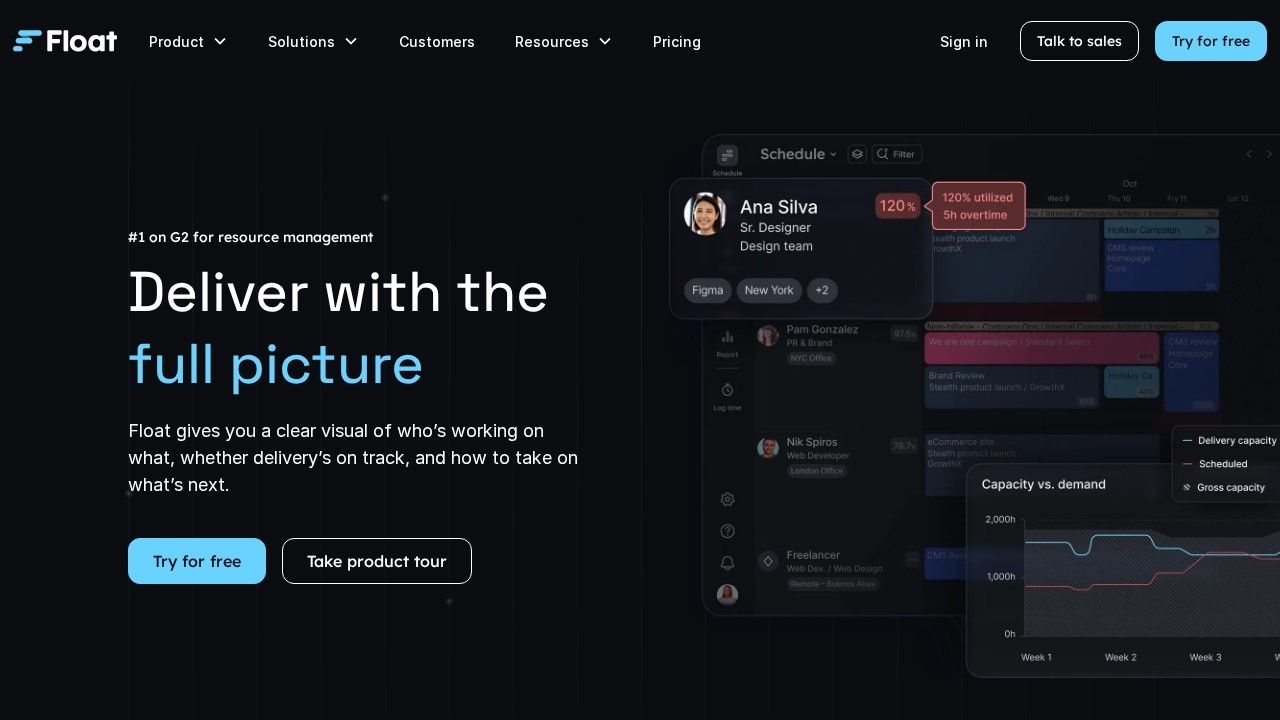
Float is a resource management and scheduling tool that gives teams a clear, visual answer to a deceptively hard question: who is working on what, when — and who actually has capacity for more. While task-focused project tools track the work itself, Float zooms out to the level of people and time, helping agencies, studios and professional services firms plan their team's workload, avoid overbooking and underutilization, and forecast capacity with confidence.
At its core is a beautifully clear scheduling interface where you assign people to projects and tasks across a timeline, instantly seeing everyone's allocation, availability and utilization. This makes it easy to balance workloads, spot who's overloaded or has free time, and plan upcoming work realistically. For service businesses where people's time is the product, this visibility is invaluable — it directly affects whether projects are delivered on time and whether the business is using its team efficiently and profitably.
Float complements scheduling with time tracking, so you can compare planned versus actual hours and improve future estimates, along with features for managing time off, roles, capacity and budgets. It integrates with popular project management, calendar and communication tools, slotting into existing workflows rather than replacing them. Reporting gives leaders insight into utilization and forecasting that supports better hiring and planning decisions. For agencies, consultancies and any team that needs to manage people's time across multiple projects, Float offers a focused, polished solution to a problem that general project tools handle poorly. By making resource planning visual and simple, it helps teams work at a sustainable pace, deliver reliably, and make smarter decisions about how they spend their most valuable resource — their people's time.
Tags
Ratings & reviews
No ratings yet
Be the first to rate Float — your honest take helps others decide.
- No reviews yet — be the first to rate Float.
Similar softwares
DevDock
A local Windows workspace for projects, commands, Git, Docker, project health, and security checks.
Businessmap
Businessmap is an enterprise project and portfolio management software that helps organizations align strategy with execution and deliver work faster.
WorksiteCore
Construction management software for contractors: jobsites, crews, QR time tracking, daily reports, documents, photos and DWG/PDF plans.
Compare Float
Similar software
Clockify
The most popular free time tracker for teams — timers, timesheets, reporting and scheduling for unlimited users.
Toggl Track
Effortless time tracking with powerful reports to see where your team's hours (and profit) actually go.
Fantastical
A beautifully designed calendar and tasks app that unifies every calendar into one view with natural-language input.

Amie
A joyful calendar app that combines your schedule, to-dos and email into one fast, delightful daily planner.

Kolapp
KolApp is a project and resource management platform that helps teams plan projects, manage workloads and track capacity.
Businessmap
Businessmap is an enterprise project and portfolio management software that helps organizations align strategy with execution and deliver work faster.
Related reads

The 7 Best Construction Project Management Software in 2026
Construction PM software keeps projects on schedule and on budget — from the office to the field. Here are the 7 best construction project management tools in 2026.
The Best Project Management Software in 2026 (Tested & Ranked)
We tested the top project management tools of 2026. Here's the honest ranking — the best overall, the best free option, the best for developers, and the best on a budget.
Confluence vs Jira (2026): What's the Difference and Which Do You Need?
Confluence vs Jira confuses a lot of teams. They're both Atlassian, but one is for documentation and one is for tracking work. Here's the difference and which you actually need.
Community discussion (0)
Ask questions, share tips, or compare notes with other Float users.