MiniMax H3 Max
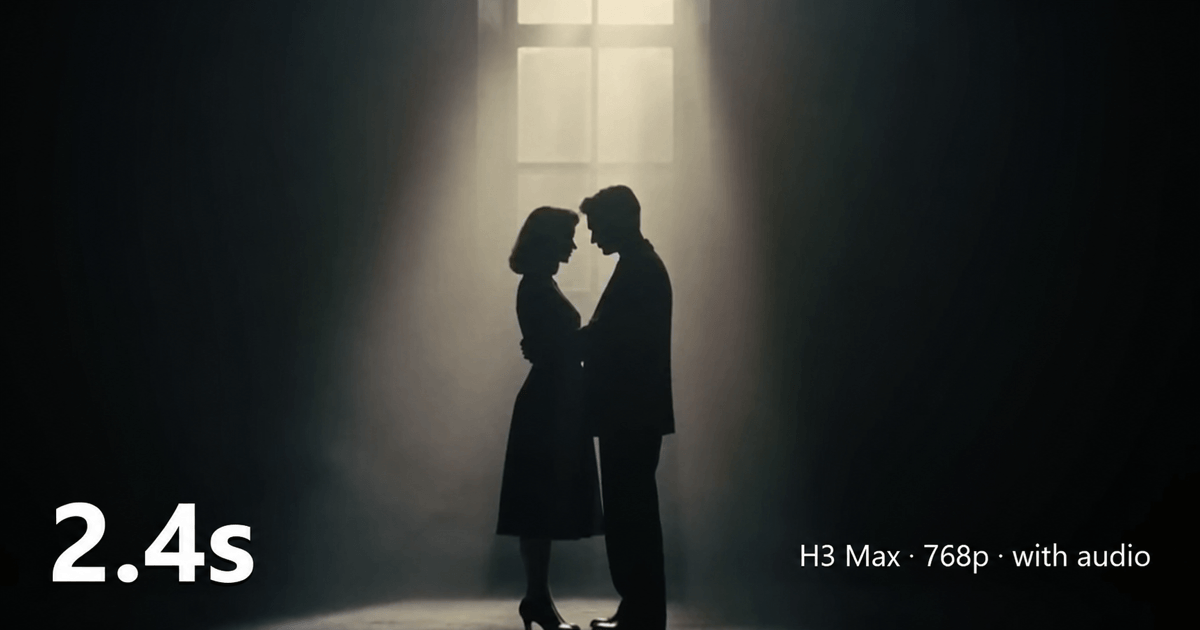
SoftwareMiniMax H3 Max is an AI video generator that returns sound with the picture. Make 5 to 15 second clips at 768p; a 5-second clip renders in under 3 seconds.
About MiniMax H3 Max
MiniMax H3 Max is an AI video generation platform built for creators, marketers, designers, and production teams who want to turn ideas and visual references into short video clips quickly. The platform provides access to H3 Max, a post-trained variant of the MiniMax H3 video model that focuses on generation speed, prompt adherence, and synchronized audio.
With **MiniMax H3 Max**, users can create videos through Text-to-Video, Image-to-Video, and Reference-to-Video workflows. A project can begin with a written scene description, a still image that needs to be animated, or reference media used to guide elements such as motion, composition, identity, or visual direction. This flexibility makes the platform useful for both early creative exploration and more structured short-form video workflows.
Videos can be generated at 480p or 768p with clip lengths ranging from 5 to 15 seconds. Text-to-Video supports multiple aspect ratios, including landscape, square, portrait, and ultrawide formats, while Image-to-Video follows the aspect ratio of the uploaded source image. These options make it possible to experiment with content intended for social feeds, product presentations, creative concepts, advertisements, and other short-form placements.
One of the notable capabilities of MiniMax H3 Max is synchronized audio generation. Users can describe dialogue, ambient sound, foley, music direction, or environmental audio within the same prompt used to define the visual scene. The resulting audio is generated alongside the video, allowing creators to review motion, timing, visuals, and sound as part of the same generation rather than treating them as completely separate stages.
The platform is particularly suited to rapid iteration. Instead of relying on a single generation, creators can produce variations of a concept and change individual elements such as camera movement, subject action, lighting, timing, or sound direction. This makes it easier to compare different interpretations of the same idea and identify which direction is worth refining further.
MiniMax H3 Max can be applied to a range of short-form creative tasks. Product teams can explore product-focused shots and visual concepts before committing to a larger production. Social media creators can experiment with vertical clips and visual hooks. Designers can test movement and composition from existing images, while storytellers can prototype dialogue scenes, stylized animation, cinematic sequences, stop-motion-inspired concepts, and other visual ideas.
Reference-guided generation adds another option for projects that need more direction than a text prompt alone can provide. Users can supply supported reference images or video and describe what role each reference should play in the generated scene. Clear instructions remain important, since adding more reference material does not automatically guarantee greater control over the result.
The platform is best understood as a generation and experimentation tool rather than a replacement for a complete professional video editor. Individual generations are limited to short clips, and projects requiring longer narratives, detailed timeline editing, compositing, precise audio mixing, or extensive post-production will still benefit from conventional editing software. Generated outputs should also be reviewed for visual, motion, continuity, and audio issues before publication.
For creators who value fast experimentation, **MiniMax H3 Max** provides a practical way to move from a written or visual idea to a reviewable video draft. Its combination of text, image, and reference-based generation, short clip formats, synchronized audio, and rapid iteration makes it particularly useful for testing creative directions before moving into a more detailed production workflow.
h3-max.com is an independent third-party hosted service and is not affiliated with, endorsed by, or operated by MiniMax or fal.ai.
What problem it solves
MiniMax H3 Max solves the time and complexity involved in turning creative ideas into short video content. Traditional video production often requires filming, animation, editing, sound design, and multiple production tools before an idea can be reviewed.
The platform shortens this process by allowing users to generate video from text prompts, images, or supported references. It helps creators quickly visualize concepts, test different scenes and motion directions, and produce short video drafts without building every element manually.
This is especially useful for creators, marketers, designers, and small teams that need to experiment with multiple video ideas before investing in full production. MiniMax H3 Max reduces the gap between **having an idea and seeing it in motion**, making early-stage video creation and iteration faster and more accessible.
Alternatives & competitors
The main competitors and alternatives to MiniMax H3 Max include **Kling AI, Google Veo, Seedance, Runway, LTX Video, Luma Dream Machine, Adobe Firefly Video, and Wan**. These platforms offer different combinations of text-to-video, image-to-video, reference-based generation, audio generation, creative controls, and production workflows.
MiniMax H3 Max differentiates itself by focusing on fast short-form video generation, multimodal creative workflows, synchronized audio, and rapid iteration. The best alternative ultimately depends on whether a user prioritizes generation speed, visual quality, reference control, editing capabilities, ecosystem integration, or cost.
Built with
Languages
Frameworks
Integrations
Tags
Ratings & reviews
No ratings yet
Be the first to rate MiniMax H3 Max — your honest take helps others decide.
- No reviews yet — be the first to rate MiniMax H3 Max.
Similar softwares

Tidra
A sentence in. A finished shot out. AI text-to-video and image-to-video.

VideoTextRemover
Remove Text from Video with AI — erases burned-in subtitles, captions and on-screen text from MP4 or MOV, no blur or crop.

Seedance 2.0
Online AI video generator that turns text prompts and reference images into short cinematic clips.
Compare MiniMax H3 Max
Similar software
AIforASMR
Create calming AI ASMR videos from prompts, images, and 45+ templates for sleep, rain, skincare, candlelight, relaxation, and ambient loops.

Index TTS
Create natural AI text to speech with Index TTS, clone authorized voices, explore Index TTS 2 and 2.5, and start generating expressive audio online today.

SimilarClip
Pick a niche, connect a fresh YouTube channel, set a schedule. SimilarClip writes, illustrates, narrates, and publishes every video automatically. No camera, no
Backgroundcanvas
One-stop free online image background cleanup and change tool, offering watermark removal, text removal, emoji sticker removal, background swap and cutout.
Ray 3.2
Stop storyboarding. Start generating. Ray 3.2 creates smooth, cinematic AI video from your words or photos. HD output, multiple modes. Try it free now.
ColdCrow
Generate high-converting cold emails, social posts, ad copy, and more with AI. Start free, upgrade when you need unlimited generations.
Related reads
Higgsfield on GitHub: What They Actually Open-Sourced (and What They Didn't)
Higgsfield opened APIs and tools on GitHub in September 2026 — but not its whole site. Here's exactly what's open source, what the new API gives you, and what stays proprietary.

AI-Powered Career Tools to Help You Get Hired Faster
Career Suit AI is an all-in-one AI career platform that helps job seekers build professional resumes and cover letters, practice AI-powered interviews, find relevant jobs, optimize LinkedIn profiles,
The 8 Best AI Tools for YouTubers in 2026
AI can edit your videos, write titles, make Shorts and optimize for search — huge for YouTubers. Here are the 8 best AI tools for YouTube creators in 2026.
Community discussion (0)
Ask questions, share tips, or compare notes with other MiniMax H3 Max users.