Read AI
SoftwareAn AI copilot that turns meetings, emails and messages into summaries, action items and searchable insights.
About Read AI
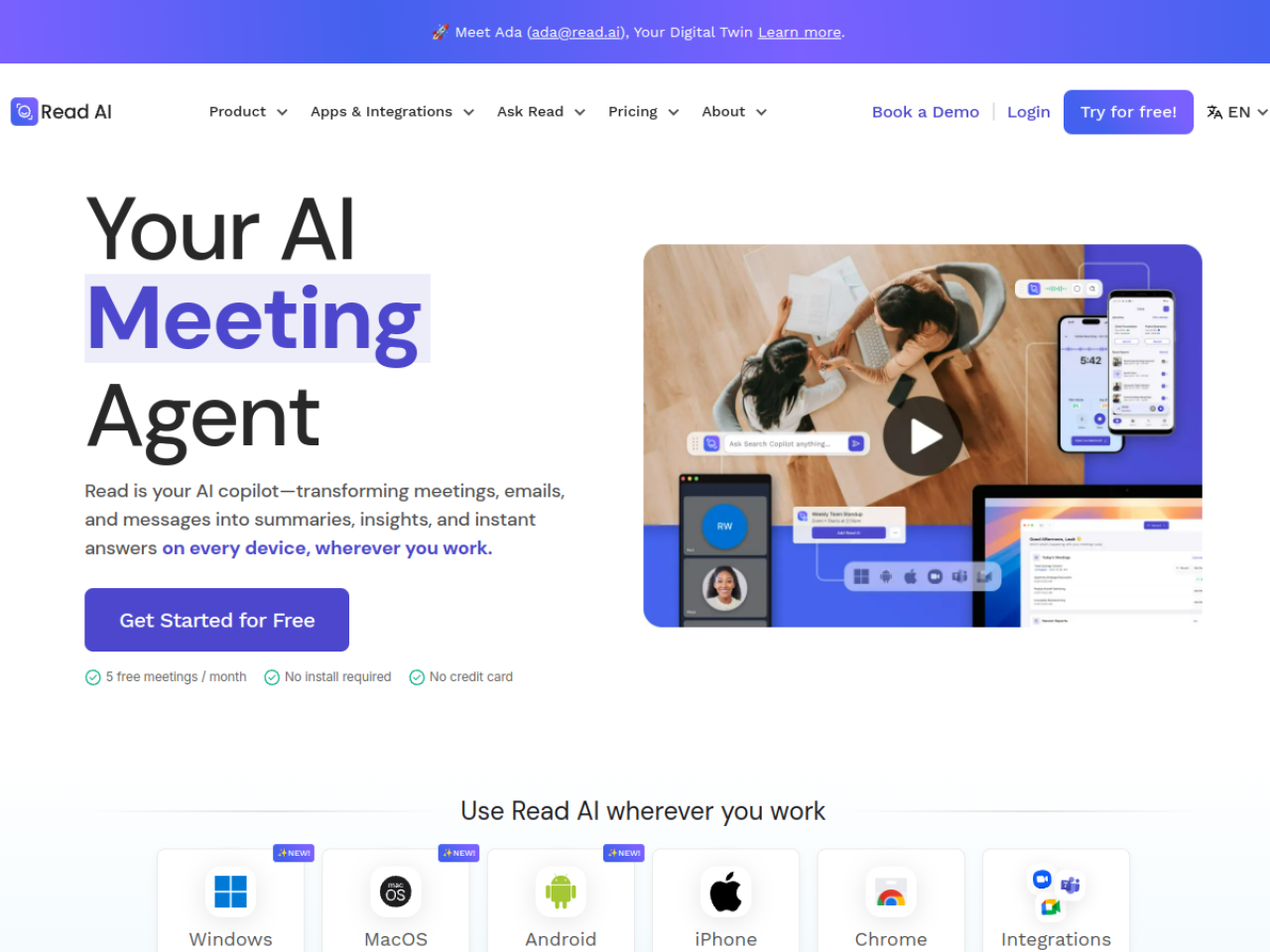
Meetings, emails and chats generate an overwhelming amount of information, and almost all of it evaporates the moment it happens. Read AI is the AI copilot built to capture and make sense of all of it — transforming your meetings, emails and messages into summaries, insights and instant answers across every device.
More than just meeting notes
Read AI automatically captures, transcribes and summarizes conversations across Google Meet, Zoom and Microsoft Teams, generating recaps, action items and highlights so nothing important slips away. But it goes further than most notetakers by extending into email and messaging too — pulling your scattered communication into one intelligent layer rather than treating meetings as an island. Real-time notes, playback and even speaker coaching are all part of the package.
Ask across everything
The standout feature is 'Ask Read,' an enterprise search that lets you find insights across your meetings, emails and chats at once. Instead of hunting through three different apps trying to remember where a decision was made, you just ask — and Read surfaces the answer from wherever it lives. For knowledge that's normally trapped in transcripts and threads, that unified search is genuinely powerful.
Meet Ada, your digital twin
Read AI includes Ada, a digital-twin assistant that learns from your communication patterns to help handle tasks and manage workflows. It's an ambitious step toward an assistant that doesn't just record what happened but actively helps you act on it, integrating with tools like Slack, Salesforce and HubSpot so insights flow into where work gets done.
Insight, not just transcription
The emphasis throughout is on turning raw conversation into usable intelligence — decisions, action items and answers — rather than handing you a wall of text to re-read. That's the difference between a recording and a genuine assistant.
Who it's for
Read AI suits professionals, teams, enterprises and universities looking to eliminate meeting-related admin and boost productivity across departments — anyone whose work spans a lot of calls, emails and messages.
Pricing
Read AI is freemium, offering 5 free meetings per month with no credit card required, plus paid plans with higher limits and enterprise features. The free tier is a low-risk way to experience the summaries and search before upgrading.
Bottom line: Read AI is a copilot for all your communication — meetings, emails and chats turned into summaries, action items and one searchable source of answers, with a digital twin to help you act on them.
Tags
Ratings & reviews
No ratings yet
Be the first to rate Read AI — your honest take helps others decide.
- No reviews yet — be the first to rate Read AI.
Similar softwares

Foreclosure Data Hub
Search daily U.S. foreclosure and REO data, track new matches, research owners, and export leads to CSV or Google Sheets.
ExplainThisDoc - PDF & Archive
Scan it. Find it. Understand it. Skip sorting and filing. All your documents in one free archive. Pay only for Pro explanations when needed. No subscription.
ToolifyNav
Curated AI tools directory with honest, hands-on reviews.
Compare Read AI
Similar software
Fathom
A free AI meeting notetaker with accurate transcripts, instant summaries and 'Ask Fathom' search.
tl;dv
An AI notetaker that records, transcribes and summarizes your Zoom, Meet and Teams calls automatically.
Sembly AI
AI meeting intelligence that records, transcribes and turns conversations into client-ready documents.

Fathom
A free, fast AI notetaker that records, transcribes and summarizes your meetings with clean highlights.
PersonaHaven
Personality tests and practical tools for deeper self-reflection and personal growth.

Onevyu
Conversation CRM for coaches who close in DMs
Related reads

Best Free Online PDF Tools for Everyday Document Tasks
Free browser-based tools to compress, merge, split, convert, organize and analyze PDF files.

Free Online PDF Tools: Convert, Merge, Split & Compress PDF Files
Discover easy-to-use free online PDF tools for converting, merging, splitting and compressing PDF files without installing complicated software

How to Validate a Product Idea Before You Build It
A practical guide to validating your product idea with AI, market research, customer insights, and a simple Build, Modify, or Kill framework.
Community discussion (0)
Ask questions, share tips, or compare notes with other Read AI users.