
VEED
SoftwareEdit, subtitle, and record video right in your browser — an easy online editor with smart AI features.
About VEED
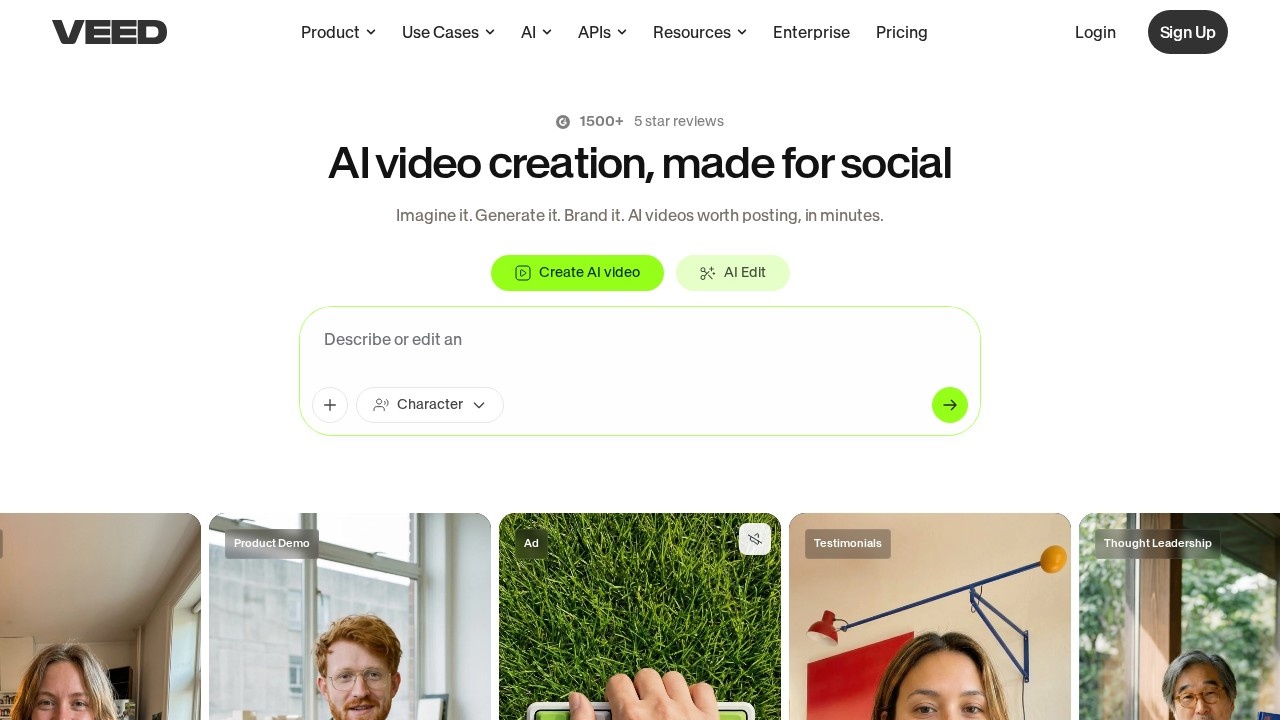
VEED is an online video editing platform that lets you edit, record, and enhance videos entirely in your browser, with no software to install and a famously gentle learning curve. It was built to make video editing accessible to everyone — not just professionals with expensive software — so marketers, businesses, educators, and creators can produce polished videos quickly and easily. By living in the browser, VEED works on any device and removes the friction of downloads and heavy applications, making video creation as simple as opening a web page.
The platform covers a wide range of needs: trimming and arranging footage, adding text, transitions, and effects, recording your screen and webcam, and a standout automatic subtitling feature that transcribes speech accurately and adds captions in moments — a huge time-saver and accessibility win. VEED has also embraced AI throughout, with tools for cleaning up audio, removing backgrounds, generating subtitles and translations, and speeding up common editing tasks. Despite its depth, the interface stays approachable, so people who have never edited video before can get professional-looking results without feeling overwhelmed.
VEED is popular with businesses, marketers, social media creators, and teams that need to produce video content regularly without a dedicated video editor or complex software. The value is simplicity plus capability: it makes professional video editing achievable for non-experts, with the convenience of working anywhere in a browser and the speed of AI-assisted features. For everything from social clips and marketing videos to subtitled content and screen recordings, VEED provides an accessible, modern, all-in-one solution that turns video editing from an intimidating, software-heavy task into something quick and genuinely easy, helping more people communicate effectively through video.
Tags
Ratings & reviews
No ratings yet
Be the first to rate VEED — your honest take helps others decide.
- No reviews yet — be the first to rate VEED.
Similar softwares
LoopVideo.app
Make any uploaded video loop smoothly by generating a short AI transition between the end and the beginning.
Subtitle Convert
Free browser batch converter for SMI/SRT/VTT/ASS/Whisper JSON; OCR from screenshots; no signup.
SaveTheX
Free X & Twitter video downloader on savethex.com. Save public videos, GIFs, and live replays as MP4 in high quality — no account, no watermark. Paste a link or
Compare VEED
Similar software
AIforASMR
Create calming AI ASMR videos from prompts, images, and 45+ templates for sleep, rain, skincare, candlelight, relaxation, and ambient loops.
Clipchamp
Microsoft's free, browser-based video editor with AI tools, screen recording and royalty-free stock assets.
Klap
An AI tool that turns long videos into viral TikToks, Reels and Shorts automatically.

Vizard
An AI video tool that turns long videos into ready-to-post short clips with captions, fast and affordably.

Gling
An AI video editor that cuts silences and bad takes automatically, so creators spend far less time editing.

Kapwing
A collaborative online video editor with AI tools that makes creating social content fast and easy.
Related reads

How to Choose an Audio System for Walking Tours
A practical route-first framework for comparing voice projection, dedicated receivers, and guest-phone audio on real walking tours.

The 8 Best AI Tools for Podcasters in 2026
AI can record, edit, clean and repurpose your podcast in a fraction of the time. Here are the 8 best AI tools for podcasters in 2026.

The 6 Best AI Music Generators in 2026 (Royalty-Free)
AI music generators create royalty-free soundtracks in seconds. Here are the six best in 2026 — from Suno's full songs to SOUNDRAW and Mubert's copyright-safe tracks.
Community discussion (0)
Ask questions, share tips, or compare notes with other VEED users.