Clipchamp
SoftwareMicrosoft's free, browser-based video editor with AI tools, screen recording and royalty-free stock assets.
About Clipchamp
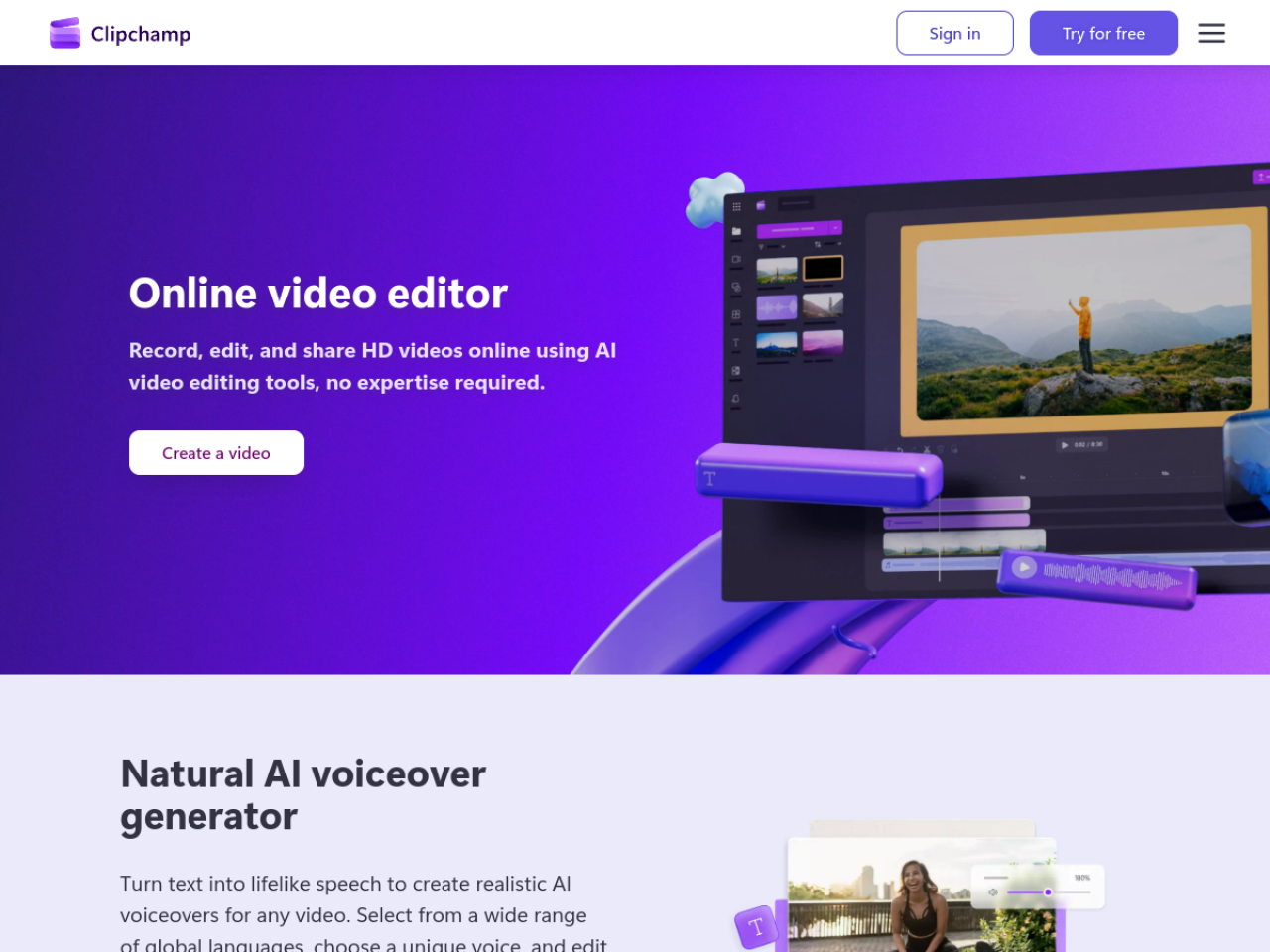
Video editing has a reputation for being intimidating and expensive, which stops a lot of people from ever starting. Clipchamp — now part of Microsoft — knocks that barrier down: an online video editor that lets you 'record, edit and share HD videos using AI video editing tools, no expertise required.'
Edit right in your browser
Clipchamp runs in the browser (and as a Windows app), so there's nothing heavy to install and no steep learning curve. You can record, edit and export videos with a friendly, approachable interface aimed at people who aren't professional editors. Crucially, it supports unlimited HD exports without watermarks — a genuinely generous stance that many free editors don't match, and one that removes a common frustration. It sits alongside AI video tools like Klap and screen recorders like Screen Studio.
AI that does the tedious bits
Clipchamp includes AI-powered features that handle the parts people find fiddly: automatic subtitle generation in 80+ languages, natural AI voiceover creation, and audio enhancement to clean up your sound. Auto-subtitles alone are a big time-saver (and increasingly essential for social video), and having them built in means you don't need a separate tool. These AI touches let non-experts produce polished results quickly.
Everything you need to build a video
Beyond editing, Clipchamp provides royalty-free stock assets — videos, images, music and sound effects — plus recording tools for webcam, screen and voice. That means you can capture footage, drop in stock media and music, and edit it all in one place, which is exactly what a creator or business needs to make a video from scratch without hunting across multiple sources.
Accessible and integrated
As a Microsoft product, Clipchamp integrates neatly with the Microsoft ecosystem, and premium video-editing features are included with Microsoft 365 — a nice bonus for the many people who already have that subscription.
Who it's for
Clipchamp suits everyday creators, content producers, educators, businesses, social media influencers and students — from aspiring beginners to seasoned vloggers who want accessible, professional-quality video.
Pricing
Clipchamp is freemium with paid premium features, and premium video editing is included in Microsoft 365 subscriptions. The free tier — with unlimited watermark-free HD exports — is unusually generous, making it easy to start.
Bottom line: Clipchamp is Microsoft's free, browser-based video editor with AI subtitles, voiceover and audio enhancement plus royalty-free stock and screen recording — an accessible, no-expertise-needed way to make polished videos, with watermark-free HD exports even on free.
Tags
Ratings & reviews
No ratings yet
Be the first to rate Clipchamp — your honest take helps others decide.
- No reviews yet — be the first to rate Clipchamp.
Similar softwares

Dime Dime Baby
Upload one photo → fixed ~15s 9:16 Dime Dime Baby dance AI video. No prompt.

Mayavoo
Mayavoo is a home for browser games made by independent creators. Every game plays free in your browser, with nothing to download or install.

Flying Car AI
One photo of your car becomes a short cinematic stunt video — ramp flight or kickflip.
Compare Clipchamp
Similar software

bgchanger.video
AI video background removal and creative media suite

VEED
Edit, subtitle, and record video right in your browser — an easy online editor with smart AI features.
LOVO
A hyper-realistic AI voice generator with 500+ voices and an all-in-one suite (Genny) for video and voiceover.

CapCut
A free, powerful video editor with AI tools and templates, built for fast social media content.
AIforASMR
Create calming AI ASMR videos from prompts, images, and 45+ templates for sleep, rain, skincare, candlelight, relaxation, and ambient loops.
Loomi
Multi-agent workspace for social media research and content creation
Related reads

IPTV Srbija: kako proveriti pretplatu tokom 24 sata
Kako iskoristiti IPTV probu od 24 sata: proverite aplikaciju, kanale, istovremene konekcije, kvalitet reprodukcije i uslove pretplate.
How to Choose an Audio System for Walking Tours
A practical route-first framework for comparing voice projection, dedicated receivers, and guest-phone audio on real walking tours.

The 8 Best AI Tools for Podcasters in 2026
AI can record, edit, clean and repurpose your podcast in a fraction of the time. Here are the 8 best AI tools for podcasters in 2026.
Community discussion (0)
Ask questions, share tips, or compare notes with other Clipchamp users.