The Best Clockify Alternatives in 2026
Co-founder of Tolodora. Researches, reviews and ranks software and SaaS tools for founders and small businesses.
Quick answer
The best Clockify alternatives in 2026 are Toggl Track, Harvest and Everhour. Toggl Track is our top overall pick, best for freelancers and teams who want effortless, enjoyable tracking. See the full ranked comparison below.
Want your product listed here?
Get featured in this comparison — tell us about your tool.

Clockify won a lot of fans by being genuinely free for unlimited users, and it's a solid time tracker. People shop around when they want something a bit slicker to use day to day, built-in invoicing, deeper reporting, or tighter integration with the project tools they already run. Time tracking is a mature category, so there's a well-fitting alternative whether you're a freelancer, an agency, or a growing team.
Here are six Clockify alternatives worth a look in 2026, ranked on value, features, ease of use and support. Some lead on simplicity, some on invoicing, and some on integrating with your project management. See our Toggl alternatives guide for a neighbouring comparison. More in productivity.
Prices below are each tool's published 2026 pricing (mostly per user per month), but time trackers tweak plans often, so confirm the current figure before you commit. Ratings are our own editorial calls to help you compare.
| Tool | Starts at | Free plan | Best for |
|---|---|---|---|
| Toggl Track | Free; from ~$9/user/mo | Yes | Freelancers and teams who want effortless, enjoyable tracking |
| Harvest | Free; from ~$11/user/mo | Yes | Freelancers and agencies who bill clients by the hour |
| Everhour | Free; from ~$8.50/user/mo | Yes | Teams who want tracking embedded in their PM tool |
| My Hours | Free; from ~$8/user/mo | Yes | Freelancers and small teams wanting simple project tracking |
| Time Doctor | From ~$7/user/mo | Free trial | Companies managing productivity across remote teams |
| RescueTime | From ~$12/mo | Free (Lite) | Individuals who want to understand and improve their focus |
| Tool | Value | Support | Ease of use | Features | Overall | Best for |
|---|---|---|---|---|---|---|
| Toggl Track | 8.0 | 8.0 | 9.0 | 8.0 | 8.3 | Freelancers and teams who want effortless, enjoyable tracking |
| My Hours | 9.0 | 8.0 | 9.0 | 7.0 | 8.3 | Freelancers and small teams wanting simple project tracking |
| Harvest | 7.0 | 8.0 | 9.0 | 8.0 | 8.0 | Freelancers and agencies who bill clients by the hour |
| Everhour | 8.0 | 8.0 | 8.0 | 8.0 | 8.0 | Teams who want tracking embedded in their PM tool |
| Time Doctor | 7.0 | 8.0 | 7.0 | 8.0 | 7.5 | Companies managing productivity across remote teams |
| RescueTime | 8.0 | 7.0 | 8.0 | 7.0 | 7.5 | Individuals who want to understand and improve their focus |
Comparing against the original?
See Clockify's profile, rating & reviews on Tolodora →
| # | Tool | Best for | Rating |
|---|---|---|---|
| 1 | Toggl Track | Freelancers and teams who want effortless, enjoyable tracking | 4.1/5 |
| 2 | Harvest | Freelancers and agencies who bill clients by the hour | 4.0/5 |
| 3 | Everhour | Teams who want tracking embedded in their PM tool | 4.0/5 |
| 4 | My Hours | Freelancers and small teams wanting simple project tracking | 4.1/5 |
| 5 | Time Doctor | Companies managing productivity across remote teams | 3.8/5 |
| 6 | RescueTime | Individuals who want to understand and improve their focus | 3.8/5 |
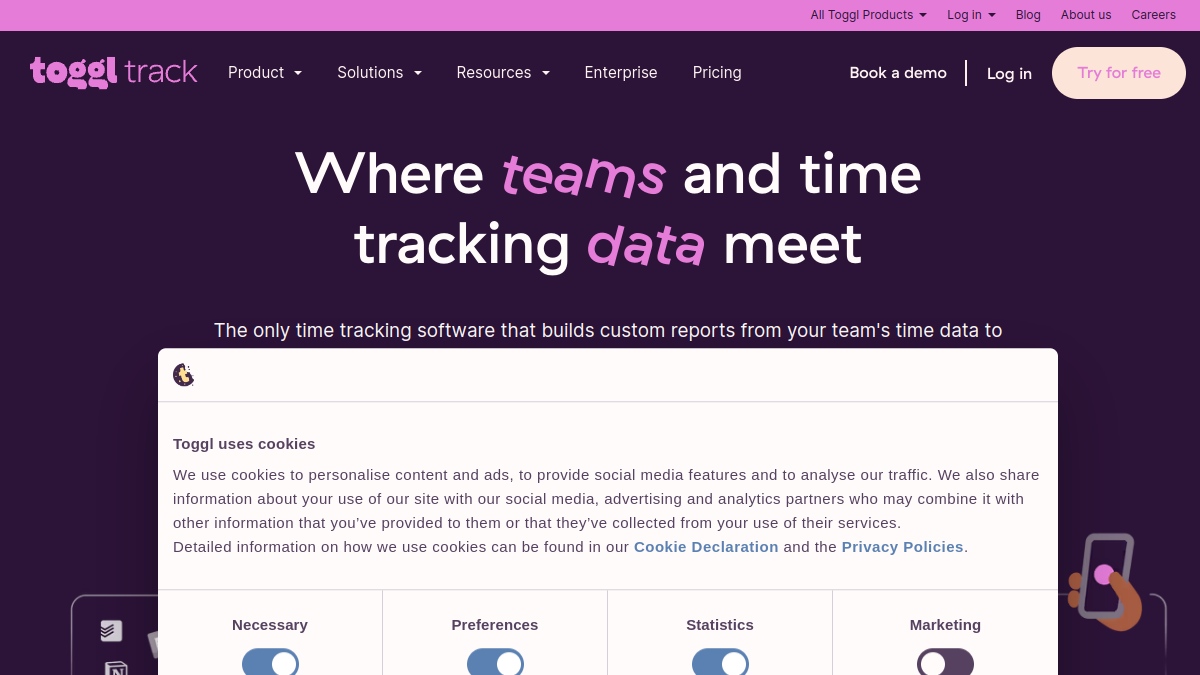
Toggl Track
- Pricing
- 8.0/10
- Functionality
- 8.0/10
- Ease of use
- 9.0/10
- Support
- 8.0/10
What I like
The friendliest, most frictionless timer there is — one tap and you're tracking.
Best for
Freelancers and teams who want effortless, enjoyable tracking
Toggl Track is the one people actually enjoy using, which matters a lot for time tracking (if it's annoying, you won't do it). Its one-click timer, lovely apps across every platform, and gentle nudges make tracking nearly effortless, and its reporting is clear and useful. There's a genuinely capable free tier for up to five users, with paid plans from around $9/user/month that add billable rates, reporting and admin features. It's a touch less of a full business suite than Harvest (lighter on invoicing). But for freelancers and teams who want the most frictionless, pleasant time tracking — the kind you'll actually keep up — Toggl Track is the standout Clockify alternative.
Harvest
- Pricing
- 7.0/10
- Functionality
- 8.0/10
- Ease of use
- 9.0/10
- Support
- 8.0/10
What I like
Time tracking with invoicing built in — track hours, then bill the client in a click.
Best for
Freelancers and agencies who bill clients by the hour
Harvest is the pick if tracking time is really about getting paid. Its standout is that invoicing is built right in: track billable hours against projects and clients, then generate and send a professional invoice (with online payment) in a click, no separate tool needed. It also handles expenses and solid reporting on project profitability. There's a free plan for a single user with one or two projects, and paid plans from around $11/user/month. It's a little pricier than Toggl and less playful. But for freelancers and agencies whose whole reason to track time is accurate client billing, Harvest's track-then-invoice workflow is exactly what you want.
Everhour
- Pricing
- 8.0/10
- Functionality
- 8.0/10
- Ease of use
- 8.0/10
- Support
- 8.0/10
What I like
Time tracking that lives inside your project tools — Asana, Trello, ClickUp and more.
Best for
Teams who want tracking embedded in their PM tool
Everhour's clever trick is that it embeds time tracking directly inside the project management tools you already use — Asana, Trello, ClickUp, Jira, Notion and others — so you start and stop timers right on your tasks without switching apps. For teams that live in a PM tool, that native integration makes tracking far more likely to actually happen, and it rolls up into budgets, reporting and (on higher plans) invoicing. It has a free tier and paid plans from around $8.50/user/month. As a standalone tracker outside those integrations it's less distinctive. But for teams whose work lives in a project tool and who want tracking to feel built-in rather than bolted on, Everhour is a brilliant fit.
My Hours
- Pricing
- 9.0/10
- Functionality
- 7.0/10
- Ease of use
- 9.0/10
- Support
- 8.0/10
What I like
Simple, affordable project time tracking with clean reports and billing.
Best for
Freelancers and small teams wanting simple project tracking
My Hours is the straightforward, affordable option for freelancers and small teams who want clean project-based time tracking without complexity. You set up clients and projects, track time against them, add billable rates, and get tidy reports and invoices — all in a simple, uncluttered interface that's quick to learn. It has a generous free tier and affordable paid plans from around $8/user/month. It's not trying to be a deep business suite or integrate into a dozen tools; it does project time tracking and billing well and keeps out of your way. For solo operators and small teams who want simple, budget-friendly tracking with reporting and invoicing, My Hours is a lovely, no-fuss pick.
Time Doctor
- Pricing
- 7.0/10
- Functionality
- 8.0/10
- Ease of use
- 7.0/10
- Support
- 8.0/10
What I like
Time tracking plus productivity monitoring — detailed insights for managing remote teams.
Best for
Companies managing productivity across remote teams
Time Doctor sits at the more monitoring-focused end, built for companies that want detailed oversight of how remote and distributed teams spend their time. Beyond tracking hours, it offers activity and website/app usage reports, optional screenshots, and productivity analytics, plus payroll and billing features — so managers get a granular picture of work patterns. Pricing starts around $7/user/month. The monitoring angle is powerful for some and too much for others, so it's best suited to organizations that specifically want that visibility (and are transparent with their team about it). But for companies managing productivity across remote workforces who want deep, detailed tracking and reporting, Time Doctor is purpose-built for exactly that need.
RescueTime
- Pricing
- 8.0/10
- Functionality
- 7.0/10
- Ease of use
- 8.0/10
- Support
- 7.0/10
What I like
Automatic tracking and focus tools — it logs where your time really goes, no timers needed.
Best for
Individuals who want to understand and improve their focus
RescueTime flips the model: instead of manually starting timers, it runs quietly in the background and automatically tracks which apps and sites you use, then shows you where your time actually goes. That makes it less about billing clients and more about personal productivity — understanding your habits, scoring your focus, and using its distraction-blocking Focus Sessions to get deep work done. There's a free Lite version and a paid plan from around $12/month. It's not built for team billing or project invoicing like the others. But for individuals who want honest, automatic insight into how they spend their working hours — and tools to improve focus — RescueTime is a genuinely useful, different kind of time tracker.
The verdict
For the most pleasant, frictionless tracking, Toggl Track is the one you'll actually keep up with. If billing clients is the point, Harvest's built-in invoicing is ideal, and My Hours is the simple, affordable version. Teams living in a PM tool should pick Everhour for its native integrations, Time Doctor suits companies wanting productivity oversight of remote teams, and RescueTime is the automatic, focus-improving tracker for individuals.
Whatever you shortlist, run your real work through it for a week before committing — the right tool is the one that quietly disappears and lets you get back to it. And if you build software like this yourself, you can list it on Tolodora free.
Frequently asked questions
What's the best free alternative to Clockify?
Toggl Track has the best free tier for ease of use (free for up to five users), and My Hours and Everhour both offer generous free plans too. RescueTime has a free Lite version for automatic personal tracking. If you loved Clockify's 'free for everyone' model but want something slicker, Toggl Track's free plan is the closest upgrade.
Which Clockify alternative has invoicing built in?
Harvest is the standout — it's built around tracking billable time and turning it into professional invoices with online payment, all in one tool. My Hours and Everhour (higher plans) also offer invoicing. If your main reason to track time is billing clients accurately, Harvest's track-then-invoice workflow is the most seamless.
Which integrates with my project management tool?
Everhour is the best for this — it embeds timers directly inside Asana, Trello, ClickUp, Jira, Notion and more, so you track time right on your tasks. Toggl Track and Harvest also integrate with many PM tools via browser extensions and apps, but Everhour's native, in-app embedding is the most seamless if your team lives in a project tool.
Why switch from Clockify?
Usually for a nicer day-to-day experience (Toggl Track), built-in invoicing (Harvest), native integration with your project tools (Everhour), productivity monitoring for remote teams (Time Doctor), or automatic, focus-oriented tracking (RescueTime). Clockify is great value; most switches are about wanting a specific feature or a smoother workflow rather than Clockify falling short.
Which is best for a freelancer?
Toggl Track (effortless tracking), Harvest (tracking plus client invoicing) and My Hours (simple and affordable) are all excellent for freelancers. If you bill by the hour, Harvest's invoicing makes it the most complete; if you just want painless tracking and clean reports, Toggl Track or My Hours are the friendliest, budget-conscious picks.
Sources & further reading
Keep exploring
Building one of these alternatives?
List your tool on Tolodora and get discovered by buyers comparing options.
Launch Your Product