The Best Screen Studio Alternatives in 2026
Tolodora Editorial Team
Independent software reviews for founders and small businesses.
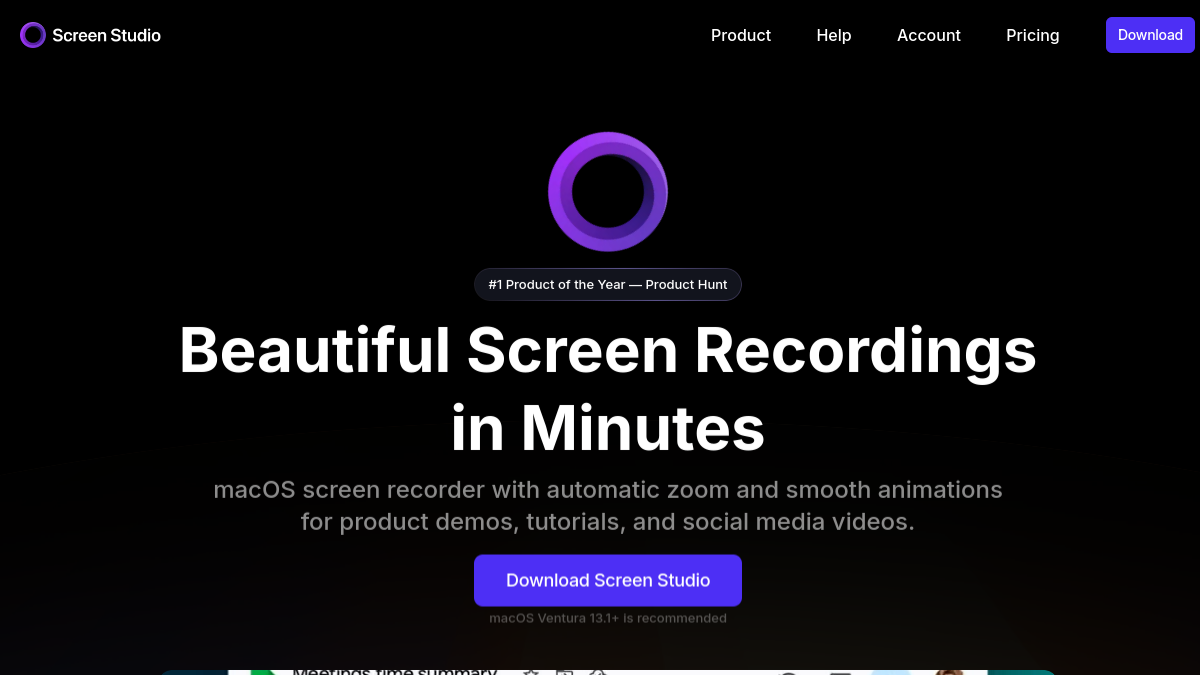
Screen Studio built its reputation on one thing: turning a raw screen recording into a polished, cinematic demo automatically, with smooth zoom-on-click, gliding cursor motion, and clean camera moves that would otherwise take hours of manual editing. That's made it a favorite for founders, indie developers, and marketers shipping product demos and launch videos. But it's a native macOS app, it's a paid purchase, and it isn't built for longer tutorials, live streaming, or transcript-based editing.
Depending on what you actually need, a different tool may fit better. Some alternatives replicate Screen Studio's auto-zoom demo format directly, some trade that automation for deeper editing power, and one is completely free. If you just want the quick answer: Tella is the closest like-for-like match, CleanShot X is the best value for Mac users who mostly need quick captures, and Loom is the fastest way to record and share a video with zero editing at all.
Comparing against the original?
See Screen Studio's profile, rating & reviews on Tolodora →
| # | Tool | Best for | Rating |
|---|---|---|---|
| 1 | Loom | Async team updates, quick how-tos, and sales or support videos that need to go out immediately. | 3.9/5 |
| 2 | Tella | Founders and marketers who want Screen-Studio-style demo videos but prefer working in a browser with cloud storage included. | 3.8/5 |
| 3 | CleanShot X | Mac users who want fast screenshots and simple screen recordings without paying a recurring subscription. | 4.2/5 |
| 4 | Descript | Creators producing longer tutorials, podcasts, or narrated demos who need real editing power, not just a recorder. | 3.9/5 |
| 5 | Camtasia | Training and e-learning teams that need structured, annotated tutorials rather than short marketing demos. | 3.9/5 |
| 6 | OBS Studio | Streamers, technical users, and anyone recording on a budget who doesn't mind a manual setup process. | 3.7/5 |
Loom
- Pricing
- 5.8/10
- Functionality
- 8.4/10
- Ease of use
- 9.2/10
- Support
- 8.0/10
What I like
Records and shares a video in seconds with an instant cloud link, no export or upload step required.
Best for
Async team updates, quick how-tos, and sales or support videos that need to go out immediately.
Loom trades Screen Studio's cinematic auto-zoom and motion polish for speed: hit record, and a shareable link is ready before you've finished talking. It lacks Screen Studio's automatic cursor smoothing and camera-move choreography, so a default Loom recording looks more like a screen share than a produced demo. The free tier makes it an easy first step, but the AI editing tools that come closest to automated polish sit behind the pricier Business+AI plan.
Tella
- Pricing
- 5.5/10
- Functionality
- 8.2/10
- Ease of use
- 9.0/10
- Support
- 7.5/10
What I like
Built specifically for polished product demos with automatic zoom and camera-follow, the closest direct match to Screen Studio.
Best for
Founders and marketers who want Screen-Studio-style demo videos but prefer working in a browser with cloud storage included.
Tella is the most direct alternative on this list - it offers the same automatic zoom-on-click and smooth cursor movement that define Screen Studio, but runs in-browser rather than as a native macOS app, so it also works on Windows. It adds webcam bubble styling and simple trim and caption editing built in. The trade-off is no free or one-time-purchase tier: Tella is subscription-only, while Screen Studio is sold as a one-time license.
CleanShot X
- Pricing
- 9.2/10
- Functionality
- 7.8/10
- Ease of use
- 8.7/10
- Support
- 8.2/10
What I like
A Mac-only utility that bundles screenshots, annotation, OCR, and screen recording into one lightweight menu-bar app.
Best for
Mac users who want fast screenshots and simple screen recordings without paying a recurring subscription.
CleanShot X shares Screen Studio's native-macOS focus and one-time-purchase pricing, but it's built around screenshots and quick annotated captures first, with screen recording as one feature among many rather than the whole product. It doesn't replicate Screen Studio's signature automatic zoom-and-pan motion or cinematic camera moves. For teams that mainly need clean screenshots and occasional short recordings, CleanShot X is the cheaper, broader utility; for zoom-heavy product demos, Screen Studio still automates more of the work.
Descript
- Pricing
- 6.2/10
- Functionality
- 9.0/10
- Ease of use
- 8.0/10
- Support
- 8.3/10
What I like
Edits video by editing a text transcript, so cutting, rearranging, and removing filler words is as easy as editing a document.
Best for
Creators producing longer tutorials, podcasts, or narrated demos who need real editing power, not just a recorder.
Descript is a full editing suite where Screen Studio is a focused recorder - it can import footage from Screen Studio and add transcript-based editing, AI voice cleanup, and multi-track audio that Screen Studio doesn't attempt. It doesn't offer Screen Studio's one-click automatic zoom on cursor clicks, so matching that motion polish takes manual keyframing. Descript is the better choice when the recording is just the starting point for a heavily edited final video.
Camtasia
- Pricing
- 6.0/10
- Functionality
- 8.8/10
- Ease of use
- 7.8/10
- Support
- 8.5/10
What I like
A traditional timeline-based screen recorder and video editor with built-in quizzes, callouts, and LMS-ready exports.
Best for
Training and e-learning teams that need structured, annotated tutorials rather than short marketing demos.
Camtasia covers far more ground than Screen Studio, with multi-track timeline editing, interactive quizzes, and course-export formats aimed at corporate training and e-learning. It lacks Screen Studio's hallmark automatic zoom and cursor smoothing that make a raw recording look produced with almost no editing; in Camtasia, that polish has to be added manually on the timeline. It also moved from a perpetual license to annual subscription pricing, so it no longer matches Screen Studio's one-time-purchase model.
OBS Studio
- Pricing
- 10.0/10
- Functionality
- 8.0/10
- Ease of use
- 5.5/10
- Support
- 6.0/10
What I like
Free, open-source, and endlessly configurable, with scenes, sources, and plugins for recording or live streaming anything on screen.
Best for
Streamers, technical users, and anyone recording on a budget who doesn't mind a manual setup process.
OBS Studio is free where Screen Studio is a paid product, and it can capture multiple sources, windows, and cameras at once for streaming as well as recording. It has none of Screen Studio's automation: no automatic zoom, no smart cursor, no built-in post-production polish, so output needs manual editing elsewhere to look as refined. OBS is the right pick when budget matters more than out-of-the-box cinematic polish.
The verdict
Choose Tella for the closest match to Screen Studio's auto-zoom demos, CleanShot X for a cheaper Mac-only one-time purchase, Loom for instant async sharing, Descript or Camtasia when heavier editing is needed, and OBS Studio when the budget is zero.
Whatever you shortlist, run your real work through it for a week before committing — the right tool is the one that quietly disappears and lets you get back to it. And if you build software like this yourself, you can list it on Tolodora free.
Frequently asked questions
What's the closest alternative to Screen Studio?
Tella is the closest match, offering similar automatic zoom and smooth cursor animation for product demos, though it runs as a subscription web app rather than a one-time-purchase native Mac app.
Is there a free alternative to Screen Studio?
OBS Studio is free and open-source, but it doesn't include Screen Studio's automatic zoom or cursor-smoothing effects, so any cinematic polish has to be added manually after recording.
Which Screen Studio alternative works on Windows?
Screen Studio is Mac-only. Loom, Tella, Descript, Camtasia, and OBS Studio all run on Windows, making them the practical options for cross-platform or Windows-only teams.
Keep exploring
Building one of these alternatives?
List your tool on Tolodora and get discovered by buyers comparing options.
Launch Your Product