Bear
SoftwareAn elegant Markdown note-taking app for Apple devices with tagging, iCloud sync and beautiful themes.
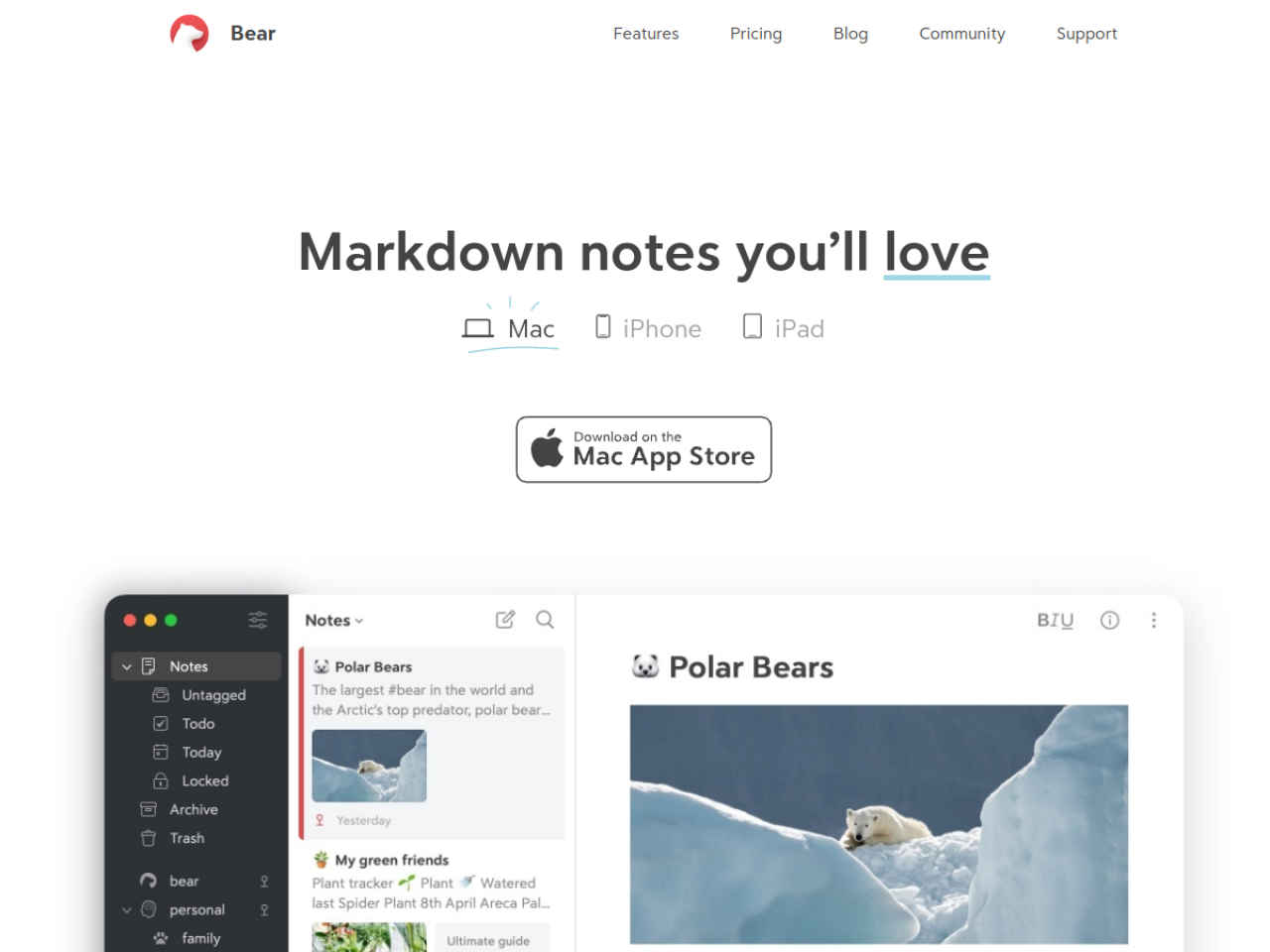
About Bear
Some note apps chase every feature until they collapse under their own weight; Bear goes the other way, betting that beautiful, focused simplicity is what people actually want. Its tagline says it plainly: 'Markdown notes you'll love.' For anyone in the Apple ecosystem, it's one of the most elegant note-taking apps around.
Writing that feels good
Bear is built around Markdown, so you get clean, portable formatting as you type, alongside support for photos, tables and to-do lists within a single note. The interface is deliberately minimal and genuinely pleasant, with customizable themes so your writing space looks the way you like. That attention to craft is why Bear inspires unusual affection — it makes the simple act of writing a note feel nice, which matters more than any feature list.
Organized by tags, not folders
Instead of rigid folders, Bear uses a flexible tagging system to organize notes, which scales gracefully as your collection grows and lets a note live in multiple contexts at once. It also includes OCR search, so you can find text inside images and PDFs — a genuinely handy touch when you're hunting for something you only vaguely remember saving. It sits alongside other clean note apps like UpNote and Notesnook, distinguished by its Apple-native polish.
Apple-native and synced
Bear offers iCloud synchronization across Mac, iPhone and iPad, so your notes follow you across your Apple devices, with optional encryption for added security. Multiple export formats mean your notes are never locked in — you can take them elsewhere whenever you want. The trade-off is that it's Apple-only, which is precisely what lets it feel so native and refined.
Simplicity as a feature
Bear's restraint is the point: it does note-taking beautifully rather than trying to be a database, a project manager and a wiki all at once. For people who just want a lovely place to write and organize notes, that focus is exactly right.
Who it's for
Bear suits writers, students and professionals in the Apple ecosystem who want an elegant, focused note-taking app for personal knowledge management, project planning or content creation.
Pricing
Bear is freemium: a free version offers local access and basic features, while Bear Pro ($2.99/month or $29.99/year, with a 7-day trial) unlocks sync across devices and advanced features. It's affordable, and the free tier lets you fall for the writing experience first.
Bottom line: Bear is a beautifully crafted, Markdown-based note app for Apple users — elegant, tag-organized and iCloud-synced, proving that focused simplicity and lovely design can matter more than an endless feature list.
Tags
Ratings & reviews
No ratings yet
Be the first to rate Bear — your honest take helps others decide.
- No reviews yet — be the first to rate Bear.
Similar softwares

Foreclosure Data Hub
Search daily U.S. foreclosure and REO data, track new matches, research owners, and export leads to CSV or Google Sheets.
ExplainThisDoc - PDF & Archive
Scan it. Find it. Understand it. Skip sorting and filing. All your documents in one free archive. Pay only for Pro explanations when needed. No subscription.

ToolifyNav
Curated AI tools directory with honest, hands-on reviews.
Compare Bear
Similar software
WeChat to Markdown (wx2md)
Save WeChat articles as local Markdown — no upload. Free Chrome extension for private, durable notes.
Ulysses
A distraction-free writing app for Apple devices with project management, goals and one-click publishing.
UpNote
A clean, distraction-free note-taking app with rich text and Markdown, cross-device sync and a lifetime option.
Supernotes
A fast, collaborative note-taking app built around bite-sized 'notecards' you can link and share instantly.
PersonaHaven
Personality tests and practical tools for deeper self-reflection and personal growth.

InPage to Image Converter Online
Convert InPage files to high-quality images online with ease. Fast, free, and simple no software installation required. Perfect for sharing and saving content.
Related reads

Best Free Online PDF Tools for Everyday Document Tasks
Free browser-based tools to compress, merge, split, convert, organize and analyze PDF files.

Free Online PDF Tools: Convert, Merge, Split & Compress PDF Files
Discover easy-to-use free online PDF tools for converting, merging, splitting and compressing PDF files without installing complicated software

How to Validate a Product Idea Before You Build It
A practical guide to validating your product idea with AI, market research, customer insights, and a simple Build, Modify, or Kill framework.
Community discussion (0)
Ask questions, share tips, or compare notes with other Bear users.