
ClickUp
SoftwareAn all-in-one work platform combining tasks, docs, goals, and more to replace a stack of separate tools.
About ClickUp
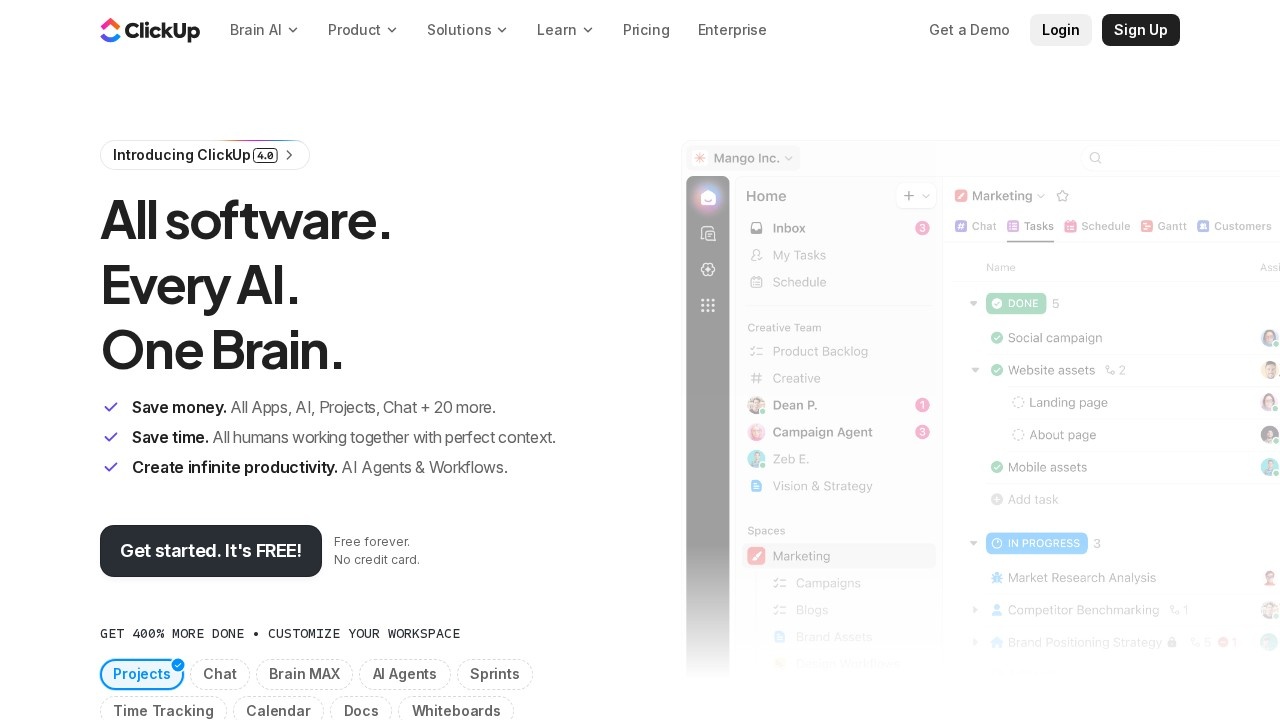
ClickUp is an all-in-one productivity and project management platform built on an ambitious premise: that a team shouldn't need a dozen separate tools to get work done. It sets out to replace the patchwork of task managers, document apps, goal trackers, and more with a single, deeply customisable workspace. For teams tired of paying for and switching between many disconnected apps — and losing information in the gaps between them — ClickUp offers the appeal of bringing everything into one place where tasks, docs, goals, and conversations all connect.
The platform is enormously feature-rich. It manages work through tasks and subtasks that can be viewed as lists, boards, calendars, timelines, and Gantt charts, so every kind of team and project can work the way it prefers. Beyond tasks, it includes documents for collaborative writing, goals for tracking objectives, dashboards for reporting, whiteboards for brainstorming, time tracking, and extensive automation, plus AI features to assist throughout. Almost everything is customisable — statuses, fields, views, and workflows — so teams can mould ClickUp to their exact processes rather than bending their process to the tool. Integrations connect it to the other software a team still uses, keeping it at the centre of the workflow.
ClickUp suits teams that want consolidation and flexibility, and that are willing to invest a little time in configuration to get a workspace tailored to how they actually operate. The upside is significant: fewer subscriptions, less context-switching, and a single source of truth where work and the knowledge around it live together. The depth that makes it powerful does mean it rewards thoughtful setup, but for organisations that embrace it, ClickUp can genuinely replace several tools and unify a fragmented workflow. For a team looking to simplify their software stack while gaining serious project management capability, ClickUp is one of the most comprehensive all-in-one options available.
Tags
Ratings & reviews
No ratings yet
Be the first to rate ClickUp — your honest take helps others decide.
- No reviews yet — be the first to rate ClickUp.
Similar softwares

Verbial
Verbial is agency management software for marketing agencies. Proposals, CRM, time tracking, invoicing, client reporting and profitability in one system.
Ankit Chandra
Digital marketing consultant specialising in SEO, performance marketing, and creator partnerships. Strategy built on your unit economics, reporting you can audi
Spiceform
Spiceform is the AI-native form builder with unlimited logic on every plan. Generate forms from a prompt, import Typeform, and manage contacts and automations.
Compare ClickUp
Similar software
Notion
Docs, wikis, projects and databases in one flexible workspace.

Asana
Plan, organize and track team work across projects and goals.

Hive
A flexible project management and collaboration platform with many views, built-in chat, and AI to speed up work.

Trello
A simple, visual kanban tool that organizes tasks and projects into boards, lists, and cards anyone can use.
ButterShare
Share anything, to anyone — no file size limits, no cloud storage, no signup. Direct, encrypted device-to-device transfer on any device.

Todoist
A delightfully simple to-do app that keeps your life organized.
Related reads

The 7 Best Construction Project Management Software in 2026
Construction PM software keeps projects on schedule and on budget — from the office to the field. Here are the 7 best construction project management tools in 2026.
The Best Project Management Software in 2026 (Tested & Ranked)
We tested the top project management tools of 2026. Here's the honest ranking — the best overall, the best free option, the best for developers, and the best on a budget.
Confluence vs Jira (2026): What's the Difference and Which Do You Need?
Confluence vs Jira confuses a lot of teams. They're both Atlassian, but one is for documentation and one is for tracking work. Here's the difference and which you actually need.
Community discussion (0)
Ask questions, share tips, or compare notes with other ClickUp users.