
Trello
SoftwareA simple, visual kanban tool that organizes tasks and projects into boards, lists, and cards anyone can use.
About Trello
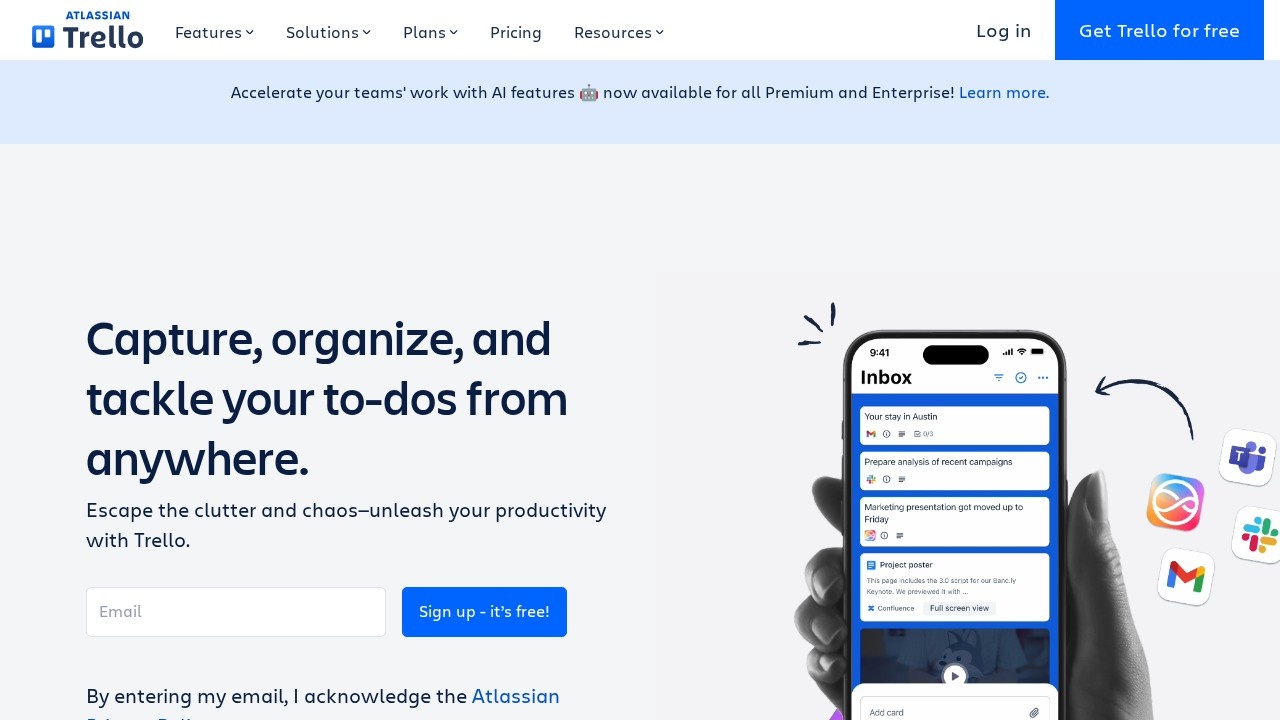
Trello is a visual work-management tool that organizes tasks and projects into boards, lists and cards — a simple, intuitive system that has made it one of the most popular ways for teams and individuals to see and manage their work. Its whole strength is clarity: you can look at a Trello board and instantly understand what needs doing and where everything stands.
What Trello is
Trello uses a board-lists-cards model: a board represents a project, lists represent stages (like To Do, Doing, Done), and cards are the individual tasks you move between them. Around that core it adds an Inbox that captures tasks from email and Slack, a Planner for time-blocking, automation via Butler, and Power-Ups to connect other tools — keeping the simple surface while adding real capability underneath.
Who it's for
Trello serves individuals and small teams, plus marketing, product, engineering and design teams, startups, remote teams and enterprises. Because the board metaphor fits almost any kind of work, it's used for everything from a personal to-do list to complex team projects — anyone who wants a clear, visual way to track tasks is a fit.
What it offers
- Boards, lists and cards for visual task organization
- Inbox that captures details from email and Slack
- Planner for calendar sync and focused time blocks
- Butler automation for repetitive workflows
- Power-Ups for third-party integrations and plugins
- Templates and playbooks from industry leaders
- MCP Server for connecting AI tools
- Four pricing tiers from Free to Enterprise
Simplicity that people actually adopt
Trello's defining strength is ease of use — 81% of its customers say they chose it for exactly that. The board-and-card system is so intuitive that teams start using it productively almost immediately, with 75% of organizations reportedly seeing value within 30 days. That low barrier matters enormously: a tool only helps if people actually use it, and Trello's simplicity means adoption isn't a fight, which is why it spread so widely.
Capture work from everywhere
A common problem is that tasks arrive scattered across email and chat and get lost. Trello's Inbox tackles this by pulling details from emails and Slack into one centralized place, so nothing slips through, and the Planner lets you drag those tasks into focused time slots synced with your calendar. Together they help turn a chaotic stream of incoming work into an organized, visual plan you can actually execute.
Grows with automation and Power-Ups
Trello stays simple on the surface but scales through Butler automation and Power-Ups. Butler automates repetitive actions — moving cards, setting due dates, sending notifications — without any coding, while Power-Ups connect Trello to the other tools a team uses. Combined with a library of templates from industry leaders and an MCP server for AI tools, that means Trello can grow from a basic personal board into a genuinely powerful team workflow.
A board for any workflow
Part of Trello's staying power is how adaptable the board metaphor is. The same lists-and-cards system works for a marketing content calendar, an engineering sprint, a sales pipeline, a design queue or a personal habit tracker — and a library of templates and playbooks from industry leaders gives you a proven starting structure for each. Because you shape the board to your process rather than adopting a rigid tool, very different teams can all use Trello in the way that fits their work, without anyone having to learn a complicated system.
Why choose Trello
For individuals and teams that want a clear, visual and genuinely easy way to manage work, Trello is a leading choice. Its intuitive boards-and-cards system, task-capturing Inbox, automation, Power-Ups and flexible pricing make it a practical tool that people actually adopt and stick with — whether you're organizing a personal to-do list or coordinating a whole team's projects, with the flexibility to grow as your needs do.
Tags
Ratings & reviews
No ratings yet
Be the first to rate Trello — your honest take helps others decide.
- No reviews yet — be the first to rate Trello.
Similar softwares

CleverUtils
Free online file converter, no signup
Slip
Slip helps freelancers and side hustlers track income, expenses, profit, recurring bills and estimated tax reserves.
Cala HQ
Simple leave and PTO management for growing remote teams.
Compare Trello
Similar software
Notion
Docs, wikis, projects and databases in one flexible workspace.

ClickUp
An all-in-one work platform combining tasks, docs, goals, and more to replace a stack of separate tools.

Miro
An online collaborative whiteboard where teams brainstorm, plan, and visualize ideas together in real time.

Asana
Plan, organize and track team work across projects and goals.

Slack
Channel-based messaging that keeps your team and tools connected.
ButterShare
Share anything, to anyone — no file size limits, no cloud storage, no signup. Direct, encrypted device-to-device transfer on any device.
Related reads

Best Free Online PDF Tools for Everyday Document Tasks
Free browser-based tools to compress, merge, split, convert, organize and analyze PDF files.

Free Online PDF Tools: Convert, Merge, Split & Compress PDF Files
Discover easy-to-use free online PDF tools for converting, merging, splitting and compressing PDF files without installing complicated software

How to Validate a Product Idea Before You Build It
A practical guide to validating your product idea with AI, market research, customer insights, and a simple Build, Modify, or Kill framework.
Community discussion (0)
Ask questions, share tips, or compare notes with other Trello users.