The Best ClickUp Alternatives in 2026 (Project Management)

Tolodora Editorial Team
Tolodora's editorial team — we research, compile and regularly update these software guides from public sources and product documentation.
Quick answer
The best ClickUp alternatives in 2026 are Asana, monday.com and Notion. Asana is our top overall pick, best for teams that want polish and clarity over maximum features. See the full ranked comparison below.
Want your product listed here?
Get featured in this comparison — tell us about your tool.

ClickUp packs a huge amount into one tool, but that power comes with clutter and a learning curve, and some users find it slow. Depending on whether you want simplicity, speed, or a specific focus, another tool may serve you better.
These all manage tasks and projects; they differ on simplicity, speed, and how much they try to do.
We rated every pick on four things — pricing and value, functionality, ease of use, and support. Here's the rundown.
| Tool | Value | Support | Ease of use | Features | Overall | Best for |
|---|---|---|---|---|---|---|
| Plaky | 9.6 | 8.4 | 9.2 | 8.0 | 8.8 | Budget teams who want easy project tracking free, with time tracking via Clockify. |
| Todoist | 9.0 | 8.4 | 9.4 | 8.4 | 8.8 | Individuals and small teams who want simple, reliable task management. |
| Asana | 7.8 | 8.6 | 9.2 | 9.0 | 8.7 | Teams that want polish and clarity over maximum features. |
| Notion | 8.8 | 8.2 | 8.4 | 9.0 | 8.6 | Teams that want project management inside a flexible docs-and-wiki workspace. |
| Trello | 9.0 | 8.2 | 9.6 | 7.6 | 8.6 | Teams that want simple, fast task tracking without complexity. |
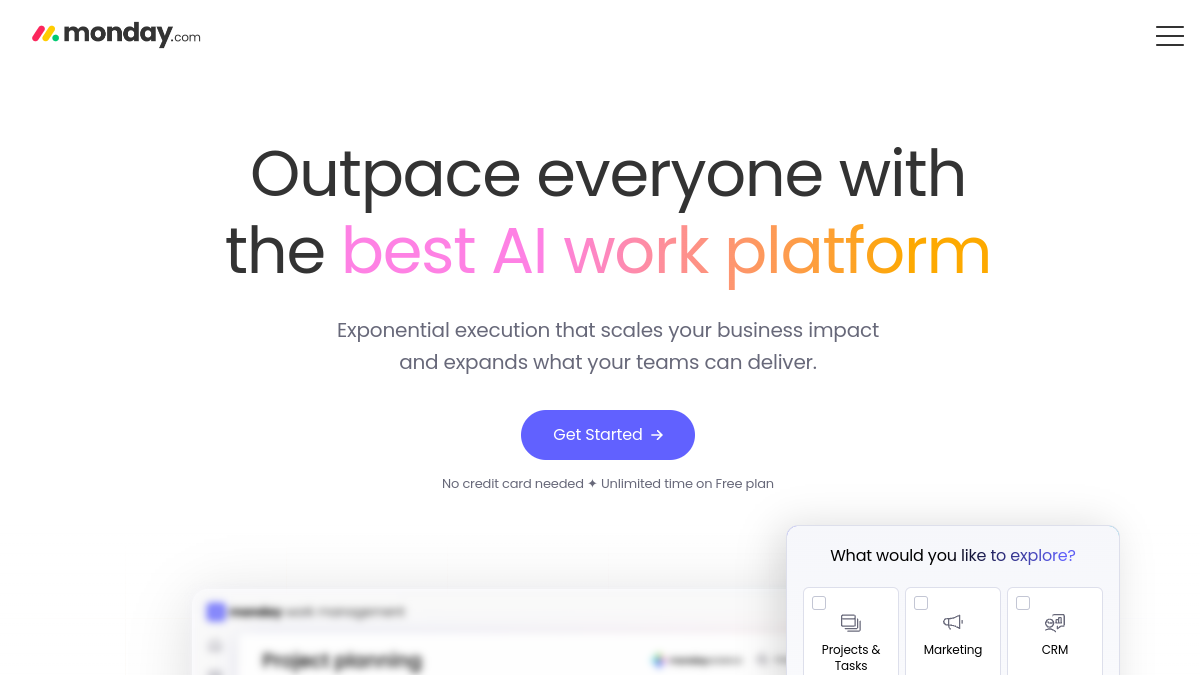
| monday.com | 7.8 | 8.6 | 8.8 | 9.0 | 8.6 | Teams that want a customizable, visual platform that's easier than ClickUp. |

Comparing against the original?
See ClickUp's profile, rating & reviews on Tolodora →
| # | Tool | Best for | Rating |
|---|---|---|---|
| 1 | Asana | Teams that want polish and clarity over maximum features. | 4.3/5 |
| 2 | monday.com | Teams that want a customizable, visual platform that's easier than ClickUp. | 4.3/5 |
| 3 | Notion | Teams that want project management inside a flexible docs-and-wiki workspace. | 4.3/5 |
| 4 | Trello | Teams that want simple, fast task tracking without complexity. | 4.3/5 |
| 5 | Plaky | Budget teams who want easy project tracking free, with time tracking via Clockify. | 4.4/5 |
| 6 | Todoist | Individuals and small teams who want simple, reliable task management. | 4.4/5 |
Asana
- Pricing
- 7.8/10
- Functionality
- 9.0/10
- Ease of use
- 9.2/10
- Support
- 8.6/10
What I like
Clean, reliable, and well-designed — project and task management that feels effortless rather than cluttered.
Best for
Teams that want polish and clarity over maximum features.
Asana is a refined ClickUp alternative: it does tasks, projects, timelines, and workflows elegantly, without the feature overload. If ClickUp feels busy, Asana's clarity and reliability are a breath of fresh air for straightforward project management. It's a common pick among your business comparing their choices.
monday.com
- Pricing
- 7.8/10
- Functionality
- 9.0/10
- Ease of use
- 8.8/10
- Support
- 8.6/10
What I like
A colorful, flexible, visual work OS with strong automations that adapts to many teams and workflows.
Best for
Teams that want a customizable, visual platform that's easier than ClickUp.
monday.com offers similar flexibility to ClickUp but with a more approachable, visual interface. It's a strong alternative for teams that want customization and automation without ClickUp's density, though per-seat pricing can climb. For a your business setup, it's well worth a closer look.
Notion
- Pricing
- 8.8/10
- Functionality
- 9.0/10
- Ease of use
- 8.4/10
- Support
- 8.2/10
What I like
Docs, wikis, and databases in one — combine project tracking with knowledge and notes, plus AI and a great free plan.
Best for
Teams that want project management inside a flexible docs-and-wiki workspace.
If you run this kind of your busines operation, it belongs on your list. Notion blends documents and databases, so your projects live next to your knowledge base. It's less of a dedicated PM tool than ClickUp, but for teams that value docs plus light project tracking in one connected space, it's a popular alternative.
Trello
- Pricing
- 9.0/10
- Functionality
- 7.6/10
- Ease of use
- 9.6/10
- Support
- 8.2/10
What I like
The simplest visual boards, a generous free tier, and Power-Ups to add features only when you need them.
Best for
Teams that want simple, fast task tracking without complexity.
Plenty of your business land on it after weighing the field. Trello is the antidote to ClickUp's complexity: clean Kanban boards you can use in seconds, extended by Power-Ups as needed. For small teams and simple workflows, it's a fast, friendly alternative.
Plaky
- Pricing
- 9.6/10
- Functionality
- 8.0/10
- Ease of use
- 9.2/10
- Support
- 8.4/10
What I like
Simple, colorful project management with a free-forever plan (unlimited users) — from CAKE.com, makers of Clockify and Pumble.
Best for
Budget teams who want easy project tracking free, with time tracking via Clockify.
If you run this kind of your busines operation, it belongs on your list. Plaky, part of the CAKE.com suite, is a lightweight, affordable ClickUp alternative with a standout free plan (unlimited users, boards, and projects) and simple, customizable workflows. It pairs neatly with Clockify (time tracking) and Pumble (chat) if you want the whole suite.
Todoist
- Pricing
- 9.0/10
- Functionality
- 8.4/10
- Ease of use
- 9.4/10
- Support
- 8.4/10
What I like
A fast, elegant task manager with natural-language input, projects, and a calendar view — great for personal and light team use.
Best for
Individuals and small teams who want simple, reliable task management.
That focus makes it a natural fit for many your business. Todoist is a focused, lightweight alternative for those who find ClickUp too heavy: quick capture, projects, labels, and a clean interface, with a solid free tier. If your needs are more task management than full project management, it's fast and delightful.
The verdict
Want polished simplicity? Asana. A visual work OS? monday.com. Docs plus projects? Notion. Dead-simple boards? Trello. Free, no-frills project tracking? Plaky (by CAKE.com).
Frequently asked questions
What is the best free ClickUp alternative?
Trello, Notion, Asana, and Plaky all have strong free tiers. Plaky (by CAKE.com) offers unlimited users free, and Trello is the simplest to start with.
Which alternative is simpler than ClickUp?
Trello and Asana are notably simpler and cleaner than ClickUp, and Plaky keeps project management minimal, if you find ClickUp overwhelming.
Is there a faster alternative to ClickUp?
Yes — Linear (for dev teams) and Trello are known for speed and responsiveness, and Plaky and Asana feel lighter than ClickUp's feature-heavy interface.
Keep exploring
Building one of these alternatives?
List your tool on Tolodora and get discovered by buyers comparing options.
Launch Your Product