
Coda
SoftwareDocs that act like apps — combine text, tables, and automation to build powerful team tools in a document.
About Coda
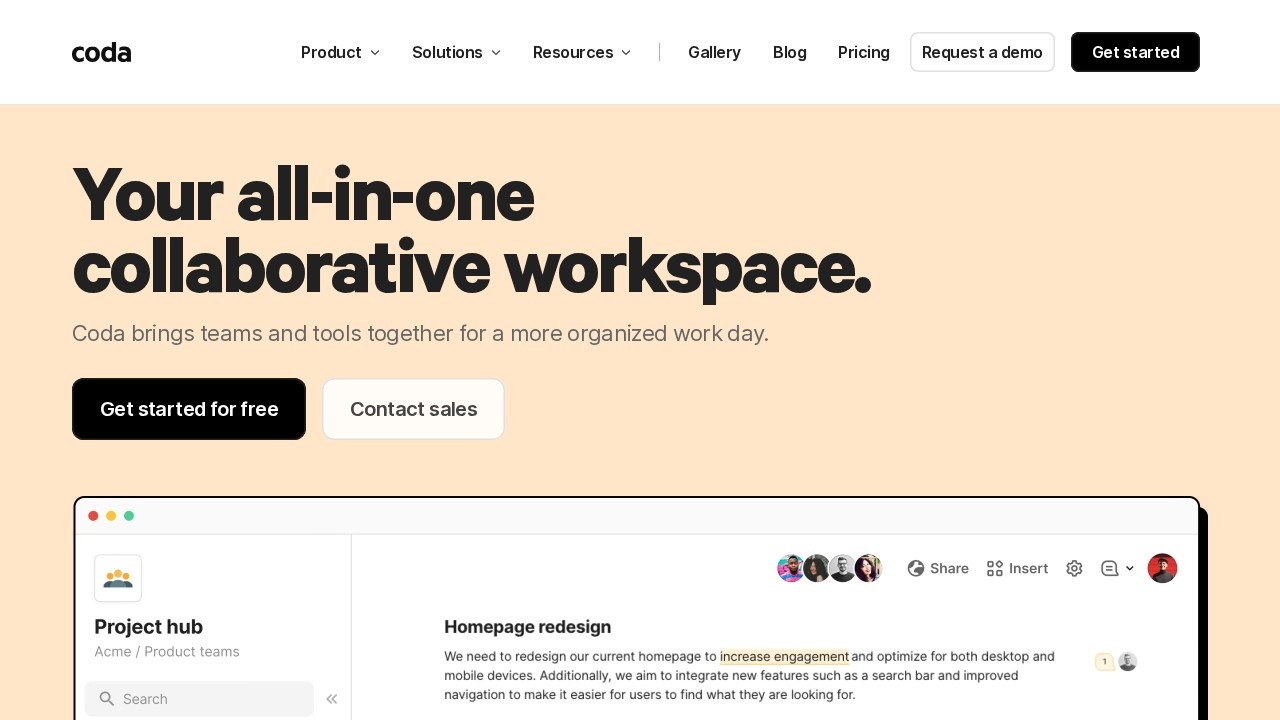
Coda is an all-in-one collaborative workspace that blends the flexibility of a document with the power of a database and the logic of an app. Rather than juggling separate docs, spreadsheets and trackers, teams build a single, living surface where writing, data and automation live together. Used by companies like Figma, Uber and The New York Times, it's now part of Superhuman (as Superhuman Docs) with a strong AI focus.
What Coda is
Coda starts as a familiar document but adds building blocks that turn it into much more: relational tables (trackers) that stay in sync, buttons and formulas that add app-like logic, automations, and Coda AI for writing, generating content and surfacing insights. The result is a flexible workspace where a single "doc" can be a planning tool, a database and a small application at once.
Who it's for
Coda serves teams across product, sales, engineering, marketing, design and HR, from startups to enterprises. It's especially loved by teams that feel constrained by rigid tools — too limited in a plain doc, too clunky spreading work across a spreadsheet and a separate app — and want one adaptable place to run a process end to end.
What it offers
- Writeups — rich document-based collaboration
- Trackers — relational tables with synchronized edits
- Applications — formulas, buttons and automation for app-like logic
- Team hubs to centralize information
- Coda AI for chat assistance, content generation and AI columns
- 600+ integrations (Google Calendar, Slack, Figma, Jira)
- Packs for extensibility and customizable templates
- Multi-view tables and publishing/sharing
One surface, many tools
Coda's core appeal is replacing a pile of specialized tools with one flexible surface. Described by Fast Company as "more powerful than Google Docs and more flexible than Airtable or Notion," it lets a team write the plan, track the work and automate the busywork in the same place — no more copying data between a doc, a spreadsheet and a task app. That consolidation keeps everything in sync and cuts the tool-switching that fragments so much team work.
Structure meets writing
What makes Coda distinctive is how naturally it mixes prose and data. Trackers behave like a real database with synchronized edits and multiple views, but they live right inside the document alongside your writing, and formulas and buttons add genuine logic. That means a project brief can contain the live task table it describes, and a decision doc can pull in the actual data behind it — keeping narrative and structured information together instead of scattered.
Extend and automate it
Coda is built to grow with your needs. Packs let you extend docs with external data and functionality, 600+ integrations connect it to tools like Slack, Figma and Jira, and automations plus Coda AI handle repetitive work and content generation. For a team, that means a Coda doc can evolve from a simple page into a genuine internal tool — pulling in live data, triggering actions and assisting with writing — without ever becoming a coding project.
Why choose Coda
For teams tired of splitting their work across docs, spreadsheets and apps, Coda offers a genuinely different, unified approach. Its blend of document, database and app in one surface, deep integrations, extensibility and AI — with team-based pricing that doesn't punish growth — makes it a powerful way to run processes end to end in one place, which is why so many well-known teams build their internal workflows on it.
Tags
Ratings & reviews
No ratings yet
Be the first to rate Coda — your honest take helps others decide.
- No reviews yet — be the first to rate Coda.
Similar softwares

CleverUtils
Free online file converter, no signup
Slip
Slip helps freelancers and side hustlers track income, expenses, profit, recurring bills and estimated tax reserves.
Cala HQ
Simple leave and PTO management for growing remote teams.
Compare Coda
Similar software

Airtable
Part spreadsheet, part database — build flexible apps and organize anything without writing code.
Fibery
A modular, no-code work platform that connects your data, docs and processes in one flexible workspace.
Cognito Forms
A powerful free online form builder with workflow automation, e-signatures, payments and conditional logic.
Youform
An affordable, no-code form builder with unlimited forms and responses free, plus conditional logic and AI.
Paperform
An easy, design-forward online form builder for collecting data, payments and bookings with AI.
IvyForms
A WordPress form builder for real workflows
Related reads

Best Free Online PDF Tools for Everyday Document Tasks
Free browser-based tools to compress, merge, split, convert, organize and analyze PDF files.

Free Online PDF Tools: Convert, Merge, Split & Compress PDF Files
Discover easy-to-use free online PDF tools for converting, merging, splitting and compressing PDF files without installing complicated software

How to Validate a Product Idea Before You Build It
A practical guide to validating your product idea with AI, market research, customer insights, and a simple Build, Modify, or Kill framework.
Community discussion (0)
Ask questions, share tips, or compare notes with other Coda users.