
People Remover
SoftwareNewRemove people from photos by describing who to delete - no masking, no watermark.
About People Remover
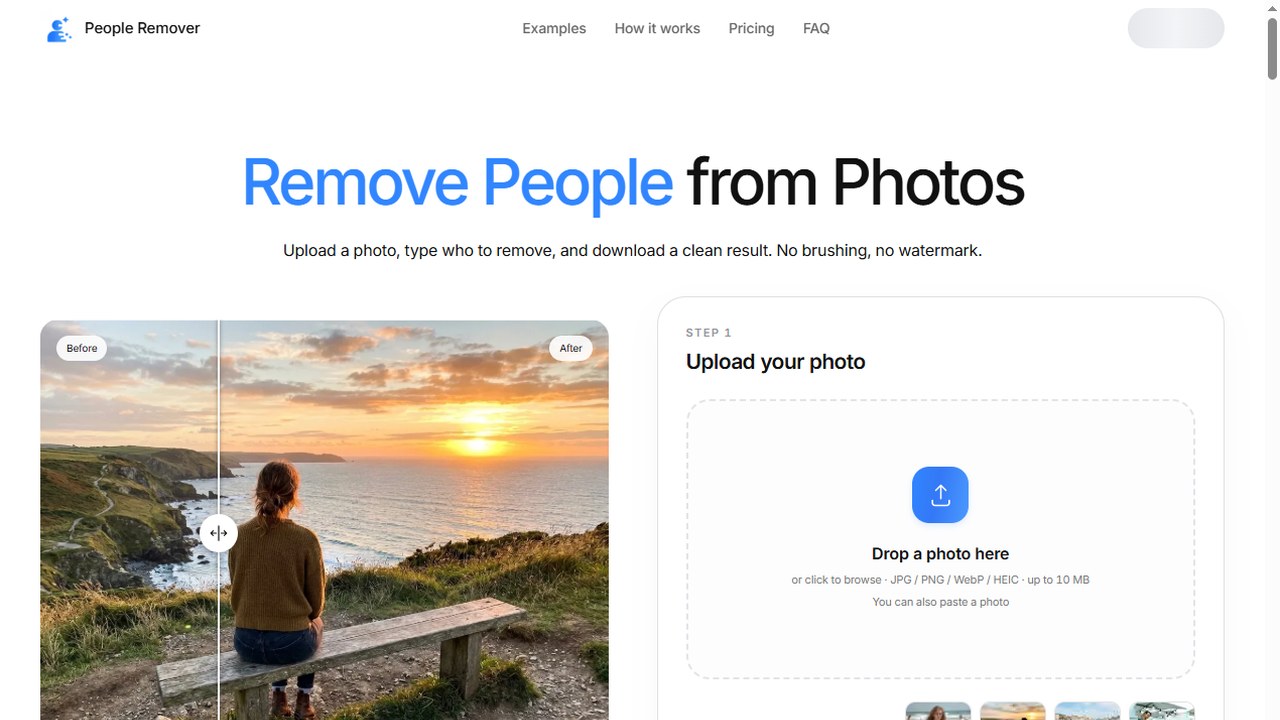
People Remover is a browser-based photo editing tool that takes a different approach to removing people from pictures: you describe who should disappear instead of painting over them. Upload a photo, type a short sentence such as "remove the man on the left" or "remove everyone in the background", and download the edited image. There is no mask to draw and no selection tool to master.
The product page describes a three-step workflow. You start by uploading a JPG, PNG, WebP or iPhone HEIC/HEIF file; the page states that photos up to 10 MB are accepted and that HEIC images are converted to JPG in the browser. Next you describe the person to remove, ideally with a position, a piece of clothing or an action, so the instruction is unambiguous - "remove the woman in the red jacket" works better than "remove her". Finally you download the result as JPG, PNG or WebP.
According to the product page, no watermark is added to results, and the first edit is free once you sign in. Higher-resolution exports are described as a paid-plan option. The site also shows a before-and-after comparison slider with many examples, each labelled with the instruction used to produce it, which makes it easy to judge whether this description style suits your own photos.
Documented use cases are the practical ones people hit when a photo cannot be retaken: tourist landmarks with crowds behind the subject, photobombers walking through the frame, real estate listing photos that look better without neighbours or passers-by, wedding and event shots with an extra guest, family photos with strangers in the background, and older pictures where someone no longer belongs in the frame.
The tool is aimed at people who need a clean photo quickly and do not want a full retouching suite. Anyone who already edits images professionally can still use it as a fast first pass before detailed work. Because the instruction is written in plain language, the same workflow covers removing one person or clearing an entire background, and a result can be run again with a more specific sentence when the first attempt misses something that matters.
Ratings & reviews
No ratings yet
Be the first to rate People Remover — your honest take helps others decide.
- No reviews yet — be the first to rate People Remover.
Similar softwares

AI Rap Video Spot
Turn one photo and custom lyrics into a 15-second vertical AI rap video. Preview audio, choose a clip, download an MP4 — no sign-up.

MotifDeck
AI game art workspace for character motion and creator-selected frames.
Zoivu
Create original characters, reference sheets and visual stories.
Compare People Remover
Similar software
NG QRCode
Create AI QR codes people actually notice and scan

Arvow
AI agents that help you rank on Google and get cited by AI search.
AIforASMR
Create calming AI ASMR videos from prompts, images, and 45+ templates for sleep, rain, skincare, candlelight, relaxation, and ambient loops.

Index TTS
Create natural AI text to speech with Index TTS, clone authorized voices, explore Index TTS 2 and 2.5, and start generating expressive audio online today.
Backgroundcanvas
One-stop free online image background cleanup and change tool, offering watermark removal, text removal, emoji sticker removal, background swap and cutout.
Heartbits
AI character chat, roleplay, and interactive stories platform
Related reads
Higgsfield on GitHub: What They Actually Open-Sourced (and What They Didn't)
Higgsfield opened APIs and tools on GitHub in September 2026 — but not its whole site. Here's exactly what's open source, what the new API gives you, and what stays proprietary.

AI-Powered Career Tools to Help You Get Hired Faster
Career Suit AI is an all-in-one AI career platform that helps job seekers build professional resumes and cover letters, practice AI-powered interviews, find relevant jobs, optimize LinkedIn profiles,
The 8 Best AI Tools for YouTubers in 2026
AI can edit your videos, write titles, make Shorts and optimize for search — huge for YouTubers. Here are the 8 best AI tools for YouTube creators in 2026.
Community discussion (0)
Ask questions, share tips, or compare notes with other People Remover users.