
Remove Vocal
SoftwareNewAI vocal remover and stem splitter: turn any song or video into vocals, instrumental, drums, bass, guitar and piano stems in your browser.
About Remove Vocal
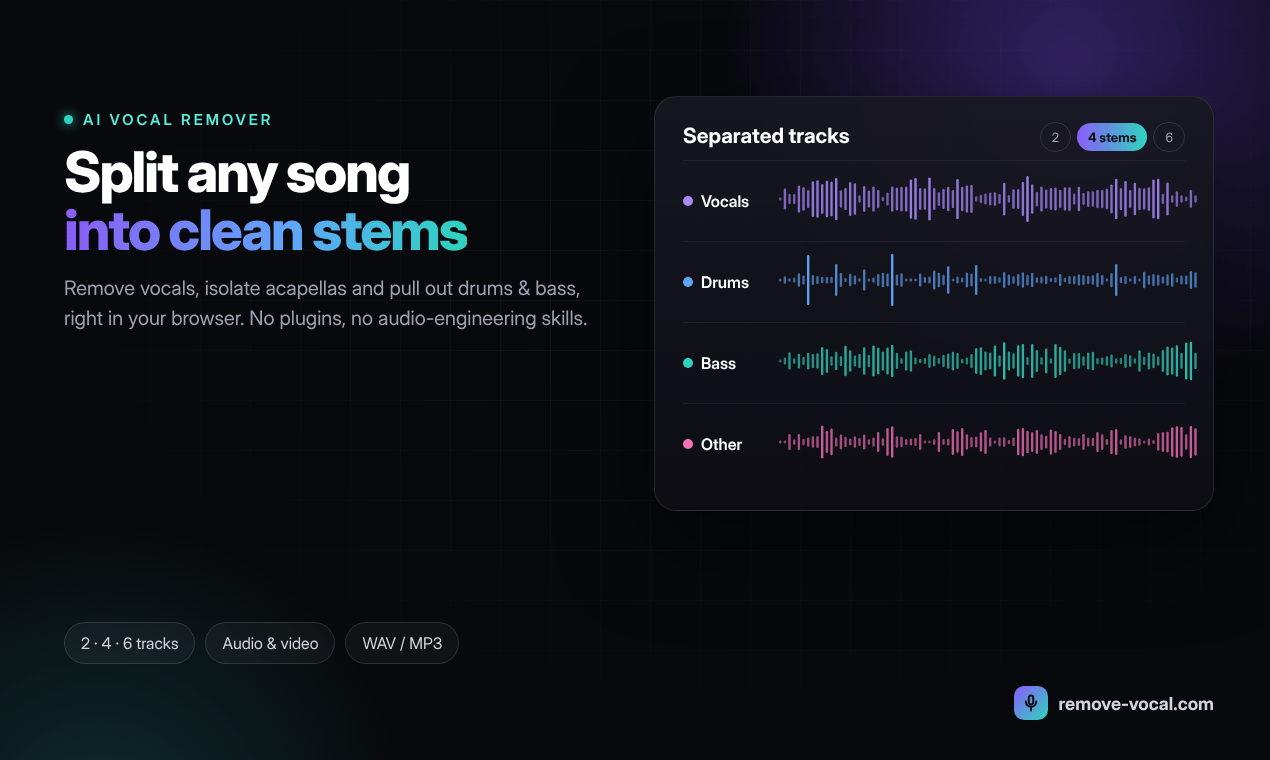
Remove Vocal is an online AI vocal remover and stem splitter. It takes a finished song or video and separates it into individual, playable tracks, so you can make karaoke and backing tracks, pull out clean acapellas, or work with single instruments without any audio-engineering knowledge.
How it works
Upload an audio file (MP3, WAV, FLAC, M4A or OGG) or a video (MP4, WebM, MOV or AVI) up to 500 MB. There is no need to convert video first. Then choose a separation mode:
- 2 stems: vocals and instrumental
- Hi-Fi 2 stems: the cleanest vocal/instrumental split
- 4 stems: vocals, drums, bass and other
- 6 stems: vocals, drums, bass, guitar, piano and other
When processing finishes, you can preview and balance every stem in the browser before downloading, so you only keep the tracks you need.
Built for practice and performance
Every plan includes timed lyrics that scroll in sync with the separated tracks, plus pitch and tempo controls that work separately from each other. Singers can move a song into a comfortable key, and musicians can slow a difficult passage down without changing its pitch. Audio and video export are included on all plans.
Who uses it
- Karaoke fans making sing-along tracks at home
- Singers, vocal students and cover artists who need a clean instrumental
- Guitarists, bassists, drummers and keyboard players who want to mute their own part and play along
- DJs and producers extracting acapellas and stems for remixes and mashups
- Music teachers preparing rehearsal tracks for students
- Buskers and gigging musicians building backing tracks
- Video editors and content creators who need music without vocals under narration
Why Remove Vocal
The whole workflow happens in one browser tab: upload, choose a mode, preview, download. It works on Mac, Windows, Linux and mobile browsers, and the site is available in English, German and Korean.
Pricing
Two simple unlimited plans: Unlimited Weekly at $2.99/week, or Unlimited Monthly at $5.99/month (best value). Both include every separation mode and every feature.
Support
Questions, bug reports or feature requests: support@remove-vocal.com
Please only separate music you have the right to use, especially if you plan to publish or perform the result.
What problem it solves
Getting a clean instrumental or acapella from a finished song usually means hunting for an official karaoke version that may not exist, or using phase-cancellation tricks in an audio editor that also wipe out the bass and kick drum and leave reverb behind. Remove Vocal solves this for singers, musicians, DJs, teachers and video creators: upload the song or video, pick 2, 4 or 6 stems, and download separated tracks in minutes, with no software to install and no audio-engineering skills needed.
Alternatives & competitors
An alternative to stem-separation tools such as Moises and Fadr, and to manual phase-cancellation in audio editors like Audacity. Remove Vocal runs entirely in the browser, accepts video files directly, offers a Hi-Fi 2-stem mode and a 6-stem mode with separate guitar and piano, and keeps pricing simple with unlimited weekly or monthly plans.
Tags
Ratings & reviews
No ratings yet
Be the first to rate Remove Vocal — your honest take helps others decide.
- No reviews yet — be the first to rate Remove Vocal.
Similar softwares

ShootForge
Quote builder for UK video production companies: client quotes, internal budgets and shoot checklists in pounds sterling with UK VAT. In early beta.

Doremi
AI music generator that turns text into editable full songs.
MakeItRap
Turn a photo and name into a short AI rap video.
Compare Remove Vocal
Similar software

MiniMax H3 Max AI Video Generator
Create 5-15 second 768p videos with MiniMax H3 Max. Direct camera motion, keep characters consistent, and generate synchronized audio in one pass for review.
AIforASMR
Create calming AI ASMR videos from prompts, images, and 45+ templates for sleep, rain, skincare, candlelight, relaxation, and ambient loops.

YuE2
YuE2: Frontier AI Music Generator With Editable Scores
ShortTranscript
Transcribe public TikTok videos and Instagram Reels into editable transcripts. Free daily use; credits unlock SRT, VTT and DOCX.

Suno v6 AI Music Generator
Suno V6 AI Music Generator— Create Original Songs with AI
LumiYing
Create AI videos and images for product showcases, ads, social content, and storytelling with multiple leading models in one workspace.
Related reads

IPTV Srbija: kako proveriti pretplatu tokom 24 sata
Kako iskoristiti IPTV probu od 24 sata: proverite aplikaciju, kanale, istovremene konekcije, kvalitet reprodukcije i uslove pretplate.

How to Choose an Audio System for Walking Tours
A practical route-first framework for comparing voice projection, dedicated receivers, and guest-phone audio on real walking tours.

The 8 Best AI Tools for Podcasters in 2026
AI can record, edit, clean and repurpose your podcast in a fraction of the time. Here are the 8 best AI tools for podcasters in 2026.
Community discussion (0)
Ask questions, share tips, or compare notes with other Remove Vocal users.