SVG Viewer
SoftwareNewFree SVG viewer: paste code or drop files to view them.
About SVG Viewer
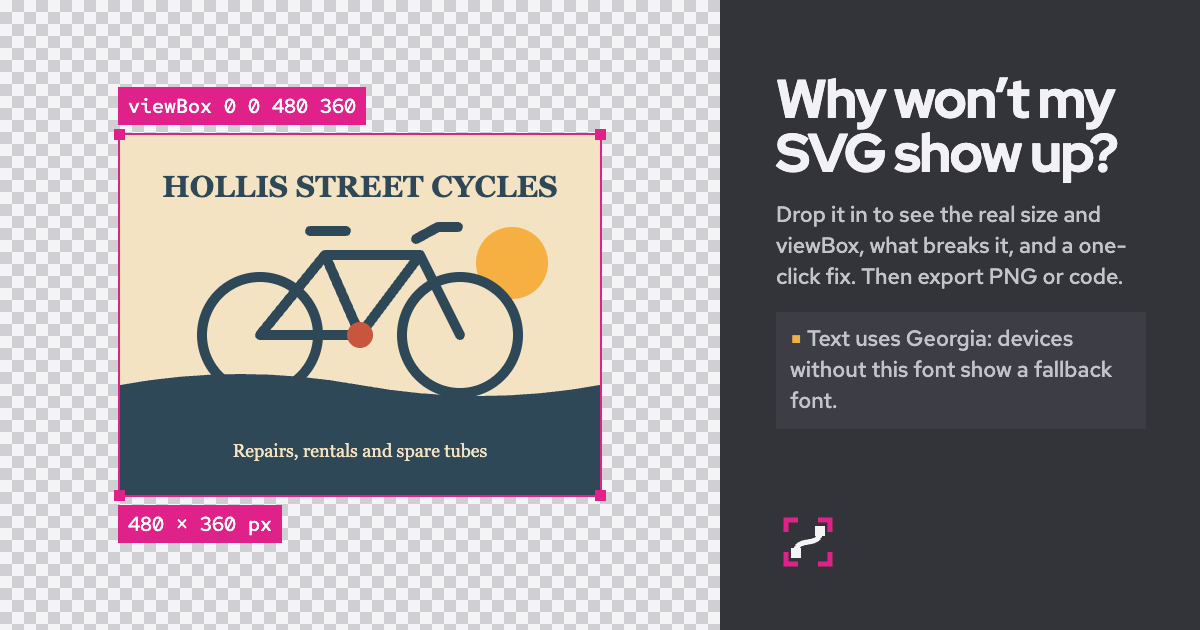
Paste SVG code or drop .svg files, a folder or a .zip, and this SVG viewer draws them straight away with the real size, the viewBox and anything that would stop the file from showing up. Fix it in the SVG viewer, then export a PNG, a data URI or a React component. Your files never leave the browser.
SVG Viewer is free, with no account and no limit on the number of files. It reads your files in the browser, never runs scripts, blocks outside files, and works offline once it has loaded. It opens single files up to 25 MB and a .zip up to 200 MB once unpacked. You can also open an SVG from a web address, try the built-in samples, or open one of 8,587 free icons from the open-source Tabler Icons and Lucide sets.
The Details panel shows the size, width, height, viewBox, ratio, file size, element count and colours, and it converts physical units such as millimetres and inches to pixels. You can change a colour everywhere, copy a colour, set the size, rotate by 90 degrees, flip the drawing, and step back with Undo and Redo. Format indents the code with two spaces, four spaces or tabs, and Optimize shrinks it with SVGO 4.1 and compares the pixels. Outline draws every shape as a thin line with fills off, Frame shows the viewBox frame and size labels, and the background can be a transparency grid, white, black or a colour of your own. Fit and 1:1 show the drawing fitted to the canvas or at its real pixel size, and you can drag to move and pinch or use Ctrl or Command with scroll to zoom.
The viewer checks files the way a web page draws an image, with scripts off and outside files blocked. It finds a missing xmlns, code wrapped in fences or surrounded by HTML, a tag that is never closed, a stray character or a repeated attribute, a colour from an undefined CSS variable, a link to an id that is not in the file, width and height with no viewBox, white artwork on a transparent background, and outside images, stylesheets or web fonts. One Fix it button applies every safe repair it can find, and Save fix to code writes the repair into the file.
For export, choose PNG, JPG or WebP at 1x to 4x or a width in pixels, make an ICO favicon, copy a data URI for CSS or an image tag, copy a ready CSS background line, export a React component or a React Native component, or copy a share link with the SVG packed inside it. It is made for designers and developers working with files from Illustrator, Inkscape, Figma and Canva, and for code pasted from chat tools, which often leaves out the xmlns line the viewer needs.
What problem it solves
Designers and developers open SVG files that show blank, look wrong at the wrong size, or cannot be exported in the format they need.
SVG Viewer FAQ
What is SVG Viewer?
Free SVG viewer: paste code or drop files to view them. It's a design tool listed on Tolodora with details and real user reviews.
Is SVG Viewer free?
Yes — SVG Viewer offers a free plan.
How much does SVG Viewer cost?
SVG Viewer uses a free pricing model. See its site for current figures.
Ratings & reviews
No ratings yet
Be the first to rate SVG Viewer — your honest take helps others decide.
- No reviews yet — be the first to rate SVG Viewer.
Similar softwares

Tellcut
Tellcut turns text or screenshots into product demos, animated charts and marketing videos with Claude Opus 5.5. Edit any scene by chat and export 1080p MP4.
Flag Maker
Free flag maker: 28 layouts, 197 flags, SVG/PNG/HOI4.
HeyDream
Free to generate stunning image & video with Hey Dream AI. Create AI images, videos, edits, and 3D assets with leading creative models. Build usable 3D assets f
Compare SVG Viewer
Similar software
StyleGen.ai
Practical guides on men
HTML Code Viewer
Free online HTML code viewer: paste or open a file, live preview, console and markup problems—no account.
HeyDream
Free to generate stunning image & video with Hey Dream AI. Create AI images, videos, edits, and 3D assets with leading creative models. Build usable 3D assets f

Unblur Image
Unblur Image fixes blurry, out-of-focus and shaky photos with AI right in your browser. Free daily credits, no sign-up needed, no watermarks.

Rendrflow
Transform low-quality photos into high-resolution masterpieces with RendrFlow, a powerful on-device AI photo editor built for privacy, speed, and offline use.
Passport Size Photo
Create compliant passport photos from home, from a clear picture.
Related reads
The 8 Best AI Logo Makers in 2026 (Looka & Alternatives)
Need a logo fast? Here are the 8 best AI logo makers in 2026, from Looka to Canva — with who each is best for.
Penpot vs Figma: Which Design Tool Should You Use in 2026?
Figma is the design industry standard; Penpot is the free, open-source challenger you can self-host. Here's my honest comparison for 2026.
Community discussion (0)
Ask questions, share tips, or compare notes with other SVG Viewer users.