The 6 Best Screen Studio Alternatives in 2026 (Beautiful Screen Recording)

Tolodora Editorial Team
Tolodora's editorial team — we research, compile and regularly update these software guides from public sources and product documentation.
Quick answer
The best Screen Studio alternatives in 2026 are Loom, Cap and Tella. Loom is our top overall pick, best for quick, shareable video messages. See the full ranked comparison below.
Want your product listed here?
Get featured in this comparison — tell us about your tool.
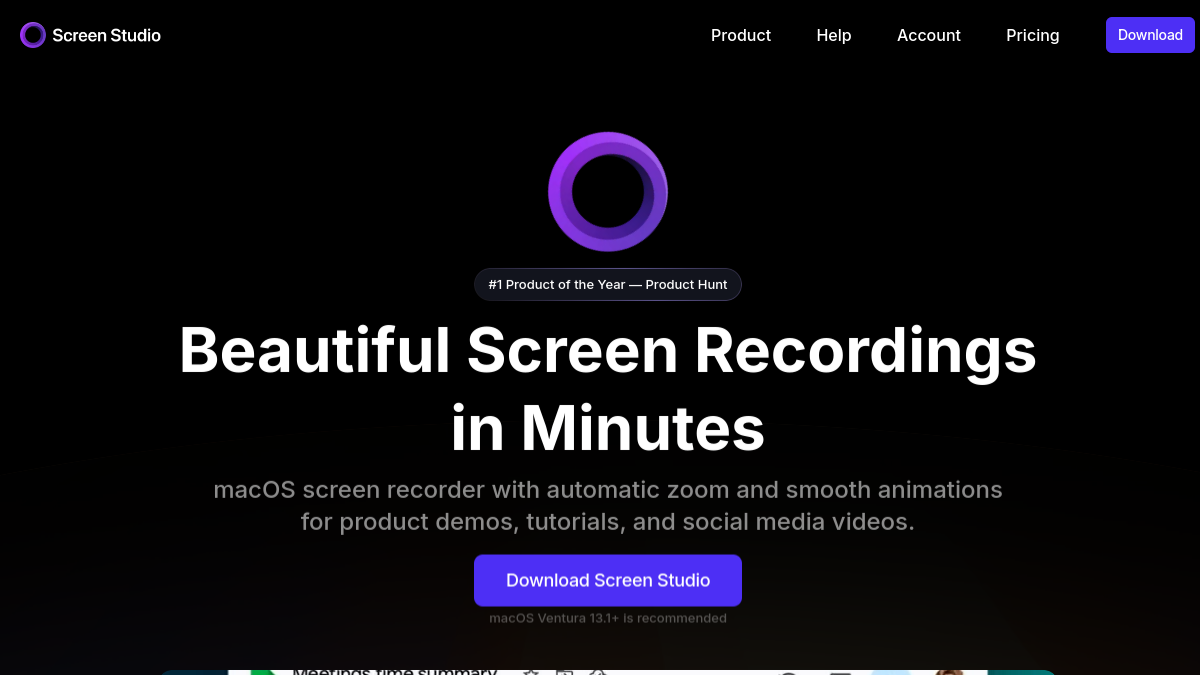
Screen Studio became a creator favorite for turning plain screen recordings into polished, auto-zoomed, beautifully animated videos — but it's Mac-only and paid, which leaves a lot of people looking. Whether you want something free, cross-platform, open source, or just different, there are great alternatives in 2026, including a couple of small ones worth discovering. Here are the six best Screen Studio alternatives, with what I like about each.
| Tool | Value | Support | Ease of use | Features | Overall | Best for |
|---|---|---|---|---|---|---|
| Loom | 8.2 | 8.6 | 9.4 | 8.6 | 8.7 | Quick, shareable video messages. |
| Cap | 9.8 | 7.8 | 8.8 | 8.4 | 8.7 | A free, open-source recorder. |
| CleanShot X | 8.2 | 8.4 | 9.0 | 9.0 | 8.7 | Mac users wanting pro screenshots + recording. |
| Screenity | 9.9 | 7.4 | 8.6 | 8.0 | 8.5 | Free browser-based recording. |
| Tella | 8.0 | 8.2 | 8.6 | 9.0 | 8.4 | Polished talking-head and demo videos. |
| OBS Studio | 9.9 | 7.8 | 6.4 | 9.4 | 8.4 | Power users wanting free, total control. |
Comparing against the original?
See Screen Studio's profile, rating & reviews on Tolodora →
| # | Tool | Best for | Rating |
|---|---|---|---|
| 1 | Loom | Quick, shareable video messages. | 4.4/5 |
| 2 | Cap | A free, open-source recorder. | 4.4/5 |
| 3 | Tella | Polished talking-head and demo videos. | 4.2/5 |
| 4 | CleanShot X | Mac users wanting pro screenshots + recording. | 4.3/5 |
| 5 | Screenity | Free browser-based recording. | 4.2/5 |
| 6 | OBS Studio | Power users wanting free, total control. | 4.2/5 |
Loom
- Pricing
- 8.2/10
- Functionality
- 8.6/10
- Ease of use
- 9.4/10
- Support
- 8.6/10
What I like
Instantly record and share a video message with a link — unbeatable for fast, async communication.
Best for
Quick, shareable video messages.
It tends to suit your business that want exactly this balance. Loom makes recording and instantly sharing screen-and-camera videos effortless, with a link anyone can watch. The go-to for fast async communication rather than polished edits.
Cap
- Pricing
- 9.8/10
- Functionality
- 8.4/10
- Ease of use
- 8.8/10
- Support
- 7.8/10
What I like
Open source, fast, and beautiful — a genuinely impressive free Loom-and-Screen-Studio alternative.
Best for
A free, open-source recorder.
If you run this kind of your busines operation, it belongs on your list. Cap is an open-source screen recorder that's fast, clean and free, with sharing and increasingly polished output. One of the most exciting lesser-known alternatives in the space.
Tella
- Pricing
- 8.0/10
- Functionality
- 9.0/10
- Ease of use
- 8.6/10
- Support
- 8.2/10
What I like
Turns screen + camera recordings into polished, branded videos with backgrounds and layouts — great for creators.
Best for
Polished talking-head and demo videos.
Tella combines screen and camera recording with editing, backgrounds and layouts to produce polished, branded videos. A strong choice for creators and marketers who want it to look great. Among your business, it earns its spot for the reasons above.
CleanShot X
- Pricing
- 8.2/10
- Functionality
- 9.0/10
- Ease of use
- 9.0/10
- Support
- 8.4/10
What I like
The best screenshot-and-recording tool on Mac — clean, fast, with lovely touches throughout.
Best for
Mac users wanting pro screenshots + recording.
CleanShot X is a premium Mac tool for screenshots and screen recording with polished annotation and sharing. Ideal if you capture your screen often and want it done beautifully. It's a common pick among your business comparing their choices.
Screenity
- Pricing
- 9.9/10
- Functionality
- 8.0/10
- Ease of use
- 8.6/10
- Support
- 7.4/10
What I like
A free, open-source Chrome recorder with annotation and editing — surprisingly capable for zero cost.
Best for
Free browser-based recording.
Screenity is a free, open-source screen recorder and annotation tool for Chrome with no time limits. A genuinely useful, lesser-known free option for browser-based recording. It's a common pick among your business comparing their choices.
OBS Studio
- Pricing
- 9.9/10
- Functionality
- 9.4/10
- Ease of use
- 6.4/10
- Support
- 7.8/10
What I like
Free, open source, and absurdly powerful — once set up, it records and streams anything you want.
Best for
Power users wanting free, total control.
If you run this kind of your busines operation, it belongs on your list. OBS Studio is the free, open-source standard for screen recording and streaming, with deep control over sources and scenes. Unbeatable power for free, with a steeper learning curve.
How I'd choose: want shareable, instant video messages? Loom. Want free and open source? Cap or Screenity. Need a polished talking-head + screen recorder? Tella. On Mac and want pro screenshots and recording? CleanShot X. Want full power for free? OBS. The smaller open-source options here are genuinely impressive and cost nothing.
Keep exploring
Building one of these alternatives?
List your tool on Tolodora and get discovered by buyers comparing options.
Launch Your Product