
Cap
SoftwareA fast, open-source screen recorder you can self-host — a free, privacy-friendly Loom alternative for sharing videos.
About Cap
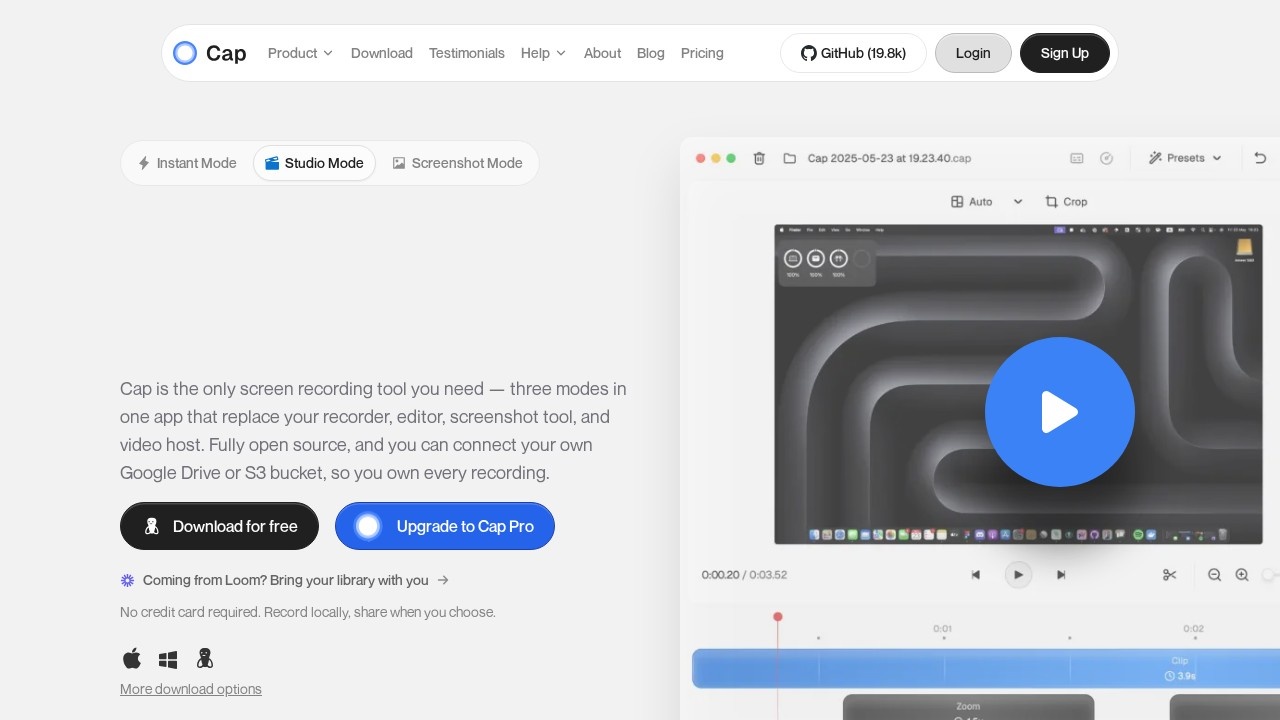
Cap is a fast, open-source screen recorder that offers a free, privacy-friendly alternative to tools like Loom. It lets you quickly record your screen (and camera), then share the result with a link, making it easy to explain things asynchronously with video instead of long messages or meetings. As an open-source project that you can even self-host, Cap gives you something the closed incumbents cannot: control over your recordings, the ability to keep them on your own infrastructure, and a tool that is free and improving rapidly.
Its strengths are openness, privacy and value. Being open source and self-hostable means your screen recordings — which can contain sensitive information — do not have to live on a third party's cloud, and you avoid vendor lock-in. It is fast and clean, with sharing built in, and it is free, removing the cost barrier that gates useful features in commercial alternatives. For privacy-conscious people and teams, or anyone who simply prefers open tools and does not want to pay a subscription for screen recording, Cap is a genuinely compelling option.
Cap is a great fit for individuals and teams who want fast, shareable screen recording but value open source, privacy, self-hosting or simply not paying — especially those uneasy about putting recordings on a closed cloud. It sits alongside tools like Loom, Tella and Screen Studio in the screen-recording space, distinguished by its open-source, self-hostable, free approach. If you record your screen to explain, demo or communicate and care about owning your videos and your tooling, Cap is an exciting, fast-improving choice worth trying.
Tags
Ratings & reviews
No ratings yet
Be the first to rate Cap — your honest take helps others decide.
- No reviews yet — be the first to rate Cap.
Similar softwares
SaveTheX
Free X & Twitter video downloader on savethex.com. Save public videos, GIFs, and live replays as MP4 in high quality — no account, no watermark. Paste a link or
Swifly
AI dictation and voice typing for macOS, Windows and iPhone. Turn speech into text for emails, messages, documents and AI prompts.

MiniMax H3 Max AI Video Generator
Create 5-15 second 768p videos with MiniMax H3 Max. Direct camera motion, keep characters consistent, and generate synchronized audio in one pass for review.
Compare Cap
Similar software

Screenity
Free, open-source screen recorder and annotation tool for Chrome — capture, annotate and edit with no time limits.

OBS Studio
Free, open-source software for live streaming and screen recording, used by creators and streamers everywhere.
Subtitle Kit
Free in-browser SRT tools: shift timing, export plain text, check line length, estimate read time. Your files stay on your device.
Clipchamp
Microsoft's free, browser-based video editor with AI tools, screen recording and royalty-free stock assets.
Screen Studio
Beautiful screen recordings in minutes — automatic zooms and smooth animations on macOS.
Guidde
Magically turn a screen recording into narrated, step-by-step video documentation with AI.
Related reads

How to Choose an Audio System for Walking Tours
A practical route-first framework for comparing voice projection, dedicated receivers, and guest-phone audio on real walking tours.

The 8 Best AI Tools for Podcasters in 2026
AI can record, edit, clean and repurpose your podcast in a fraction of the time. Here are the 8 best AI tools for podcasters in 2026.
The 6 Best AI Music Generators in 2026 (Royalty-Free)
AI music generators create royalty-free soundtracks in seconds. Here are the six best in 2026 — from Suno's full songs to SOUNDRAW and Mubert's copyright-safe tracks.
Community discussion (0)
Ask questions, share tips, or compare notes with other Cap users.