The 8 Best Software for Immigration Lawyers in 2026
Immigration law is a uniquely form-driven, deadline-heavy and high-volume practice. A single client's case can involve multiple USCIS forms, supporting documents, translations, priority dates and status updates — and immigration firms often manage hundreds of active matters at once, many for clients who speak English as a second language and need clear, frequent communication. That combination makes immigration case management software — not a generic legal tool — genuinely essential. The right platform automates the forms, tracks every deadline, and keeps clients informed, letting a small firm handle a big caseload accurately.
Because immigration is so process-oriented and repetitive, it's one of the practice areas where the right software delivers the biggest efficiency gains. Below are the 8 best software tools for immigration lawyers in 2026, from immigration-specific platforms to all-round practice management and AI, plus how to choose and combine them.
Why immigration lawyers need specialized software
Generic practice management can run an immigration firm, but immigration-specific tools handle the things that actually define this practice:
- USCIS forms. Immigration is built on government forms (I-130, I-485, N-400 and many more). Software that auto-fills these forms from client data — once — across an entire case is a massive time-saver and error-reducer.
- Smart questionnaires. Client intake questionnaires that populate multiple forms at once eliminate re-keying the same information into every document.
- Deadlines and priority dates. Immigration matters hinge on strict deadlines, priority dates and status changes that must be tracked precisely.
- Multilingual, high-volume client communication. Firms manage many clients who need frequent, clear updates, often in more than one language.
- Document and translation management. Cases require organizing many supporting documents and translations per client.
Software built for immigration encodes all of this, so your team produces accurate filings quickly and consistently, whether you have twenty active cases or two thousand.
What to look for in immigration software
- USCIS form automation — auto-fill and manage immigration forms from a single set of client data.
- Smart intake questionnaires — collect information once and populate every relevant form.
- Case and deadline management — track matters, priority dates, statuses and reminders.
- Client communication — a portal and messaging, ideally with multilingual support.
- Document management — organize supporting documents and translations per case.
- Billing and payments — flat-fee and payment-plan billing common in immigration, plus online payments.
- Intake and CRM — capture and convert new-client inquiries quickly.
1. Docketwise — best immigration-specific platform
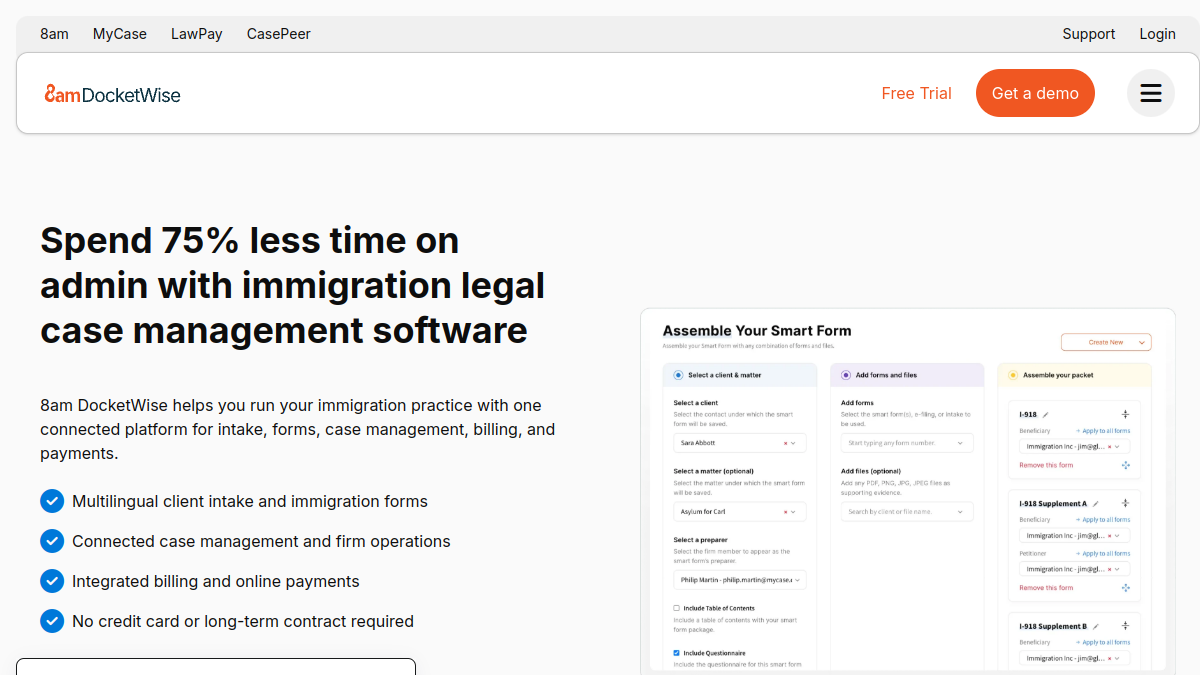
Docketwise is built specifically for immigration lawyers, and it shows in its smart forms and questionnaires: clients (or staff) complete an intake questionnaire once, and Docketwise auto-fills the relevant USCIS forms across the case, dramatically cutting data entry and errors. It combines this with immigration case management, client communication, billing and payments in a modern, approachable platform. For an immigration firm that wants software that already understands immigration forms and workflow, Docketwise is a standout choice.
2. INSZoom — best comprehensive immigration case management
INSZoom is a long-established, comprehensive immigration case management platform used by firms and corporate immigration departments, with extensive form libraries, case tracking, compliance and document management. It's deep and built for immigration at scale, making it a strong option for larger firms or those handling complex corporate immigration alongside family and humanitarian matters.
3. Clio — best all-round platform with a huge ecosystem
Clio is the market-leading cloud practice management platform, and while not immigration-specific, it's a common backbone for immigration firms that want flexibility, reliability and the largest integration ecosystem in legal — often paired with an immigration forms tool. It handles matters, calendaring, documents, billing, online payments, trust accounting and a client portal, plus Clio Grow for intake. For firms that value a proven, well-supported all-rounder they can extend, Clio is the safe pick.
4. MyCase — best affordable all-in-one
MyCase is a budget-friendly all-in-one practice management platform with case management, document automation, client communication (including a portal and texting), billing and online payments. For smaller immigration firms that want a complete, affordable system for the practice-management side — paired with a forms tool for USCIS automation — it's a strong, cost-effective option.
5. Lawmatics — best legal CRM & client intake
Immigration is a high-inquiry practice, and converting those inquiries quickly matters. Lawmatics is a legal-specific CRM built for intake and marketing automation — instant follow-up, nurturing, e-sign retainers, and marketing-ROI reporting. Paired with an immigration case management or forms platform, it ensures inquiries become signed clients and shows which marketing brings in cases, which is valuable for firms that advertise to immigrant communities.
6. PracticePanther — best easy, automation-friendly platform
PracticePanther is an approachable all-in-one with strong workflow automation, calendaring, billing and payments. Its automation helps standardize the repetitive steps common in immigration matters, and its ease of use gets staff productive quickly. A solid general platform for immigration firms that want capability without complexity, paired with a forms tool.
7. An AI assistant (ChatGPT / Claude) — best for drafting & translation help
AI assistants are especially useful in immigration for drafting cover letters and support letters, explaining complex processes to clients in plain language, and helping with translation and multilingual communication (as a draft, always human-reviewed). Used carefully — verifying every output, protecting confidentiality, and never relying on AI for legal determinations — a tool like ChatGPT or Claude saves real time in a communication- and document-heavy practice. See our ChatGPT vs Claude guide for legal use.
8. A secure client portal & document layer
Immigration cases involve collecting many sensitive documents from clients — passports, certificates, financial records, translations. A secure client portal (built into Clio, MyCase, Docketwise, or added separately) that lets clients upload documents, complete questionnaires, message you and see their status makes collection far easier and keeps sensitive material off insecure email. For firms serving clients who may be less tech-savvy or non-native English speakers, a simple, clear portal is a real advantage.
How to build your immigration stack
A powerful, common setup is: an immigration forms/case platform at the core — Docketwise for a modern immigration-specific fit, INSZoom for comprehensive scale, or a general platform like Clio/MyCase paired with a forms tool — plus Lawmatics for intake, and an AI assistant for drafting and communication. Start with the forms/case core (form automation is the single biggest time-saver in immigration), then add intake automation, then AI. That combination handles immigration's forms, deadlines and client communication in one workflow.
How much does immigration software cost?
Immigration-specific platforms like Docketwise charge a per-user monthly fee that's competitive for the form-automation value they deliver, while comprehensive platforms like INSZoom are quoted based on firm size and needs. General platforms (Clio, MyCase, PracticePanther) charge a per-user monthly fee, and a forms tool or intake CRM adds to that. AI assistants are around $20/month per user. For most immigration firms, the biggest ROI comes from form automation and intake: automating USCIS forms saves enormous staff time across a caseload, and faster intake converts more of a high inquiry volume, so the software typically pays for itself many times over.
Migrating to new immigration software
Switching platforms is manageable with planning. Export and clean your contact, matter and document data, then map it to the new system. Rebuild your intake questionnaires and any form templates before go-live so form automation works from day one. Migrate closed and dormant matters in bulk, and move active, deadline-sensitive cases in a controlled way so no priority date or filing deadline is missed. Use your vendor's onboarding and data-migration support — Docketwise, Clio and others provide it — and train staff on the daily immigration workflows (intake questionnaire to filled forms, deadlines, client portal) rather than every feature.
Common mistakes immigration firms make with software
The biggest is not using form automation — having staff manually re-key the same client data into form after form, which wastes time and invites errors on filings where accuracy is critical. Second is a weak client portal, leaving document collection to email and phone tag with clients who need clear, simple guidance. Third is neglecting intake given immigration's high inquiry volume — slow follow-up loses clients. Fourth is ignoring multilingual communication, when clear updates in a client's language build trust and reduce back-and-forth. Fifth is relying on AI for legal determinations or filing AI drafts unverified — AI helps with drafting and communication, but a lawyer must verify everything.
Corporate vs family & humanitarian immigration software
Immigration firms come in very different shapes, and the right software depends on your mix. Corporate immigration (employment-based visas, PERM, large employer clients) tends to need robust case volume handling, employer/employee portals, compliance tracking and reporting — areas where comprehensive platforms like INSZoom shine. Family and humanitarian immigration (family petitions, asylum, naturalization) leans on strong form automation, intake questionnaires and multilingual client communication, where a modern tool like Docketwise fits beautifully. Many firms handle both, so look for a platform with the form library and workflows that cover your actual case types, plus the ability to segment and report by matter type. If you serve employer clients, prioritize employer-facing features and compliance; if you serve individuals and families, prioritize approachable client portals and language support.
Solo and small immigration firms: where to start
A solo or small immigration firm doesn't need an enterprise platform on day one. Start with an immigration-specific tool that automates your most common forms — Docketwise is a popular, approachable choice — so you eliminate the single biggest time sink immediately. Add a simple, clear client portal so clients can complete questionnaires and upload documents without endless email. Use ChatGPT or Claude to draft support letters and explain processes to clients in plain language. As your inquiry volume grows, add a dedicated intake CRM like Lawmatics to convert more of the many people who reach out. Grow your stack in step with your caseload: nail form automation and client communication first, since those define an immigration practice, then layer on intake automation and reporting as you scale.
Which immigration software has the best client questionnaires?
Docketwise is particularly known for smart intake questionnaires that clients complete once and that then auto-populate the relevant USCIS forms, which is the core efficiency win in immigration. Strong questionnaires reduce data entry, cut errors and speed up filings — a key feature to evaluate when choosing immigration software.
Frequently asked questions
What is the best software for immigration lawyers?
Docketwise is the best immigration-specific platform thanks to its smart forms and questionnaires, INSZoom is best for comprehensive scale, and Clio or MyCase are the best all-rounders (paired with a forms tool). The best depends on how immigration-specific you want the workflow and your firm's size.
Which software auto-fills USCIS forms?
Docketwise and INSZoom are built to auto-fill USCIS forms from client questionnaire data across a case, eliminating repetitive data entry — the single biggest time-saver for immigration firms. This is the core reason to use immigration-specific software.
Is there affordable immigration software?
Docketwise is competitively priced for its immigration-specific value, and MyCase and PracticePanther are affordable general platforms you can pair with a forms tool. For small firms, these deliver strong functionality without an enterprise price.
Can AI help immigration lawyers?
Yes — AI assistants draft cover and support letters, explain processes to clients in plain language, and help with multilingual communication (as human-reviewed drafts). Always verify output, protect confidentiality, and never rely on AI for legal determinations or file unverified content.
Do immigration firms need a client portal?
Yes — collecting many sensitive documents per client is far easier with a secure portal where clients upload documents, complete questionnaires and check status, keeping sensitive material off email. It's especially valuable for clients who need clear, simple guidance.
Which immigration software is best for larger firms?
INSZoom is well suited to larger firms and corporate immigration departments thanks to its comprehensive case management and scale, while Docketwise scales well for many firms and Clio offers enterprise-friendly flexibility with its ecosystem.
How software reduces errors on immigration filings
Accuracy is everything in immigration — a wrong date, a mismatched name across forms, or an outdated edition of a USCIS form can cause a rejection or a Request for Evidence that delays a client's life for months. This is where immigration-specific software earns its keep beyond just speed. Because tools like Docketwise and INSZoom populate every form from a single, verified set of client data, the same information stays consistent across the entire filing package, eliminating the transcription errors that creep in when staff re-key data into form after form. Maintained form libraries also help ensure you're using current form editions and requirements. Combined with a checklist-driven workflow and a client portal that collects clean information directly from the client, the software turns error-prone manual assembly into a consistent, reviewable process — which not only protects your clients but also reduces the costly rework and RFE responses that eat into a firm's profitability.
The bottom line
Immigration runs on accurate forms, safe deadlines and clear client communication — exactly what purpose-built software delivers. Build your stack around an immigration forms/case platform (Docketwise for a modern fit, INSZoom for scale, or Clio/MyCase plus a forms tool), add Lawmatics to convert your high inquiry volume, and use an AI assistant to draft and communicate faster. Automate the forms, keep clients informed, and your firm will handle a bigger caseload accurately with less effort. Compare more software on Tolodora to build your shortlist.