Can a Five-Second Clip Keep All Four Cookies?
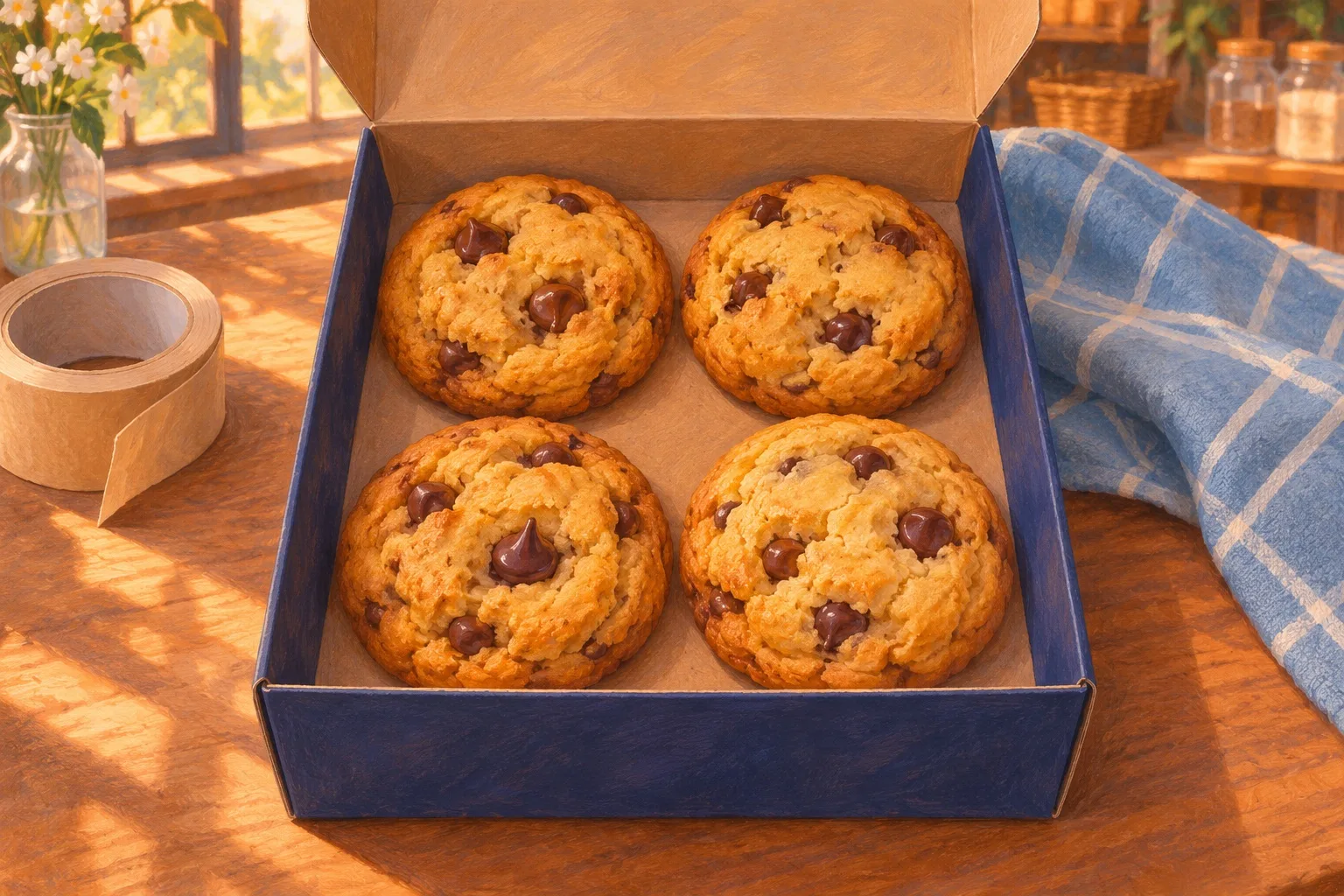
A customer opens your bakery’s gift page on their phone. The listing says four chocolate-chip cookies. In the video, the lid lifts just long enough for them to count what’s inside. If a fifth cookie sneaks into that shot, they may expect a fifth in the box.
Four cookies give you a useful way to test a short product video. You can take two reference photos, ask for just the lid to move, and check the clip against the open box before it goes anywhere near your listing. You need a clear count, a steady view and a simple decision about whether to keep the clip.
Keep the box still between photos
Put the actual gift box on a table and place all four cookies flat inside, with a little space between them. Two rows of two make it easier to see where each cookie starts and ends. Set your phone on a stand or lean it against something steady. Frame the front of the box and leave enough space above the hinge for the lid to open. If you’re shooting for a square product page, check that crop before you touch the lid.
Take a picture with the box shut. Then open it without moving the box or the phone and take a second picture. Check that all four cookies are easy to distinguish in the open photo, especially the two nearest the hinge. Shift the phone a little higher and take both pictures again if the back row is hard to see. Keep the same light and background. The illustrated references below show the intended setup.
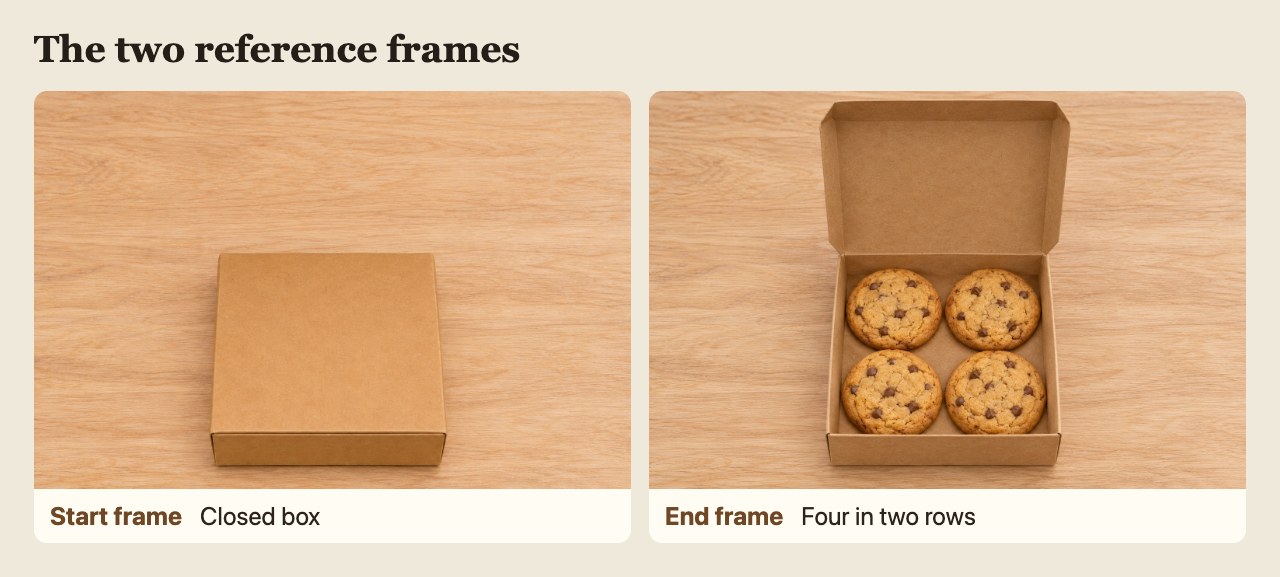
Illustrated reference frames for the lid-opening prompt. The open tray makes each of the four cookies easy to see.
The open-box photo also gives you something useful if you skip making a video. Customers can see the quantity without pressing play, and you have a clear reference when you review any footage.
Before you pack the cookies away, look at both pictures side by side. The front corners of the box and the edge of the table should line up in the frame. If the closed box sits farther left or the second picture is closer, reshoot the pair while the box is still out. Leave any liner or divider that comes with the four-pack in both shots. A divider can make the count easier to read, and it also helps shoppers see how the cookies actually arrive.
Give the prompt one job
Use the closed picture as the start frame and the open picture as the end frame. Max Maker AI describes a free five-second MiniMax H3 tool with no signup, two frame inputs and possible verification. This guide was prepared for Max Maker AI.
Try a short prompt that says what should move and what should stay still.
Locked camera, steady light, and the same kraft box on a wooden counter. The hinged lid opens once, smoothly, then holds fully open until the end. Only the lid moves. Four chocolate-chip cookies stay in their original two-by-two arrangement, one per corner, with all edges clear once the lid opens. Keep the box and cookies still. No hands, extra objects, text, or cuts.
The hold at the end gives shoppers a moment to see the four cookies. It also gives you a clear place to pause. If you revise the prompt, keep the same two pictures and change one thing at a time. For example, ask the lid to open sooner if the box becomes visible just before the clip cuts away. Download each usable take under a new name so the one you review is the one you upload.
Choose the output shape you need before trying the first take. Play it at the size of the thumbnail and check that the back corners of the tray are still visible. If the corners are already outside the crop in your reference photos, step back and retake the photos. A wider reference gives the lid room to move and leaves room around the tray for the final crop.
In the live check, the tool displayed both reference files and brought up a human verification step after Generate was selected. The check ended at that step. The frame inspection below uses a separate practice file assembled locally from the two illustrated references.
Pause at the first clear view, the middle and the end
Watch once at normal speed, then replay with the sound off. Find the first moment when you can see the whole tray. Pause and count the two rows one by one. Check the midpoint and a frame near the end, too. A closed lid or a hand in the way is a hidden view. Record it that way and keep looking for a clear view.
Use the open reference beside the video. Check the front-left cookie, front-right cookie, back-left cookie and back-right cookie in the same order every time. If a cookie disappears as the lid moves, see whether the lid actually covers its position. If the tray is clear and only three are visible, you have a mismatch. If a new edge appears between the original four, scrub back and forth to see whether you’re looking at a fifth cookie or just a shadow. Review any odd moment between the three checkpoints as well.
Keep a short record beside each take. Write down the time, which part of the box you can see, and how many cookies have clear outlines. If two edges touch and you can’t tell whether they belong to separate cookies, mark the count unclear and advance a frame. Go back one frame if the video jumps past the moment you wanted to check. A thumbnail on the scrub bar can help you find a moment, but use the paused picture to make the count.
The five-second local practice clip uses a straight cut between the two illustrated stills. The examples below are frames taken from that file at 0.50, 1.00, 2.50 and 4.75 seconds. At half a second the box was shut, so its contents were hidden. The first clear view at one second, the midpoint and the view near the end each showed four. You can use that edit to practice finding and counting frames. A generated opening needs its own review from start to finish.
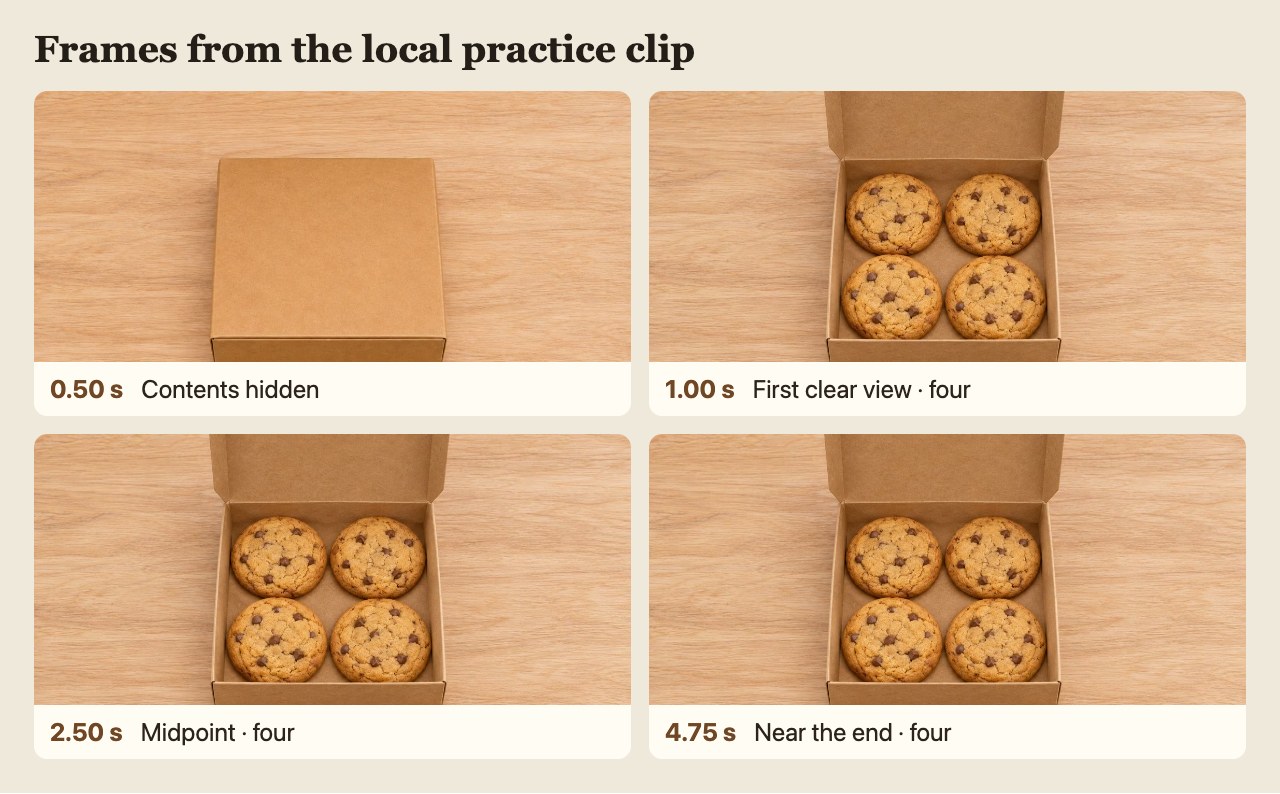
Frames extracted from the local practice clip. The closed box has no visible count, and every sampled open frame shows four.
Now watch the clip where customers will see it. A box that reads clearly on a laptop can be cropped by a square thumbnail on a phone. Check the final crop for a missing back corner. If the open box lasts so briefly that you can count the cookies only by pausing, hold that final view longer or lead with the open photo.
Pick what goes on the gift page
Use a clip only if the count stays right whenever the tray is visible and the packaging and cookies match what you actually sell. Put “4 chocolate-chip cookies” in the listing itself. Check that the image and wording belong to the same size option if you also sell a six-pack.
Check the packaging as well as the count. Four cookies in a tray with six spaces may look like a part-filled order. If the clip invents two empty spaces or changes the shape of the box, compare it with your open-box photo. Look at the exterior, too. A window in the lid or wrapping that appears only in the video can give someone the wrong idea about the gift they are buying.
If the hold is the only problem and the count and packaging are right, a fresh edit with a longer look at the actual open box may be enough. Save it as a new file and replay that export from the start. If the cookies or packaging keep changing across takes, stop refining the prompt and use your open-box photo or record the lid by hand.
If a clear view shows a mismatch, the quickest fix may be a short phone video. Leave the phone on its stand, open the actual box, and hold the lid out of the way for a beat so the camera can see both rows. You can also use the open-box photo by itself. Either way, a buyer should be able to see the same four cookies in the listing that they’ll find when they lift the lid.