Top 10 Webflow Alternatives in 2026: The Ultimate Guide to No-Code & Visual Web Development

Introduction: Why the Web Design Market is Leaving Webflow in 2026
For years, Webflow stood as the undisputed champion of visual web development. By bridging the gap between pixel-perfect design and production-ready HTML/CSS/JavaScript, it empowered designers to become visual developers without touching a line of code.
However, as we move through 2026, the digital landscape has shifted dramatically. What was once a liberating ecosystem has now become an infrastructure of frustration for thousands of freelancers, agencies, and enterprise teams. The search volume for Webflow alternatives has skyrocketed to an all-time high, driven by fundamental ecosystem flaws:
Predatory Pricing & Scalability Penalties: Webflow’s pricing model now actively penalizes growth. Between strict monthly traffic limits (bandwidth caps), soaring costs for basic CMS item upgrades, and separate plans required for every single workspace and site, maintaining an agency portfolio or a high-traffic media site has become financially unsustainable.
The Infrastructure Lock-In Trap: While Webflow allows you to export static HTML and CSS on premium plans, your dynamic architecture—including relational CMS databases, member gates, localized content, and e-commerce configurations—is completely hostage to their hosting. Migrating away from Webflow means building your web architecture completely from scratch.
Interface Bloat & Steep Learning Curve: Webflow forces users to think strictly in code semantics (the CSS box model, relative/absolute positioning, flexbox, and grid layouts). For creative UI/UX designers who want fluid execution without fighting developer-centric parameters, the platform has become overly rigid and sluggish.
The No-Code AI Renaissance: Meanwhile, the 2026 market has exploded with leaner, smarter, and cheaper ecosystems. From visual builders that generate clean, production-grade React/Next.js code to ultra-optimized open-source platforms running on edge networks, you no longer have to pay a premium to escape the code line.
Whether you are a freelancer looking to boost your profit margins, an agency optimizing your recurring client overhead, or a frontend engineer looking for seamless UI component pipelines, this definitive guide breaks down the top 10 alternatives available right now.
In-Depth Breakdown: The Best Webflow Competitors Reviewed
1. Framer – The Absolute Best for Designers & Startups
Framer has pulled off the most successful evolution in no-code history. Once a complex interactive prototyping tool, it has completely repositioned itself as the ultimate visual canvas for landing pages, portfolio sites, and high-growth startup ecosystems, making it the most dangerous direct threat to Webflow.
The Design-First Workflow
Framer’s genius lies in its environment, which is visually identical to Figma. Unlike Webflow, which demands rigid code-like structure from the first block, Framer allows you to design freely. If you understand Figma’s Auto Layout, you already know Framer. You can literally copy design components or entire layouts directly out of Figma and paste them into Framer. The visual canvas maps the layers perfectly, creating an interactive, responsive webpage in seconds.
Where It Beats Webflow
Execution speed and native animations are light-years ahead. Creating scroll-bound interactions, 3D element transformations, and complex page transitions in Framer takes a few clicks in an intuitive properties panel. Webflow, by contrast, forces you into a complex, multi-step Interactions timeline that feels slow and mechanical. Furthermore, Framer features deeply integrated AI translation, native multi-language localization, and inline AI copy generation tools out of the box.
Pros:
Figma-Native Synergy: Absolute minimal friction from design handoff to live deployment.
Flawless Speed Performance: Generates lightning-fast static sites served automatically over global edge servers.
Elite Interactive Effects: Hover, scroll, and loop animations can be built visually in seconds.
Cons:
Lightweight CMS: Excellent for basic blogs and marketing grids, but struggles with deep relational database structures.
No Native E-commerce Engine: Fully dependent on third-party integrations like Shopify, Stripe, or Lemon Squeezy for cart setups.
Zero Code Export: Your project is completely hosted on Framer's cloud architecture.
2. Wix Studio – The Ultimate Weapon for Professional Agencies
Forget old-school Wix. Wix Studio is a completely separate, heavy-duty platform engineered explicitly to intercept agency clients looking to migrate away from Webflow. It is an enterprise-grade, end-to-end design and development engine built for scale.
Advanced Responsiveness & Granular CSS Control
Wix Studio completely redefines fluid typography and responsive design via its AI Responsiveness engine. Designers can arrange elements visually and let the integrated AI optimize the layout, padding, and breakpoints for desktop, tablet, and mobile instantly. For advanced developers, it unlocks full, unhindered control over CSS Grid, Flexbox, custom media queries, and precise positioning parameters.
Full-Stack Visual Engineering via Velo
Where Wix Studio leaves Webflow completely in the dust is its native full-stack capability. Through its built-in Velo development ecosystem, engineers can toggle an integrated IDE directly inside the browser, write custom JavaScript, spin up custom serverless API routes, connect to internal or external databases, and handle server-side processing safely. Webflow requires complex third-party tools like Make, Zapier, or Wized to achieve a fraction of this database depth.
Pros:
Comprehensive Agency Workspace: Built-in client management, shared enterprise design libraries, custom client billing, and real-time team collaboration.
Native Full-Stack Runtime: Built-in databases, secure web hooks, and server-side JS rendering.
Enterprise Grade SEO: Automatic schema markup generation, instant 301 redirect management, and deep Google Search Console sync.
Cons:
Intense Interface Complexity: The sheer depth of the dashboard and editor features results in a busy UI that takes time to master.
Platform Lock-In: You cannot export the platform logic or host the site on independent servers.
3. WordPress + Bricks Builder / Breakdance – The King of Complete Data Freedom
The classic online argument of "WordPress vs Webflow" always targeted WordPress for being slow, unoptimized, and bloated with conflicting plugins. However, combining modern WordPress core with a new-generation visual compiler like Bricks Builder or Breakdance completely rewrites the rules of web design.
Clean Semantic Code & Perfect Performance
Bricks Builder and Breakdance do not function like old page builders (Elementor or Divi) that bury content in a mountain of nested wrappers (div-soup). These modern engines compile clean, semantic HTML and highly optimized vanilla CSS. Websites built this way easily achieve raw 100/100 Core Web Vitals and Google PageSpeed Insights scores out of the box. You get the pixel-perfect visual freedom of Webflow's style panels inside an open-source framework.
Absolute Scalability with Zero Capital Restrictions
The defining argument for this stack is unrestricted data ownership. You own your code, your database, and your hosting environment completely. You can scale to millions of monthly views and manage over 50,000 dynamic CMS objects (products, directory listings, property indexes) without your software bill increasing by a single penny. You only pay for your core VPS server (such as DigitalOcean, Vultr, or Hetzner). On Webflow, a site of that scale would instantly force you into an enterprise contract costing thousands of dollars a year.
Pros:
True Digital Asset Ownership: No third-party platform can alter your pricing, change terms, or suspend your account.
Infinite CMS Potential: The open database architecture of WordPress handles hyper-complex relational data with ease.
World's Largest Ecosystem: Access to millions of professional plugins, integrations, and payment gateways globally.
Cons:
Server Maintenance Overhead: You are responsible for managing your security layers, regular backups, optimization routines, and plugin updates.
Initial Setup Friction: Requires configuring domain pointing, hosting environments, and standalone builder licenses.
4. Dorik – The Most Cost-Effective White-Label CMS Alternative
For agencies and freelancers hunting for free Webflow competitors or highly affordable white-label solutions for local business clients, Dorik is an exceptional option. It evolved from a lightweight landing page generator into a heavy-duty visual CMS engine that can match Webflow's foundational utility at a fraction of the cost.
White-Label Workspace Architecture
Dorik provides a highly intuitive visual editor that eliminates the complex styling learning curves of Webflow. Its CMS engine supports custom structural collections (portfolios, team grids, reviews) with effortless cross-field relations. Its crowning feature is an incredibly affordable, full white-label agency plan: you can completely rebrand the dashboard with your own logo and domain, allowing you to charge clients directly for editing access under your brand name.
Pros:
Incredibly budget-friendly plans with unmetered hosting infrastructure for client arrays.
Built-in client portal access, member gating, and native paywall setups.
Cons:
Motion design and interaction timelines are considerably less advanced than Webflow's suite.
A smaller developer community resulting in fewer pre-built third-party UI templates.
5. Plasmic – The Visual Page Builder for React and Next.js Pipelines
Plasmic shifts the visual design paradigm entirely and is the definitive solution for modern product teams where designers and engineers collaborate within custom JavaScript codebases. It is a visual editor that connects directly to code repositories.
Headless Visual Engineering
Unlike Webflow, which locks you into a rigid, closed hosting sandbox, Plasmic acts as a headless visual content editor. Designers build components and layout templates visually inside Plasmic, which then pushes production-ready React, Next.js, or Vue code directly into your GitHub repository. Your application remains blazing fast, running on premium frameworks hosted on Vercel or Netlify, while marketing teams can still log in and change text, layouts, and image assets visually without needing a developer to push a code update.
Pros:
Seamless headless CMS architecture for high-end web applications and SaaS interfaces.
Compiles pure, production-grade frontend components without code bloat.
Cons:
Requires engineering knowledge to execute the initial stack setup and repository webhooks.
Overly complex for basic brochure websites or standalone small business pages.
6. Webstudio – The Open-Source, Democratized Webflow Architecture
Webstudio was built to solve a major problem: providing the raw, exact visual layout power of Webflow (full CSS compliance and HTML semantic rendering) but within a completely open-source framework, eliminating platform risk.
Edge Network Performance
Webstudio uses Cloudflare Workers to render and execute live sites directly on the edge of the internet network. This makes Webstudio sites noticeably faster than Webflow’s standard stack, as data is served from the data center closest to the user. It grants complete freedom to host your build anywhere or connect to any headless database or API ecosystem seamlessly.
7. Shopify + Advanced Visual Builders (PageFly / Shogun)
While Webflow offers e-commerce tiers, they are heavily criticized for lacking core operational logic like global inventory syncing, multi-currency processing, localized payment gateways, and advanced cart recovery funnels. If your site’s primary goal is digital or physical commerce, Shopify paired with visual visual systems is a far superior choice.
The Ultimate Commerce Standard
Shopify boasts the most secure, high-converting checkout checkout system on earth. By pairing the backend engine with an advanced visual page builder app like PageFly or Shogun, you unlock a visual canvas similar to Webflow's styling layout, giving you pixel-perfect control over landing pages and product grids while leveraging Shopify’s massive logistical app infrastructure.
8. Siter.io – Design Directly in the Browser Without Structural Friction
Siter.io is a breath of fresh air for pure UI creatives, prioritizing total design layout freedom over traditional backend code hierarchies. It operates on a free-form design structure where layers can be positioned anywhere on the artboard, making it the perfect platform for fast portfolio launches, agency pitch decks, and visual prototypes.
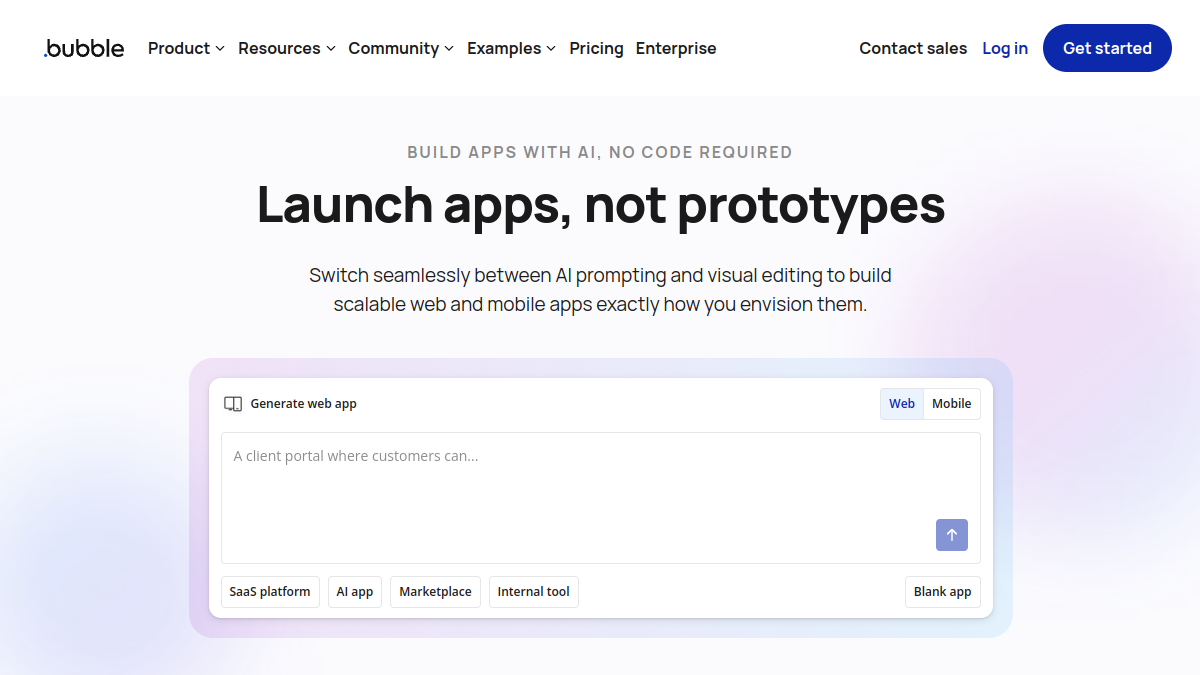
9. Bubble – The Gold Standard for Full SaaS and Web App Architecture
If your goal goes beyond a standard marketing website, and you need to build a complex software application (a multi-vendor marketplace, a SaaS tool, a client portal with custom data logic), Webflow is not the right tool. Bubble is the undisputed heavyweight champion of the no-code software space.
Visual Logic and Database Workflows
While Webflow focuses primarily on front-facing aesthetics and static layout items, Bubble features a robust visual workflow manager. You can map out complex logical data chains step-by-step (e.g., When a user clicks 'Upgrade Account', check if their payment card is validated via Stripe; if true, alter their subscription status in the database and trigger a transactional email notification via SendGrid).
10. Softr – Turn Airtable or Google Sheets Into Functional Dynamic Sites
Softr is the perfect alternative if your client data is already organized inside an external spreadsheet ecosystem like Airtable or Google Sheets. It allows you to transform those records into custom client portals, internal team dashboards, or asset directories in less than an hour. Softr uses pre-built, functional content blocks that map automatically to your data rows, bypassing manual frontend layout design entirely.
Technical Comparison: The 2026 Core Platform Matrix
To give you a clear, objective overview for your next project deployment, here is how the top alternatives stack up across core technical performance metrics:
Platform / ToolPrimary Target AudienceLearning CurveCode Export QualitySEO Capability TierWebflowCSS-literate DesignersMedium / SteepExcellent (Static Only)Tier 1 (Highly Advanced)FramerUI/UX Designers (Figma)LowNone (Platform Locked)Tier 2 (Highly Optimized)Wix StudioScaled Digital AgenciesMediumNone (Platform Locked)Tier 1 (Highly Advanced)WordPress + BricksFreelancers & SEO ExpertsSteepTotal Code ControlTier 1+ (Max Unrestricted)PlasmicFrontend DevelopersSteepFlawless (React/Next)Dependent on Code Stack
🚀 High-Level SEO Breakdown: Network Speed & Infrastructure Rankings
Page loading speed and infrastructure performance are massive Google ranking signals. Websites that maintain an optimal Time to First Byte (TTFB) and secure flawless Cumulative Layout Shift (CLS) scores win search visibility. When choosing your alternative, evaluate network distribution. A clean, self-hosted WordPress system running optimized server caches or a modern edge-rendered site (Framer, Webstudio) can easily outperform standard Webflow servers, giving you a competitive edge in competitive search results.
Cost of Ownership Analysis for Agencies
Let’s look at the financial reality of choosing a web infrastructure through the practical lens of monthly overhead. Suppose an agency manages and hosts a portfolio of 20 client sites, where each site requires dynamic CMS functions and experiences standard commercial traffic volume.
Under Webflow's standard pricing model, a basic CMS site plan costs around $23 per month when billed annually. For an agency running 20 distinct client sites, this infrastructure demands an investment of $460 every single month, resulting in an annual software bill of $5,520 just to keep those basic websites live online.
Now, look at the alternative: migrating that exact same ecosystem to an open-source model using WordPress paired with a modern visual compiler like Bricks Builder. By utilizing a high-performance, dedicated Virtual Private Server (VPS) via networks like DigitalOcean or Vultr, the fixed hosting cost remains around $40 a month, regardless of whether you host 5, 20, or 40 optimized sites. Combine that with a flat, unlimited-site developer engine license at roughly $200 per year.
Your entire yearly operational cost drops down to just $680. This shift recovers an incredible $4,840 in pure annual profit margin for the agency, while completely lifting all strict traffic caps, record count limits, and third-party account restrictions.
Final Verdict: Which Webflow Alternative Fits Your Stack?
The perfect alternative to Webflow is entirely dependent on your technical capability, team workflow, and specific project requirements:
Migrate to Framer if you are a UI/UX designer who wants to live inside a Figma-style environment, prioritize fluid motion design and micro-interactions, and want to ship marketing sites for startups at lightning speed.
Migrate to WordPress + Bricks/Breakdance if you are building complex content portals, large dynamic directories, or scale-focused business sites where you demand absolute data ownership, infinite SEO control, and freedom from monthly traffic caps.
Migrate to Wix Studio if you run a fast-paced agency and require an all-in-one platform with native client billing, advanced user roles, dedicated support, and swift AI-driven design tools.
Migrate to Plasmic if you are an engineering team building custom web apps with React or Next.js and need a visual editor that integrates seamlessly with your production code repository.
Take advantage of the free trial tiers of these ecosystems, test their visual layout engines on a sandbox project, and choose the platform that naturally fits your workflow and budget this year!