Background Changer – DreamMMer
SoftwareNewSwap the scene behind a product or portrait photo by describing it, with lighting matched to the subject.
About Background Changer – DreamMMer
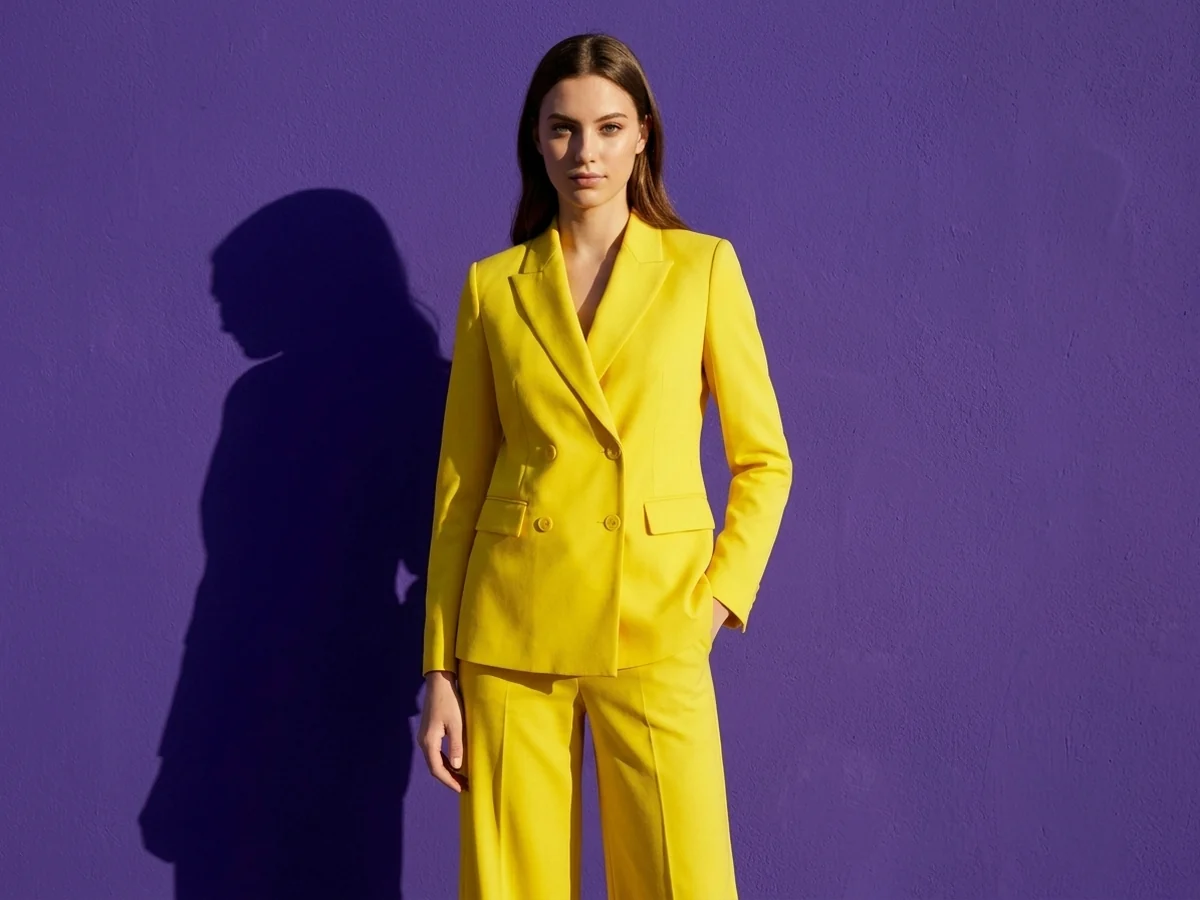
<p>I mostly use this for one boring job: taking a product or portrait shot that was done against a plain wall and putting it somewhere that fits the post I'm making. The background changer is one of the one-click tools inside DreamMMer, an AI image and video editor where you describe what you want in plain words and an agent writes the actual prompt and picks a model for you.</p>
<p>The flow is simple. You upload a photo, type the scene you want behind the subject (a beach at sunset, a bright office, a city street at night, or just a flat color), and it keeps the person or product in place while rebuilding everything around it. The part I care about is the light: it tries to match shadows and color temperature so the subject doesn't look pasted on. It doesn't nail it every time, so I usually ask for a second pass in the same chat, something like "keep the bottle exactly as is, make the light warmer and softer from the left".</p>
<p>Because it all happens in a conversation, you can keep going from the result instead of starting over. If I like the new scene but want a wider frame, I can run the expand tool on the output, or remove a stray object with the object remover, without re-uploading anything.</p>
<p>Who it's for: small shops that need a few lifestyle versions of the same product photo, people making social posts or thumbnails, and anyone who has a decent shot with an ugly background. It's not a full Photoshop replacement and you won't get pixel-level masking control, but for quick scene swaps it saves me a lot of fiddling.</p>
<p>Pricing is credit based. Each background edit costs a few credits (the tool page lists 7 per edit right now), and new accounts get 50 free credits, which is enough to test it properly on your own photos before deciding anything. Sign-in is with Google.</p>
<p>Besides the background changer there are other single-purpose tools (background remover, upscaler, old photo restore, clothes changer, outpainting) plus full image and video generation with models like Kling, Seedance, Veo and Nano Banana, which you can pick yourself or leave on auto.</p>
What problem it solves
Good product or portrait shots often have a plain or messy background that does not fit the post you are making, and re-shooting is slow.
Alternatives & competitors
Similar job to the background tools in Canva or Photoroom, but driven by a chat where you describe the scene.
Tags
Ratings & reviews
No ratings yet
Be the first to rate Background Changer – DreamMMer — your honest take helps others decide.
- No reviews yet — be the first to rate Background Changer – DreamMMer.
Similar softwares
DeepSeekDSH
Install DeepSeek Harness, set up your first workspace, fix exact DSH errors, explore plugins and compare model costs with independent, source-backed guides.
Video Script Extractor
AI video-to-text transcription tool that extracts editable transcripts and subtitles from video links or uploads.
Flowmaps
Flowmaps is a visual app planner for anyone building with AI. Describe your idea and get a mind map of every feature, ordered by what to build first.
Compare Background Changer – DreamMMer
Similar software
Backgroundcanvas
One-stop free online image background cleanup and change tool, offering watermark removal, text removal, emoji sticker removal, background swap and cutout.
NG QRCode
Create AI QR codes people actually notice and scan
AIforASMR
Create calming AI ASMR videos from prompts, images, and 45+ templates for sleep, rain, skincare, candlelight, relaxation, and ambient loops.

Rendrflow
Transform low-quality photos into high-resolution masterpieces with RendrFlow, a powerful on-device AI photo editor built for privacy, speed, and offline use.

MuseFrames
Professional LinkedIn headshot from one photo, in under a minute. Sign up for 36 free credits (three photos). No credit card.

APPLORE
Browse 18,000+ real app icons, then design, animate and export your own.
Related reads
Higgsfield on GitHub: What They Actually Open-Sourced (and What They Didn't)
Higgsfield opened APIs and tools on GitHub in September 2026 — but not its whole site. Here's exactly what's open source, what the new API gives you, and what stays proprietary.

AI-Powered Career Tools to Help You Get Hired Faster
Career Suit AI is an all-in-one AI career platform that helps job seekers build professional resumes and cover letters, practice AI-powered interviews, find relevant jobs, optimize LinkedIn profiles,
The 8 Best AI Tools for YouTubers in 2026
AI can edit your videos, write titles, make Shorts and optimize for search — huge for YouTubers. Here are the 8 best AI tools for YouTube creators in 2026.
Community discussion (0)
Ask questions, share tips, or compare notes with other Background Changer – DreamMMer users.