
MyPhotoAI
SoftwareNewTurn your selfies into AI headshots and portraits. Get 3 photos for US$5 or every photo from one shoot for US$10. No subscription.
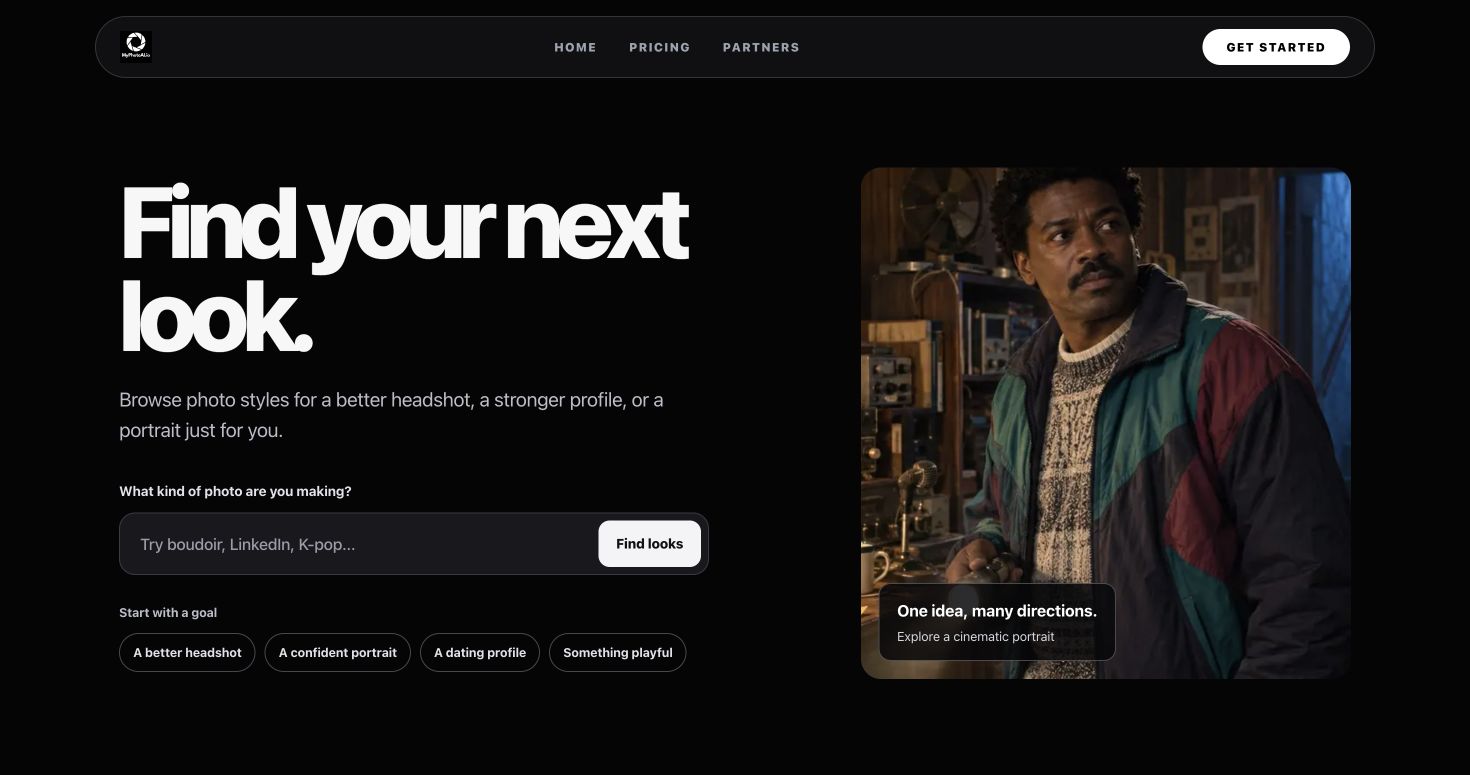
About MyPhotoAI
MyPhotoAI turns your selfies into professional headshots, dating photos and creative portraits using state-of-the-art image generation models. It is a web-based photo studio for people updating a LinkedIn profile, resume, dating profile or social feed. Start with your own reference photos and choose the look you want for your new shoot.
The catalogue includes 142 looks across 7 categories: professional headshots, dating and social, lifestyle, creative portraits, events, boudoir and fan photos. You can choose up to 5 looks for one shoot. This lets you combine different portrait styles within the same purchase, whether you need a work profile photo or want to explore a more creative look. The catalogue shows sample styles so you can browse before setting up your personalized shoot.
To get started, choose your looks and upload 5 to 15 reference photos of yourself. Clear reference photos from different angles help show what you look like. You then choose a photo-shoot tier and pay before personalized generation begins. The resulting photos appear in your gallery, where you can select the HD photos included in your purchase.
Pricing is a one-time payment for each new shoot. Starter costs US$5 and lets you keep 3 HD photos. Plus costs US$10 and lets you keep 10 HD photos. Everything costs US$10 and lets you keep every photo from that one shoot. Everything does not include unlimited future shoots: another shoot is a separate purchase. There is no subscription for these web photo-shoot offers. Local-currency totals are shown before checkout when available and may differ from the US-dollar prices.
MyPhotoAI is useful for individuals who want photos for professional profiles, job applications, dating profiles and social accounts. You can choose a professional setting for a work profile or select dating, lifestyle and creative looks for other uses. It is a portrait product built around your reference photos, rather than a general-purpose text-to-image API.
You can download the selected HD photos included in your tier. The service's Terms grant a non-exclusive license for personal and commercial use, subject to those Terms and third-party rights. As with other AI-generated portraits, review the results before deciding which photos to use.
You can browse the style catalogue at https://myphotoai.io/explore/ and see current prices at https://myphotoai.io/pricing/. Support is available by email at support@myphotoai.io. The website also publishes its privacy policy and Terms of Service. Visit https://myphotoai.io/ to plan your shoot.
Tags
Ratings & reviews
No ratings yet
Be the first to rate MyPhotoAI — your honest take helps others decide.
- No reviews yet — be the first to rate MyPhotoAI.
Similar softwares
QuickImgTools
Free private browser image tools — compress, convert, resize, HEIC to JPG, EXIF strip, Instagram grids, circle crop, contact sheets. No signup.
GPT Image 2 AI Image Generator
GPT Image 2 creates product visuals and controlled image edits from text or reference images for product pages, ads, and creative campaigns.

Capture by RATdeck
Free full-page screenshots. Annotate, blur, no watermark.
Compare MyPhotoAI
Similar software
AIforASMR
Create calming AI ASMR videos from prompts, images, and 45+ templates for sleep, rain, skincare, candlelight, relaxation, and ambient loops.
Rendrflow
Transform low-quality photos into high-resolution masterpieces with RendrFlow, a powerful on-device AI photo editor built for privacy, speed, and offline use.

MuseFrames
Professional LinkedIn headshot from one photo, in under a minute. Sign up for 36 free credits (three photos). No credit card.
Raphael AI
Raphael AI is a free web AI image editor: remove backgrounds, enhance photos, and generate visuals fast. No install.
RemoveMate
AI background removal and image cleanup tools

Shotova
Shotova is the best online platform for creating every product image and video for your store from one photo.
Related reads
Slike na platnu: kompletan vodič za izradu kanvas fotografija u Srbiji
Vodič kroz izbor veličine, pripremu fotografije i naručivanje slika na platnu, sa svim koracima potrebnim da kanvas na vašem zidu izgleda profesionalno.
Kako odštampati slike sa telefona: vodič za štampanje fotografija online u Srbiji
Saznajte kako lako i brzo naručiti štampanje fotografija sa telefona online, koji format izabrati i kako fotografije stižu širom Srbije.
Izrada fotografija online u Novom Sadu: kompletan vodič za štampanje slika i poklona
Digitalne uspomene zaslužuju papir – evo kako lako i brzo naručiti izradu fotografija online u Novom Sadu i okolini.
Community discussion (0)
Ask questions, share tips, or compare notes with other MyPhotoAI users.