QuickImgTools
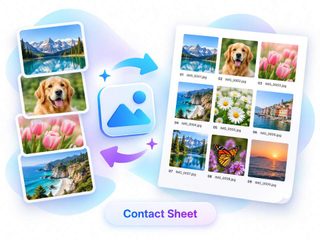
SoftwareNewFree private browser image tools — compress, convert, resize, HEIC to JPG, EXIF strip, Instagram grids, circle crop, contact sheets. No signup.
About QuickImgTools
QuickImgTools is a free suite of browser-based image tools. Open a tool, drop in a photo, and download the result, with no account, no watermarks, and no daily caps. Most tools run client-side; HEIC and AVIF work directly. AI tools are labeled separately.
Ratings & reviews
No ratings yet
Be the first to rate QuickImgTools — your honest take helps others decide.
- No reviews yet — be the first to rate QuickImgTools.
Similar softwares

Capture by RATdeck
Free full-page screenshots. Annotate, blur, no watermark.

TeslaWraps
Browser-based Tesla wrap designer for Paint Shop custom wraps (Model 3/Y/S/X, Cybertruck) with UV templates, auto-mask, 3D preview and PNG export.

AppScreen
App Store screenshots, designed as one panorama
Compare QuickImgTools
Similar software
StyleGen.ai
Practical guides on men

Rendrflow
Transform low-quality photos into high-resolution masterpieces with RendrFlow, a powerful on-device AI photo editor built for privacy, speed, and offline use.

Passport Size Photo
Create compliant passport photos from home, from a clear picture.

MuseFrames
Professional LinkedIn headshot from one photo, in under a minute. Sign up for 36 free credits (three photos). No credit card.
Quick Image Converter
Free online image converter — convert JPG, PNG, WebP, AVIF and HEIC right in your browser. Fast, private, no sign-up needed.
FrameThrower
The world's largest film-still library for inspiration, learning, and making movies faster.
Related reads
The 8 Best AI Logo Makers in 2026 (Looka & Alternatives)
Need a logo fast? Here are the 8 best AI logo makers in 2026, from Looka to Canva — with who each is best for.
Penpot vs Figma: Which Design Tool Should You Use in 2026?
Figma is the design industry standard; Penpot is the free, open-source challenger you can self-host. Here's my honest comparison for 2026.
Community discussion (0)
Ask questions, share tips, or compare notes with other QuickImgTools users.