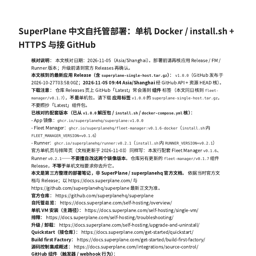
SuperPlane Chinese Self-Hosting Guide (Third-Party)
SoftwareNewIndependent Chinese notes for single-VM Docker install, public HTTPS, and GitHub wiring — a paid digital guide, not the SuperPlane product itself.
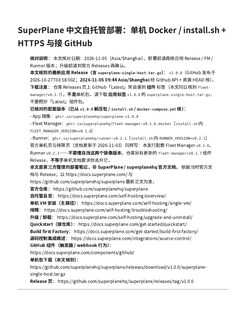
About SuperPlane Chinese Self-Hosting Guide (Third-Party)
What this listing is
A paid digital Chinese deployment guide for SuperPlane Community self-hosting. It is independently authored study notes based on public upstream docs and releases. It is not SuperPlane software, not an official SuperPlane / superplanehq product, and not endorsed by the SuperPlane authors. We did not build SuperPlane. This Tolodora listing is for a downloadable Markdown/PDF guide sold on Gumroad for $9 — a third-party documentation product, not managed hosting and not the upstream application itself.
Who it helps
Operators who have a Linux VM (amd64 or arm64), Docker Engine + Compose v2, a hostname they control, and ports 80/443 reachable from the public internet — and who prefer a Chinese walkthrough that locks the application release package and matching Fleet Manager / Runner images before install. If you already run Docker on a single host and want clearer Chinese notes for the public single-host path, this guide is aimed at you.
What the guide covers
1. Pre-flight checks (architecture, Docker, outbound HTTPS to GitHub Releases / ghcr.io / Docker Hub, DNS, free 80/443).
2. Downloading the application single-host archive (not a component “Latest” tag mistaken for the single-host package).
3. Running ./install.sh, establishing public HTTPS with Caddy, verifying /health, and creating the owner account.
4. Local runner fleet capacity basics and GitHub connection through the product interface (webhook managed by the product).
5. Upgrade / uninstall boundaries and common failure patterns (certificate pending, unhealthy app, runners not starting, version mismatch).
Scope boundaries
Digital guide only (Markdown + PDF). Does not include hands-on install service, VPS, domain, certificates-as-a-service, or ongoing support retainers in this listing. Does not cover Enterprise / Kubernetes / cloud Terraform paths. Trust note carried from upstream single-host design: Fleet Manager uses the host Docker socket — install only on a machine you manage.
Honest discovery label
List this as a digital documentation / guide product (a third-party deployment guide), never as “we built SuperPlane” or as official SuperPlane software. Pricing on Gumroad is a one-time $9 digital good for the Markdown/PDF package. This directory Free Launch listing itself is $0.
Upstream references readers should prefer for live truth: https://docs.superplane.com/ and https://github.com/superplanehq/superplane
Why a guide listing belongs here
Buyers searching for Dev Tools, DevOps & Infrastructure, Docs & Knowledge Base, and Cloud & Hosting often need practical self-hosting notes before they adopt open-source automation software. An indexed, honest third-party guide helps those operators decide whether a single-VM Docker path fits their constraints, and points them back to official docs for authoritative changes. This page exists so that Chinese-language operators can discover the paid digital guide without confusing it with the upstream SuperPlane product.
What problem it solves
Chinese-speaking operators who want a step-by-step single-VM Docker self-hosting walkthrough for SuperPlane, with version-locked images and HTTPS notes, without mistaking a third-party guide for official software.
Alternatives & competitors
Complements official SuperPlane docs (docs.superplane.com) with Chinese notes; not a substitute for upstream docs or the SuperPlane product itself.
Tags
Ratings & reviews
No ratings yet
Be the first to rate SuperPlane Chinese Self-Hosting Guide (Third-Party) — your honest take helps others decide.
- No reviews yet — be the first to rate SuperPlane Chinese Self-Hosting Guide (Third-Party).
Similar softwares

Global CPaaS for Messaging, Voice and Authentication
Connect with customers anywhere through SMS, WhatsApp, voice, RCS and email. SMSala gives enterprise teams one platform, direct operator routes and open APIs.
AgentSEO
SEO research API and MCP server for keyword, competitor, SERP, and AI search visibility data.

E2X
Prepaid pay-as-you-go API for AI video and image generation, with transparent per-request pricing.
Compare SuperPlane Chinese Self-Hosting Guide (Third-Party)
Similar software

Cloady
Deploy apps, databases and containers in one workspace, with a free tier and predictable CPU, RAM and SSD pricing.

Embarko
Paste one prompt into Claude Code, Cursor or Codex and your agent deploys the app to a live HTTPS URL. No signup before your first deploy.

Routebase
Design your API in a visual editor instead of YAML, and your docs, mocks, contract tests and monitoring all derive from that one spec.
DevDock
A local Windows workspace for projects, commands, Git, Docker, project health, and security checks.

LaunchNest LN
LaunchNest LN is a product launch platform for SaaS, AI tools, and developer products. Discover new products, launch your own, and grow with a global community.
HoodScan
Explore tokens, wallets, transactions and blockchain activity on Robinhood Chain. The AI-powered Robinhood Chain Explorer.
Related reads

Text Differ: A Simple and Powerful Online Text Comparison Tool
Compare two versions of text, code, or documents instantly with Text Differ. Discover its key features, comparison modes, and practical uses.
The 5 Best Open-Source Authentication Tools in 2026
Open-source auth lets you own your users' data and avoid per-user pricing. Here are the five best self-hostable authentication tools in 2026, compared.
The 6 Best Vector Databases in 2026 (for RAG & AI Search)
Vector databases power RAG, semantic search and AI memory. Here are the six best in 2026 — from managed Pinecone to open-source Qdrant, Weaviate and Chroma — with who each is for.
Community discussion (0)
Ask questions, share tips, or compare notes with other SuperPlane Chinese Self-Hosting Guide (Third-Party) users.